V0215, 7.11
Calculate corrections, programming of measured angles
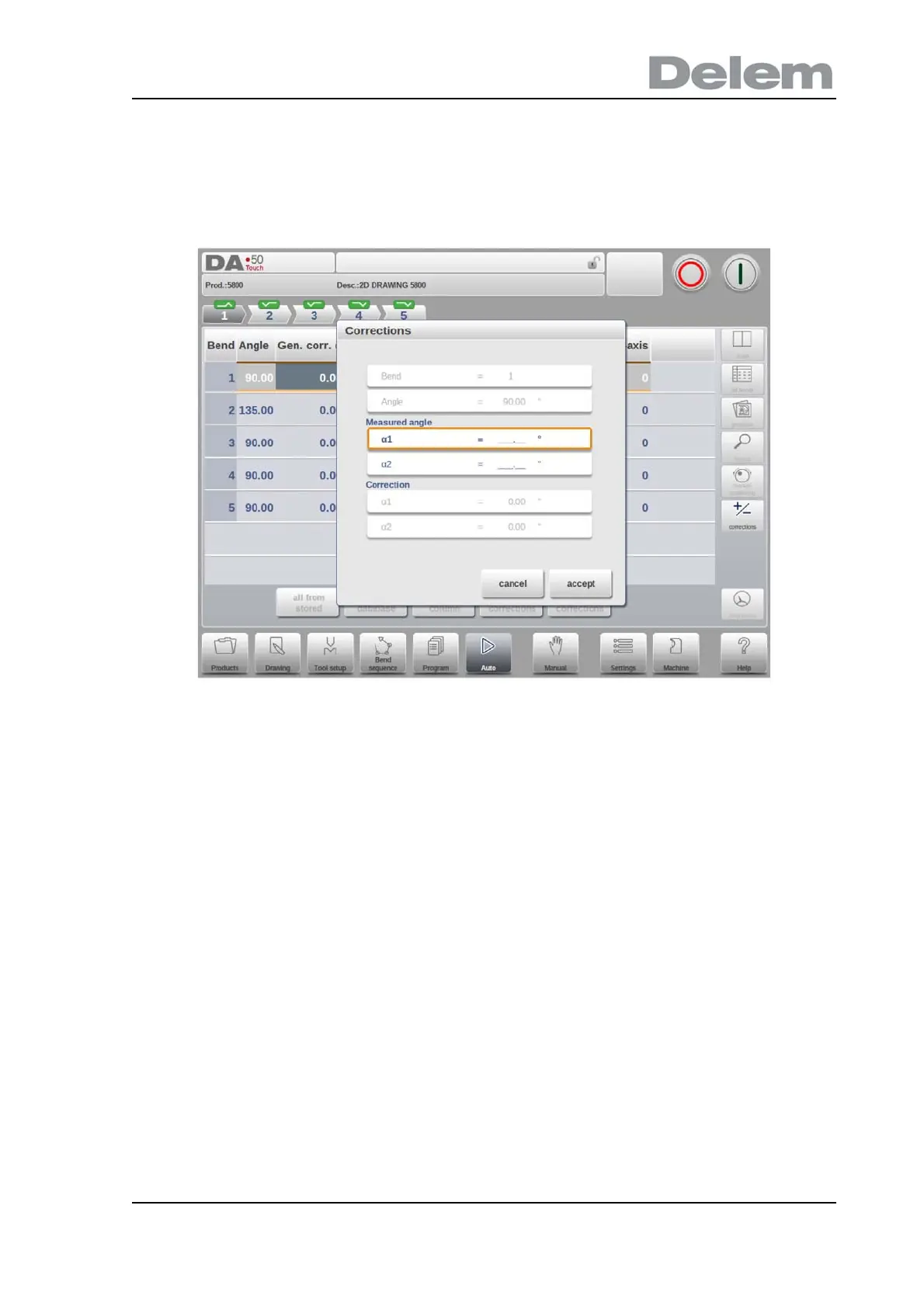
To calculate the corrections from measured angle values, one can use the “calculate
corrections” function in the correction window. Calculate corrections will open a separate
window in which, upon choice, the measured angle(s) can be programmed.
From the programmed value the control will determine a correction. The proposed result can
be seen in the window itself. In the top of the window the programmed angle is shown, in the
bottom of the window the resulting corrections are shown. When selecting accept, these
values will be transferred to the main corrections screen.
When only one measured angle value is entered, the other values will be copied equally. If
there are separate left, right or even middle values, these can be entered as well. The
appropriate correction values will be determined from the entered values. The middle
measured angle, if applicable, is transferred to an absolute crowning correction.
When using the optional protractor device, measured values can be taken directly into the
correction field or can also been obtained within the “calculate corrections” window. After a
satisfactory measurement, corrections are transferred to the main corrections window. If
values are entered directly in the correction field, new corrections are only accumulated after a
new bend cycle.
Axes corrections can also be edited in the main screen. When there are multiple axes
available this special view mode can be switched to for all axes corrections.



 To Next Page