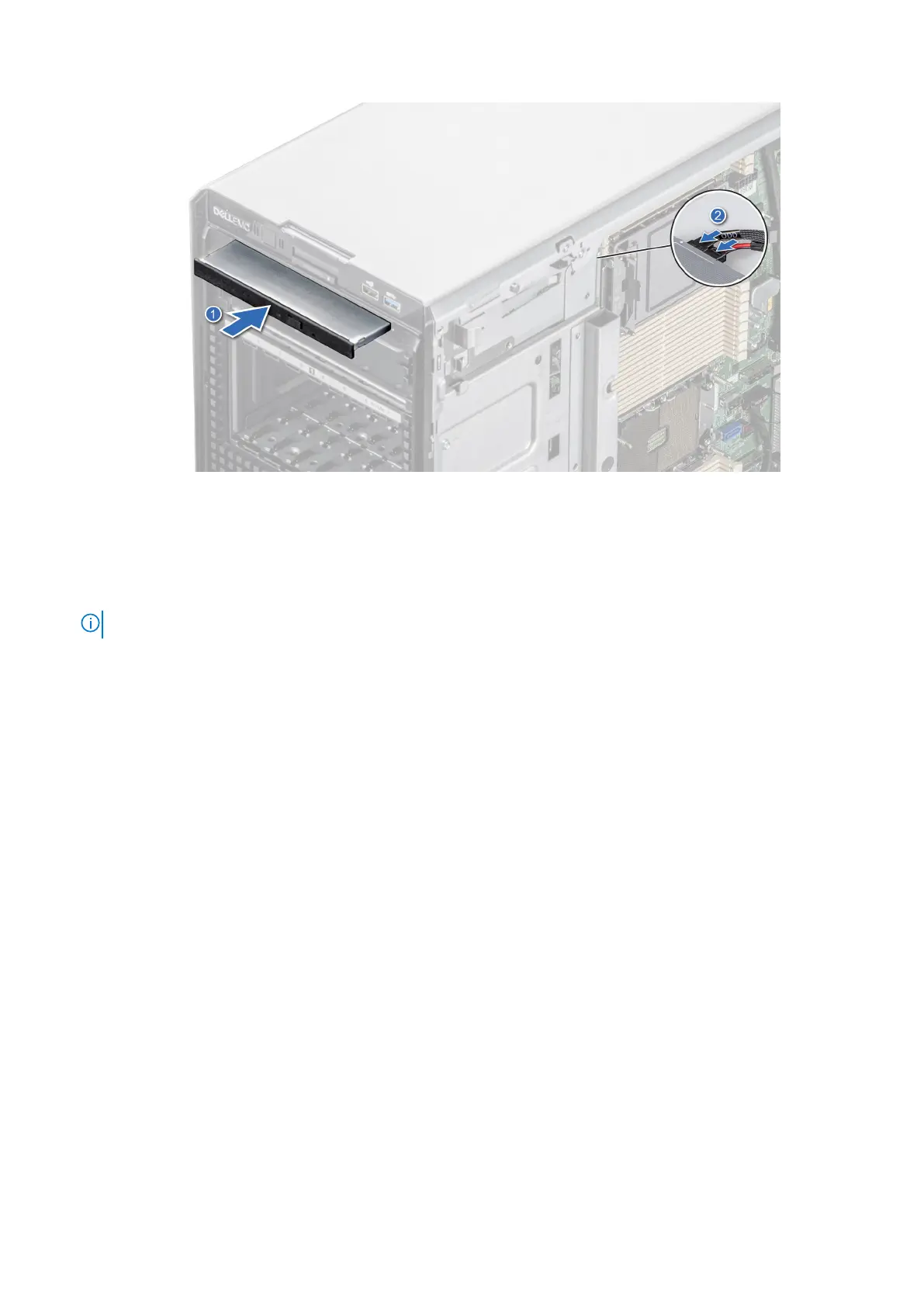
Figure 96. Installing the optical drive
Next steps
1. If removed, install the front bezel.
2. Connect the power cable and the data cable to the optical drive.
NOTE: Route the cables properly to prevent them from being pinched or crimped.
3. Follow the procedure that is listed in After working inside your system.
Optional tape backup unit
This is a service technician replaceable part only.
Removing the tape backup unit blank
Prerequisites
1. Follow the safety guidelines listed in Safety instructions.
2. Follow the procedure that is listed in Before working inside your system.
3. If installed, remove the front bezel.
Steps
Push the protrusion at the rear of the tape backup unit blank and slide it towards the front of the system.
Installing and removing system components
101














 To Next Page