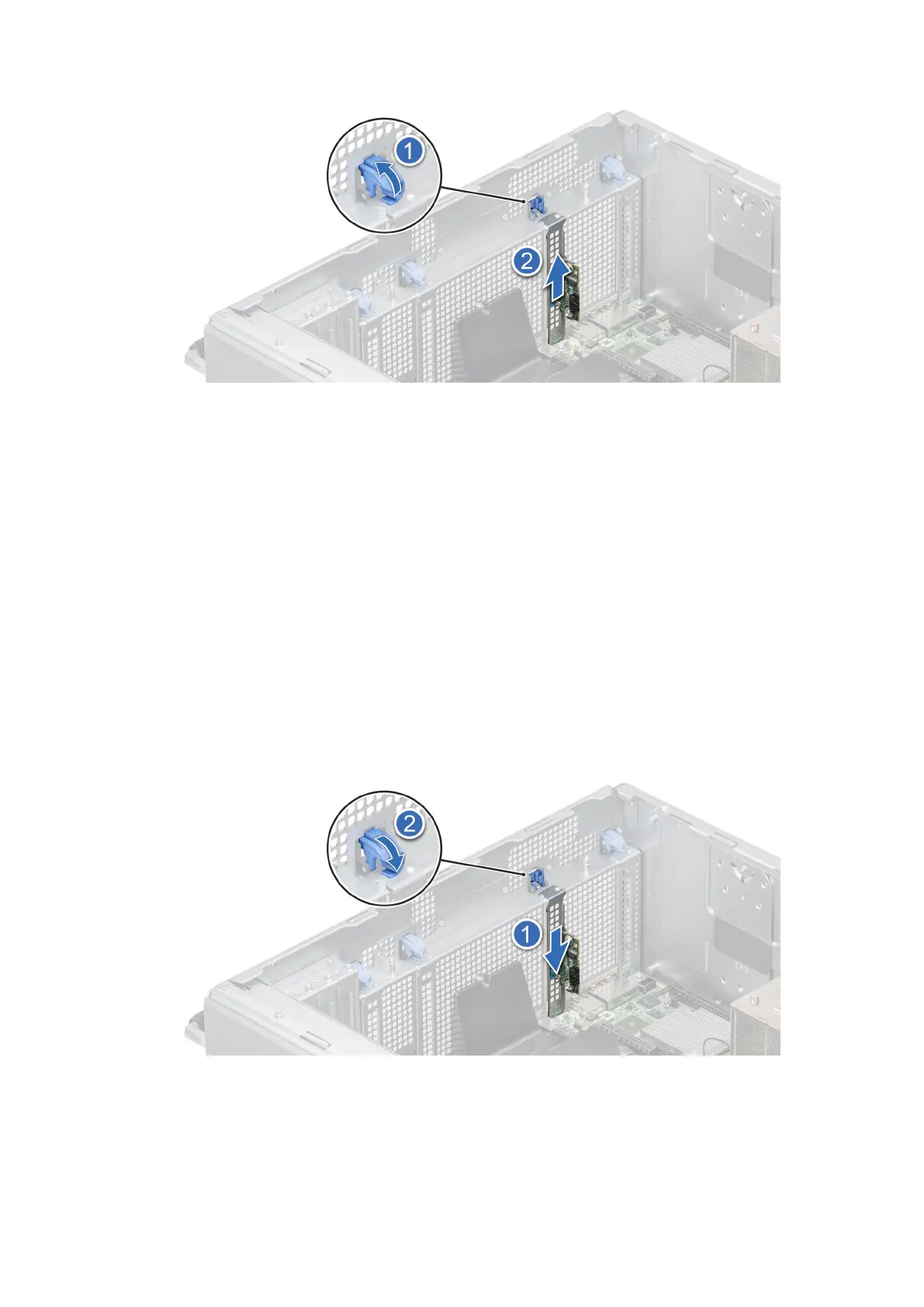
Figure 157. Removing the serial COM port
2. Install the filler bracket if not replacing the serial COM port.
Next steps
Replace the serial COM port.
Installing the serial COM port
Prerequisites
1. Follow the safety guidelines listed in Safety instructions.
2. Follow the procedure that is listed in Before working inside your system.
3. Remove the air shroud.
Steps
1. Open the blue latch and remove the filler bracket from the system.
2. Slide the serial COM port and close the blue latch, until it snaps into place.
Figure 158. Installing the serial COM port
Next steps
1. Connect the cable to serial COM port.
152
Installing and removing system components














 To Next Page