NOTE: Route the cables properly to prevent them from being pinched or crimped.
2. Install the front bezel.
3. Install the air shroud.
4. Follow the procedure that is listed in After working inside your system.
System memory
System memory guidelines
The PowerEdge T550 system supports DDR4 registered DIMMs (RDIMMs). System memory holds the instructions that are
executed by the processor.
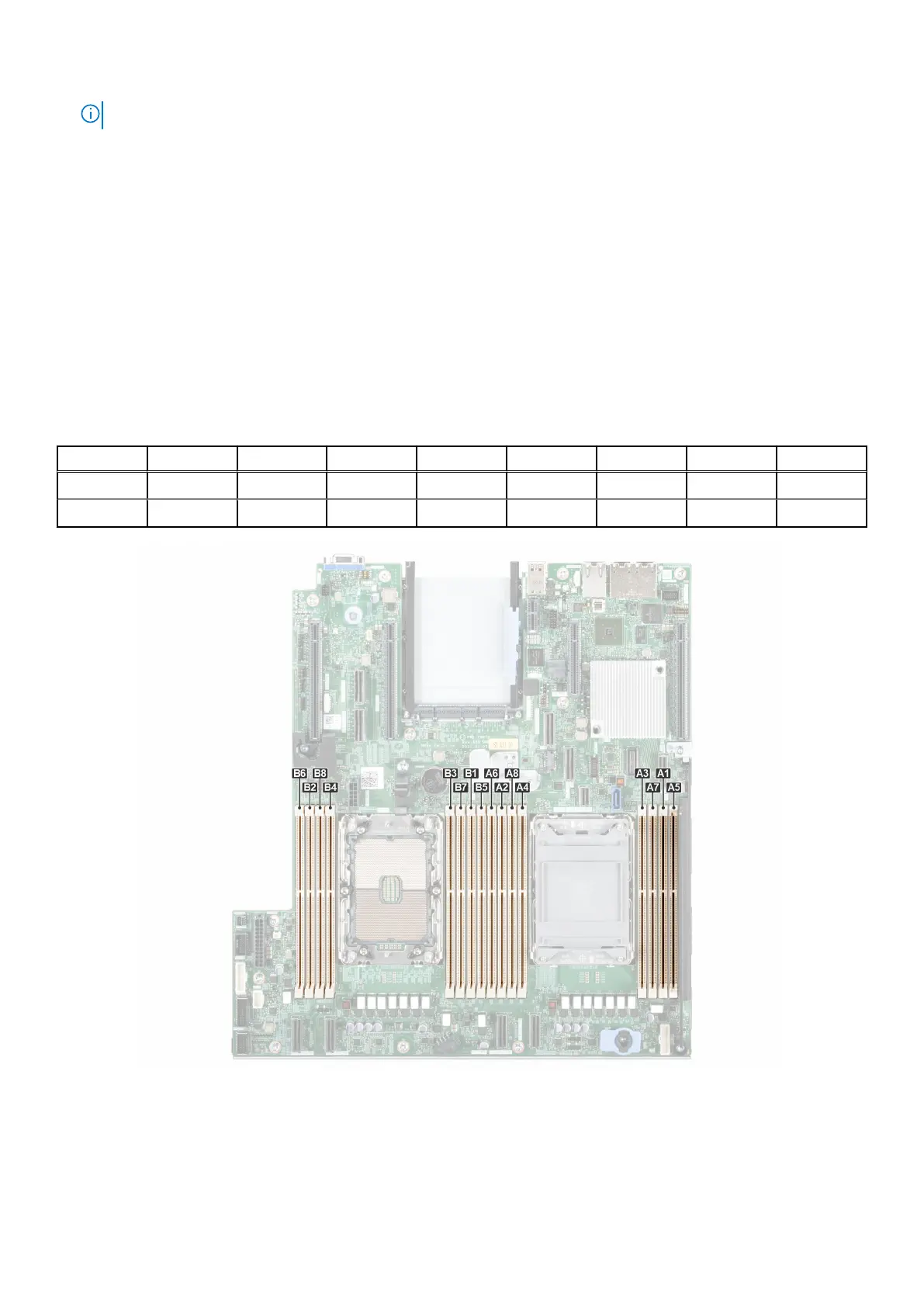
Your system contains 16 memory sockets organized into 8 channels per processor.
Memory channels are organized as follows:
Table 36. Memory channels
Processor Channel A Channel B Channel C Channel D Channel E Channel F Channel G Channel H
Processor 1 A1 A5 A3 A7 A2 A6 A4 A8
Processor 2 B1 B5 B3 B7 B2 B6 B4 B8
Figure 105. Memory channels
108
Installing and removing system components














 To Next Page