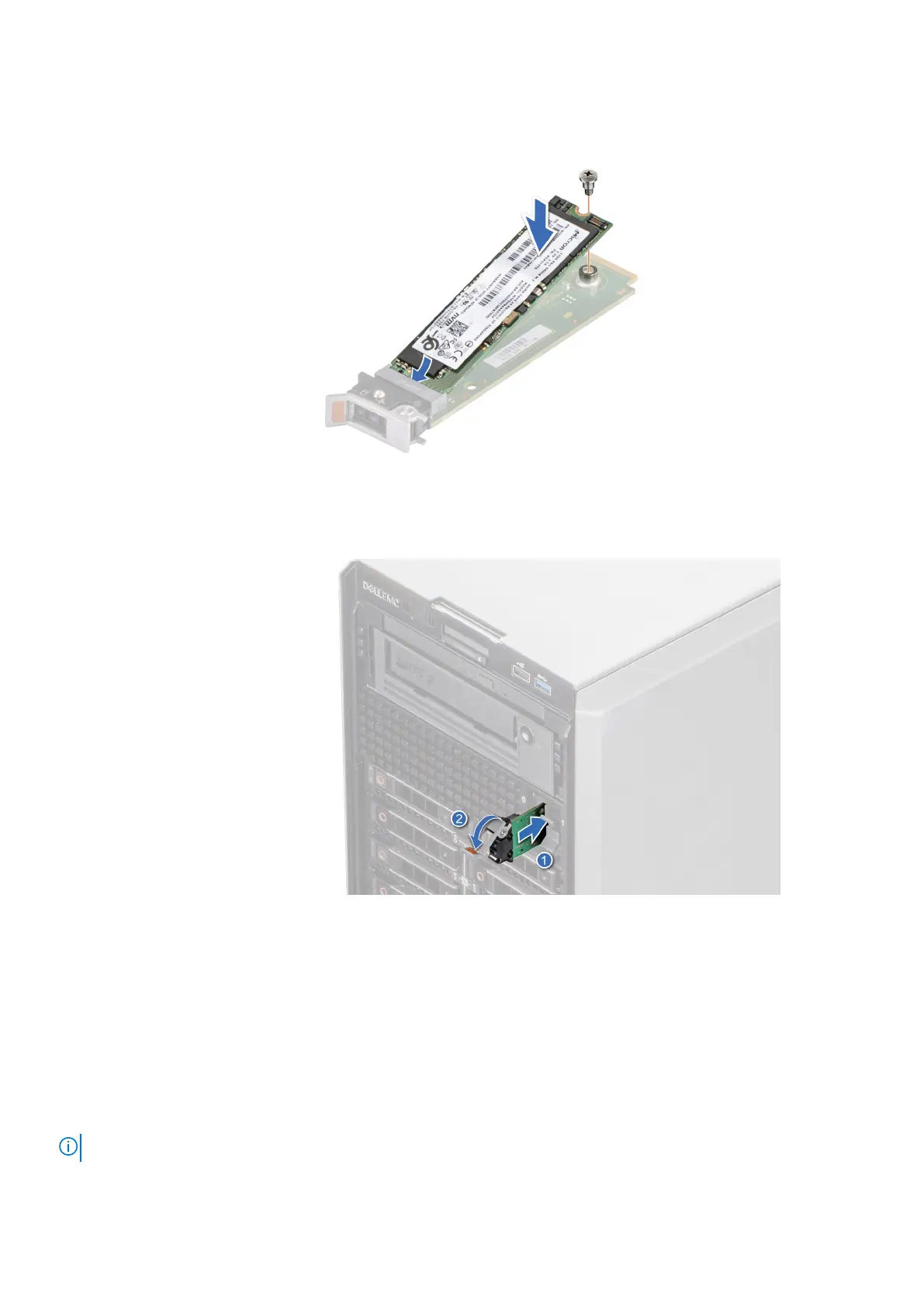
2. Align the M.2 SSD module at an angle with the BOSS S2 card connector.
3. Insert the M.2 SSD module until it is firmly seated in the BOSS S2 card connector.
4. Using the Phillips 1 screwdriver, secure the M.2 SSD module on the BOSS S2 card with the screw.
Figure 118. Installing the M.2 SSD module
5. Align and push the BOSS S2 card carrier into the slot in the BOSS S2 module.
6. Close the release latch to secure the BOSS S2 card carrier.
Figure 119. Installing the BOSS S2 card carrier
Next steps
1. Install the air shroud.
2. If removed, install the front bezel.
3. Follow the procedure that is listed in After working inside your system.
Optional internal USB card
NOTE: To locate the internal USB port on the system board, see the System board jumpers and connectors section.
Installing and removing system components 117














 To Next Page