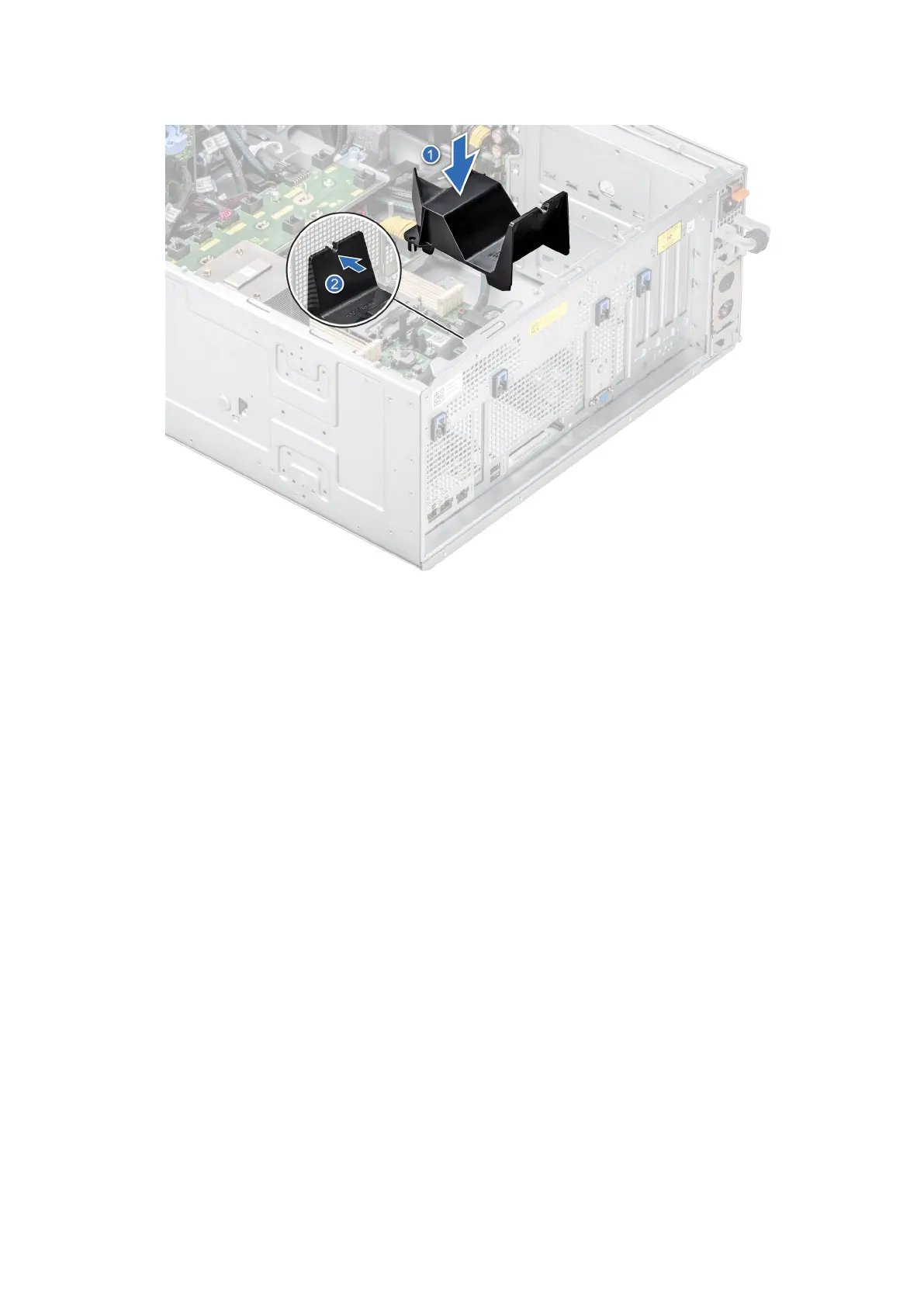
6. Align the OCP air shroud to the guide pins on the chassis and lower the OCP air shroud.
Figure 156. Installing the OCP air shroud.
Next steps
1. Install the air shroud.
2. Follow the procedure listed in After working inside your system.
Optional serial COM port
This is a service technician replaceable part only.
Removing the serial COM port
Prerequisites
1. Follow the safety guidelines listed in Safety instructions.
2. Follow the procedure that is listed in Before working inside your system.
3. Remove the air shroud.
4. Disconnect the cable connected to the serial COM port.
Steps
1. Open the blue latch and slide the serial COM port out of the system.
Installing and removing system components
151














 To Next Page