Steps
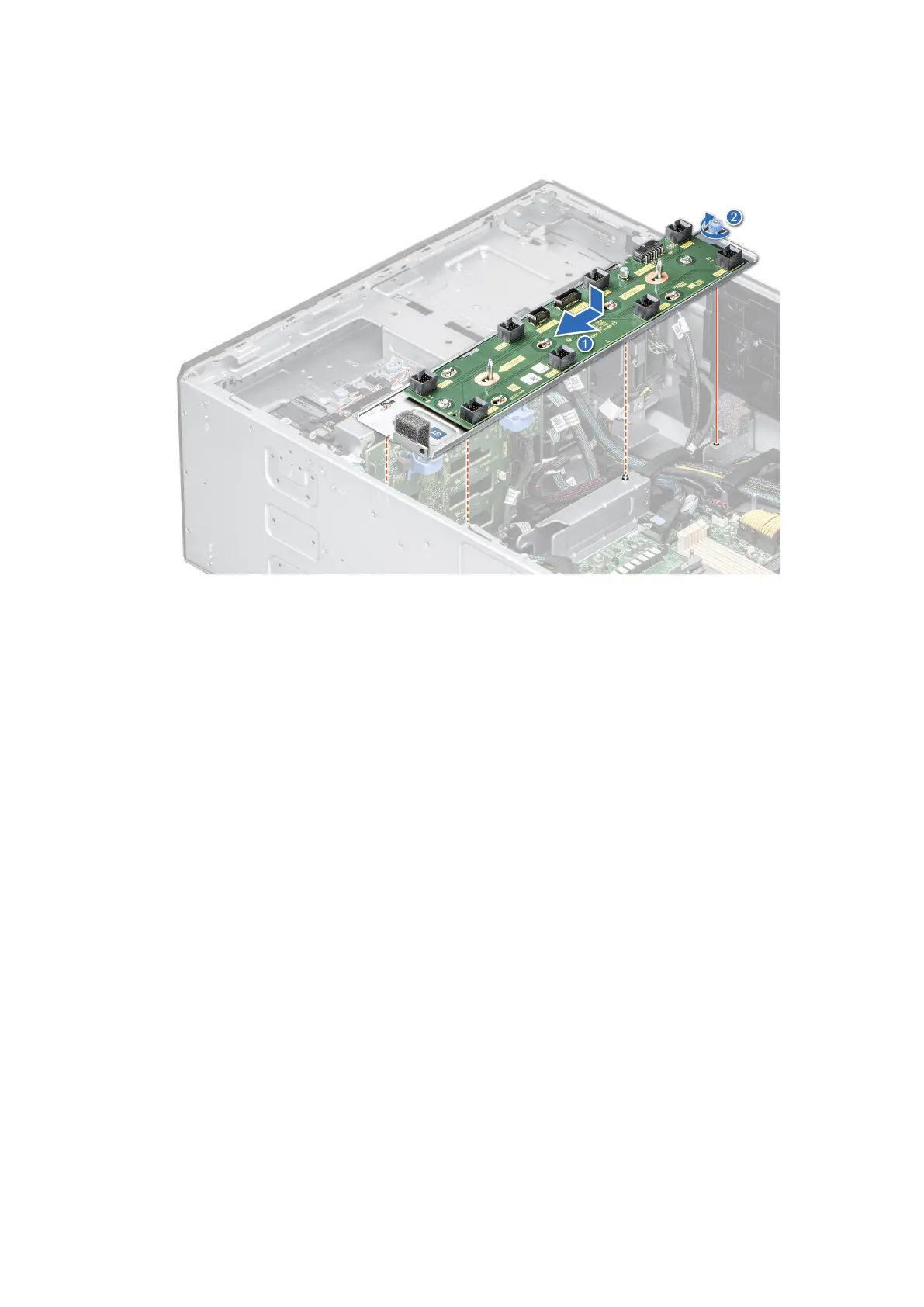
1. Align the fan board tray to the guide pins on the system, slide the tray to the left of the system to lock it in place.
2. Tighten the captive screw to secure the fan board tray to the system.
Figure 41. Installing the fan board tray
Next steps
1. Connect the cables to the fan board.
2. Install the cooling fan cage.
3. Install the air shroud.
4. Follow the procedure listed in After working inside your system.
Front PERC module
Removing the front PERC module
Prerequisites
1. Follow the safety guidelines listed in Safety instructions.
2. Follow the procedure that is listed in Before working inside your system.
3. Disconnect all the cables connected to the front PERC module.
Steps
1. Using a Phillips 2 screwdriver, loosen the captive screws on the front PERC module.
2. Slide the front PERC module to disengage from the connector on the drive backplane.
52
Installing and removing system components














 To Next Page