Air shroud
Removing the air shroud
Prerequisites
CAUTION: Never operate your system with the air shroud removed. The system may get overheated quickly,
resulting in shutdown of the system and loss of data.
1. Follow the safety guidelines listed in Safety instructions.
2. Follow the procedure listed in Before working inside your system.
Steps
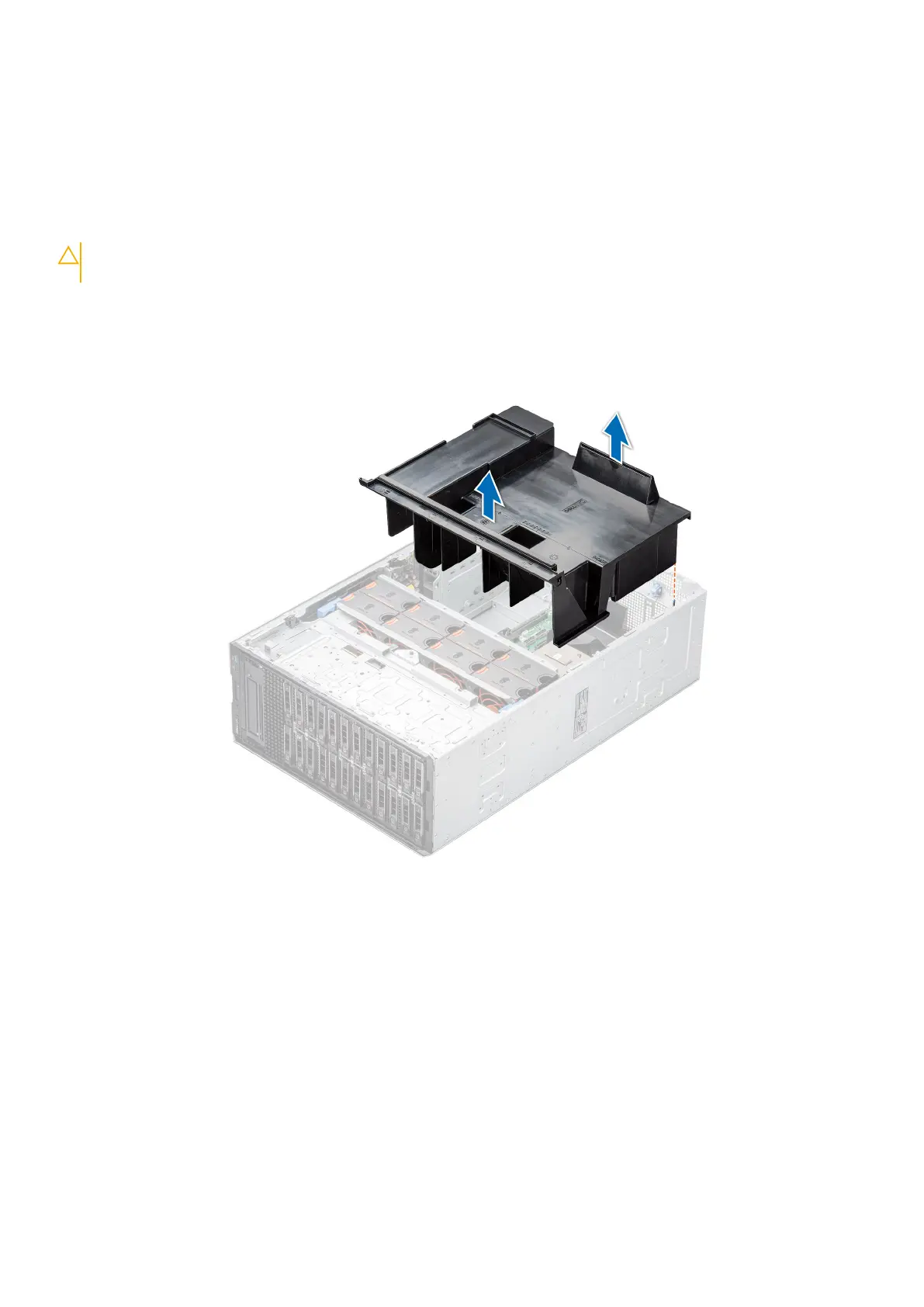
Hold the edges of the air shroud, and lift the air shroud out of the system.
Figure 33. Removing the air shroud
Next steps
Replace the air shroud.
Installing the air shroud
Prerequisites
1. Follow the safety guidelines listed in Safety instructions.
2. Follow the procedure listed in Before working inside your system.
3. If applicable, route the cables inside the system along the chassis wall and secure the cables by using the cable-securing
bracket.
Installing and removing system components
45














 To Next Page