Table 1. Features available on the front of the system (continued)
Item Ports, panels, and slots Icon Description
more information about Status LED indicators, see the www.dell.com/
poweredgemanuals.
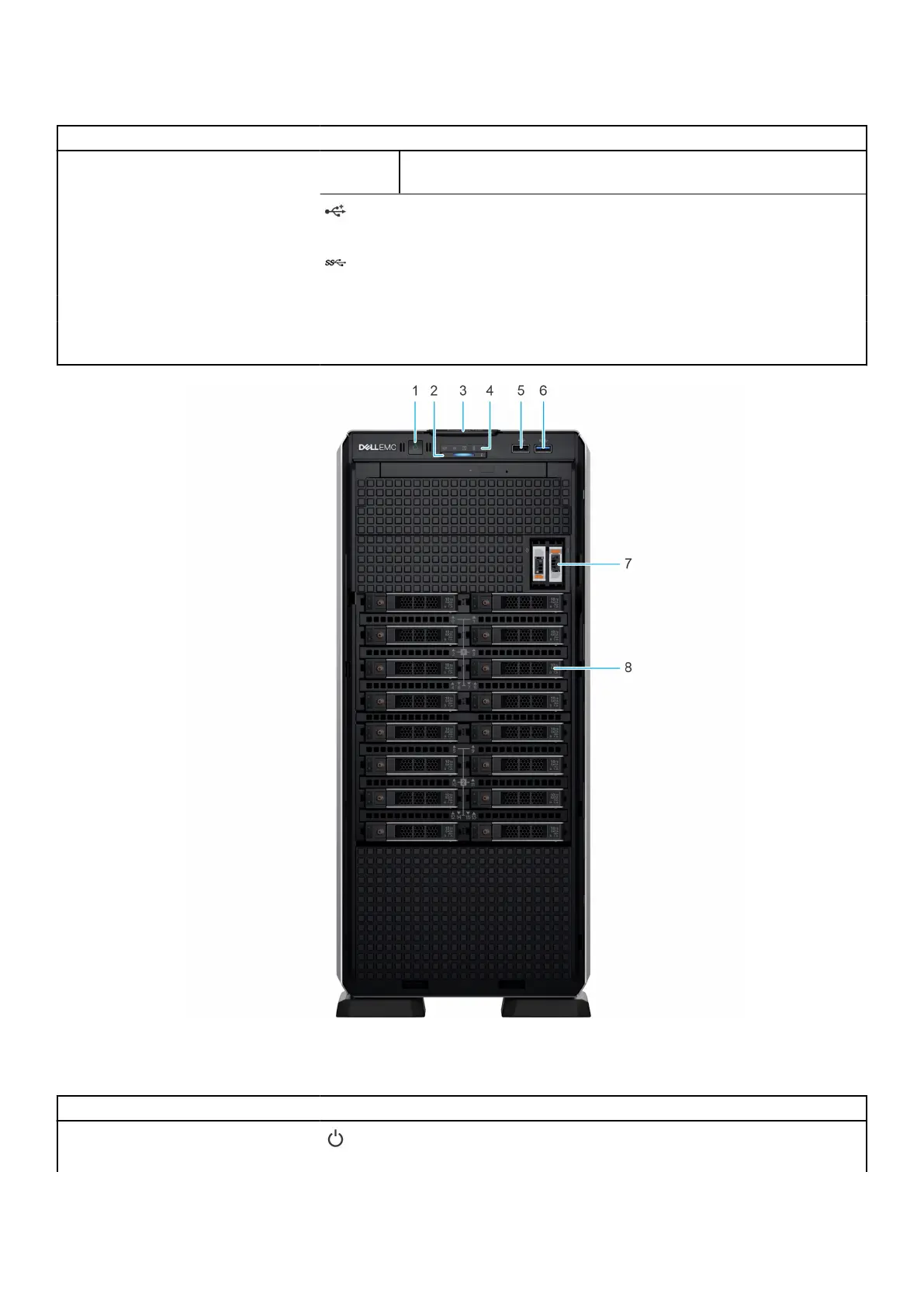
5 USB 2.0 port
The USB ports are 4-pin, 2.0-compliant. These ports enable you to
connect USB devices to the system.
6 USB 3.0 port
The USB ports are 9-pin and 3.0-compliant. These ports enable you to
connect USB devices to the system.
7 BOSS S2 module (optional) N/A This slot supports the BOSS S2 module.
8 Drive N/A Enables you to install SAS/SATA drives that are supported on your
system.
Figure 2. Front view of 16 x 2.5-inch drive system
Table 2. Features available on the front of the system
Item Ports, panels, and slots Icon Description
1 Power button
Indicates if the system is powered on or off. Press the power button to
manually power on or off the system.
PowerEdge T550 system overview 11














 To Next Page