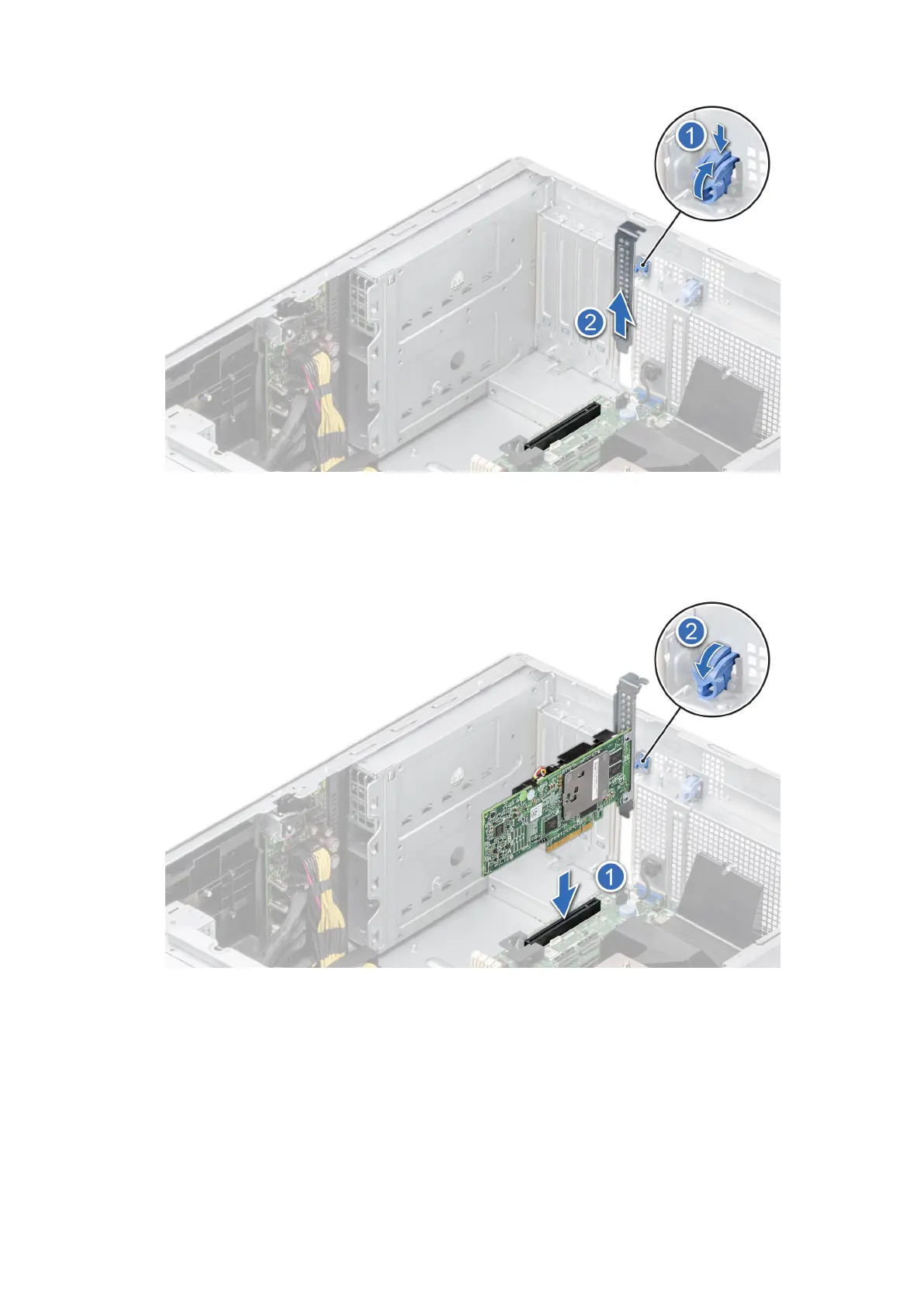
Figure 130. Removing the filler bracket
4. Holding the card by the edges, position the card so that the card aligns with the expansion card connector.
5. Insert the card firmly into the expansion card connector until the card is fully seated.
6. Close the expansion card latch by pushing the latch up until the latch snaps into place.
Figure 131. Installing an expansion card
7. Connect the cables to the expansion card.
Next steps
1. Install the air shroud.
2. Follow the procedure listed in After working inside your system.
130
Installing and removing system components














 To Next Page