Steps
1. Unpack the new system board assembly.
CAUTION: Do not lift the system board by holding a memory module, processor, or other components.
CAUTION: Take care not to damage the system identification button while placing the system board into the
chassis.
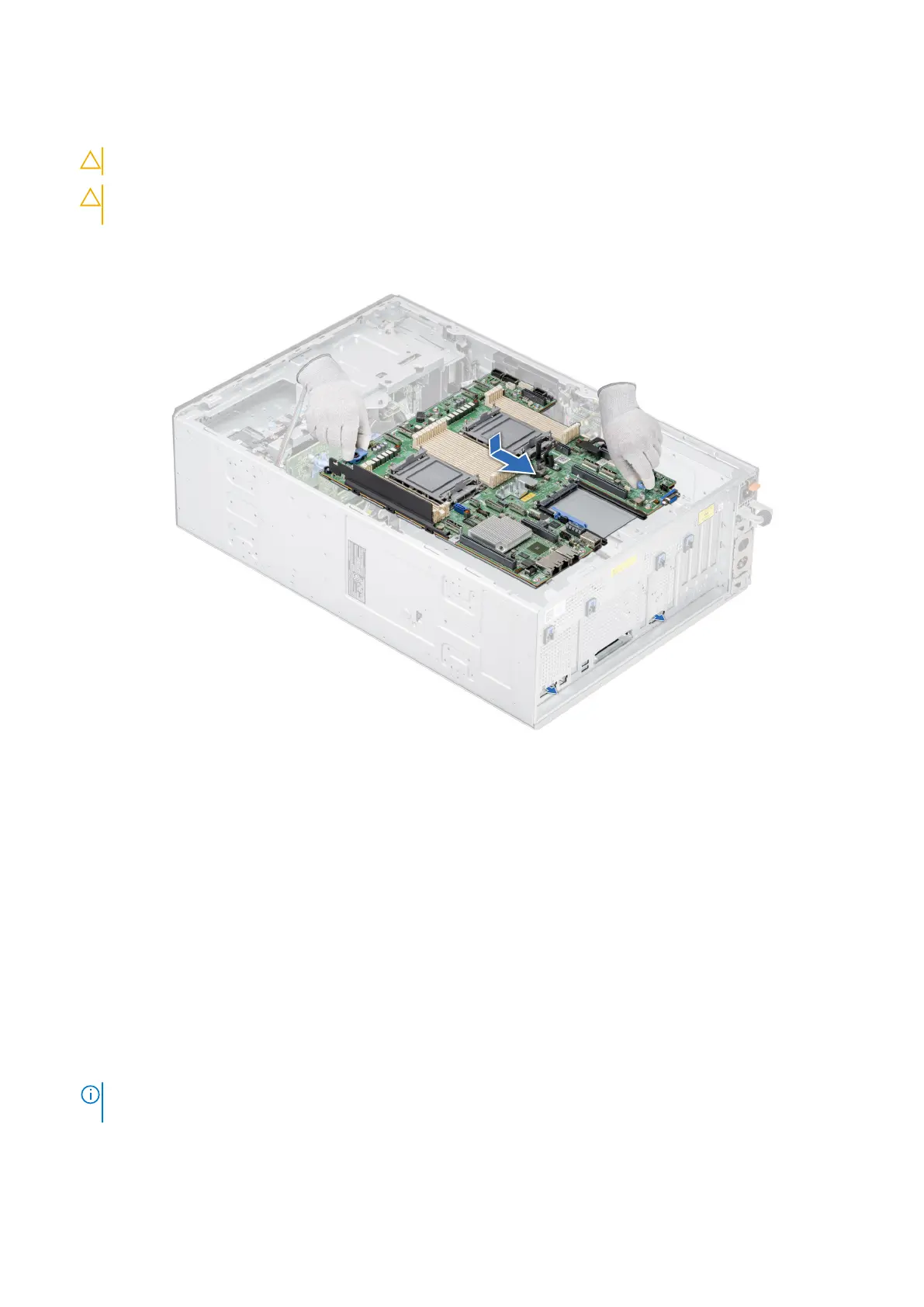
2. Holding the system board holder and plunger, lower the system board into the system.
3. Slide the system board towards the rear of the chassis until the connectors are firmly seated in the slots.
Figure 177. Installing the system board
Next steps
1. Replace the following components:
a. Trusted Platform Module (TPM)
b. Processors and heat sink modules
c. Memory modules
d. OCP card, if removed
e. Internal USB module, if removed
f. IDSDM module, if removed
g. GPU card holder, if removed
h. GPU card, if removed
i. Expansion cards, if removed
j. Cooling fan cage
k. Air shroud
2. Reconnect all cables to the system board.
NOTE:
Ensure that the cables inside the system are routed along the chassis wall and secured using the cable securing
bracket.
3. Ensure that you perform the following steps:
a. Use the Easy Restore feature to restore the Service Tag. See the Restoring the system by using the Easy Restore
feature section.
166
Installing and removing system components














 To Next Page