Expansion Cards 109
b
Connect the network cable to the connector on the network adapter card. Do not connect the
network cable to the integrated network connector on the back panel of the computer.
14
Install any drivers required for the card as described in the card documentation.
Removing a PCI Card
1
Follow the procedures in "Before You Begin" on page 21.
2
Remove the computer cover (see "Removing the Computer Cover" on page 90).
3
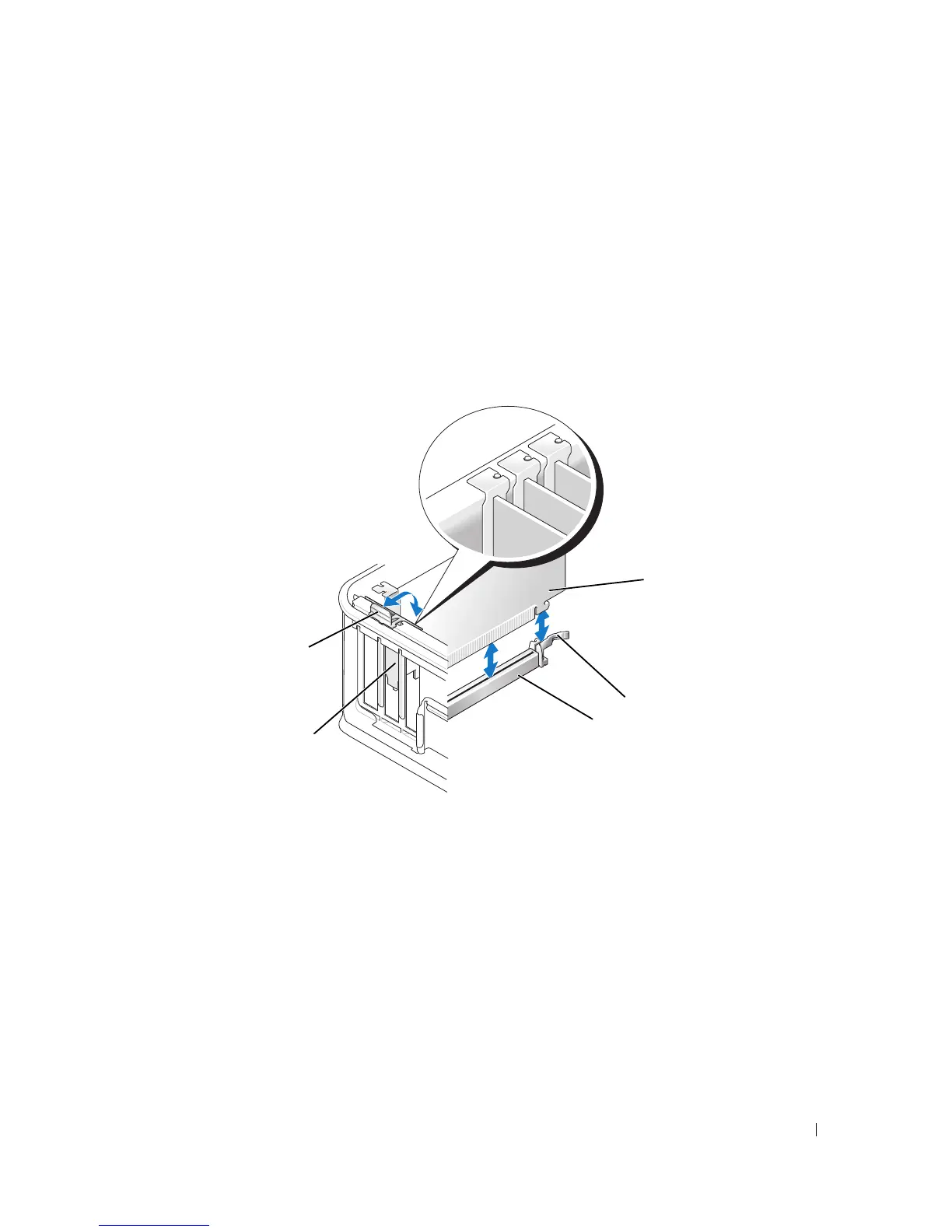
Gently rotate upward the release tab on the card-retention latch.
4
If necessary, disconnect any cables connected to the card.
5
If you are replacing a PCI Express x16 card, remove the installed card by gently pulling the release lever
away from the card until you release the securing tab from the dent in the card.
1 card 4 card insert
2 card-retention latch 5 release tab
3 system board
connector
5
2
3
1
4











 To Next Page