Drives 205
6
Remove the drive and replace the computer cover (see "Replacing the Computer Cover" on page 317).
Installing an Optical Drive
1
Unpack the drive and prepare it for installation.
2
Check the documentation that accompanied the drive to verify that the drive is configured for your
computer.
3
Follow the procedures in "Before You Begin" on page 21.
4
Remove the computer cover (see "Removing the Computer Cover" on page 168).
5
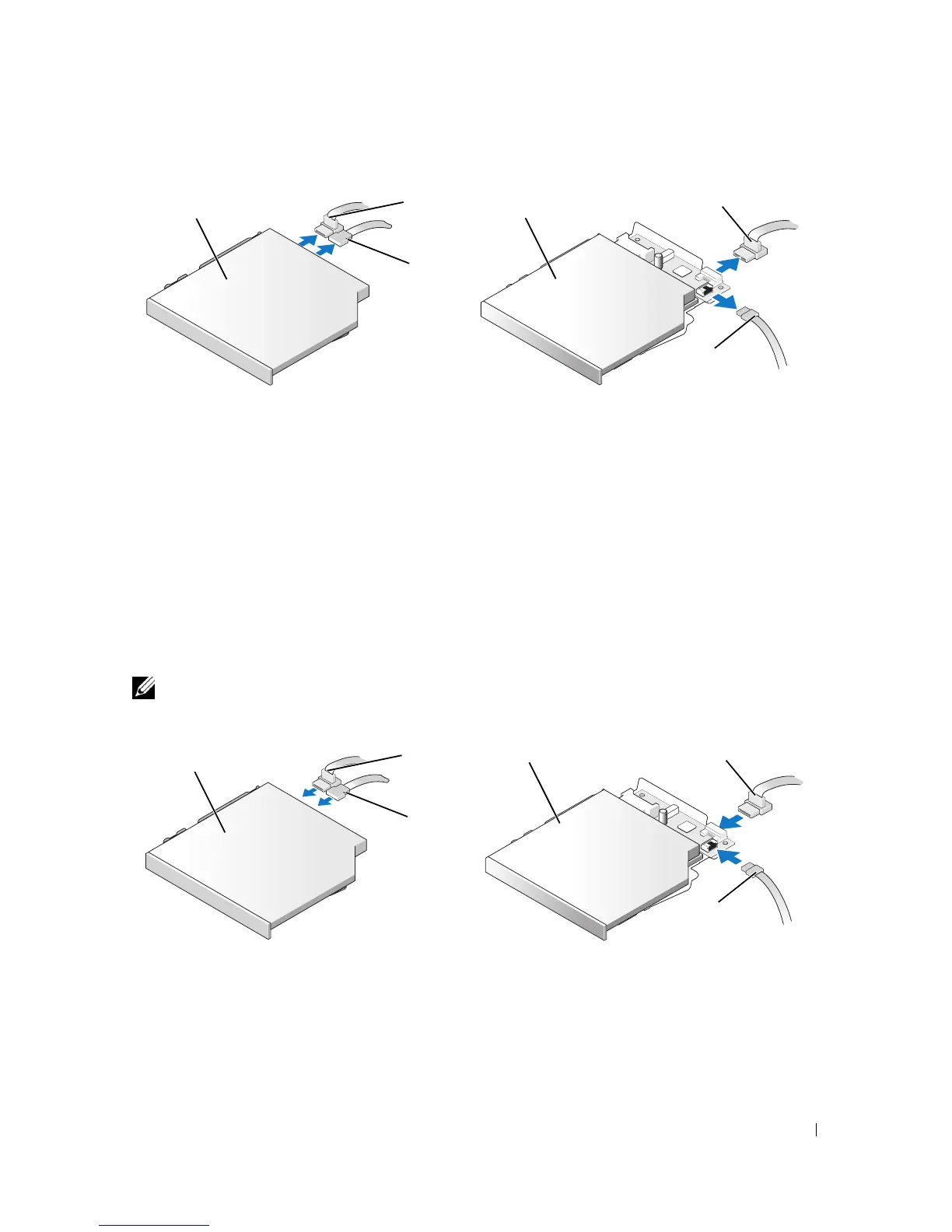
Connect the power and data cable to the drive.
NOTE: The power and data cables for the slimline optical drive installed in your computer are configured in
one of two ways as illustrated below.
6
Gently position the drive until it clicks into place.
1 optical drive 2 data cable 3 power cable
1 optical drive 2 data cable 3 power cable
1
2
3
1
2
3
1
2
3
1 2
3











 To Next Page