264 Processor
If you are installing a processor replacement kit from Dell, return the processor to Dell in the same
package in which your replacement kit was sent.
NOTICE: Ground yourself by touching an unpainted metal surface on the back of the computer.
12
Clean the thermal grease from the bottom of the heat sink.
NOTICE: Ensure that you apply new thermal grease. New thermal grease is critical for ensuring adequate thermal
bonding, which is a requirement for optimal processor operation.
13
Apply the new thermal grease to the top of the processor.
14
Place one end of the heat sink under the tab on the retention base on the side opposite the release
lever.
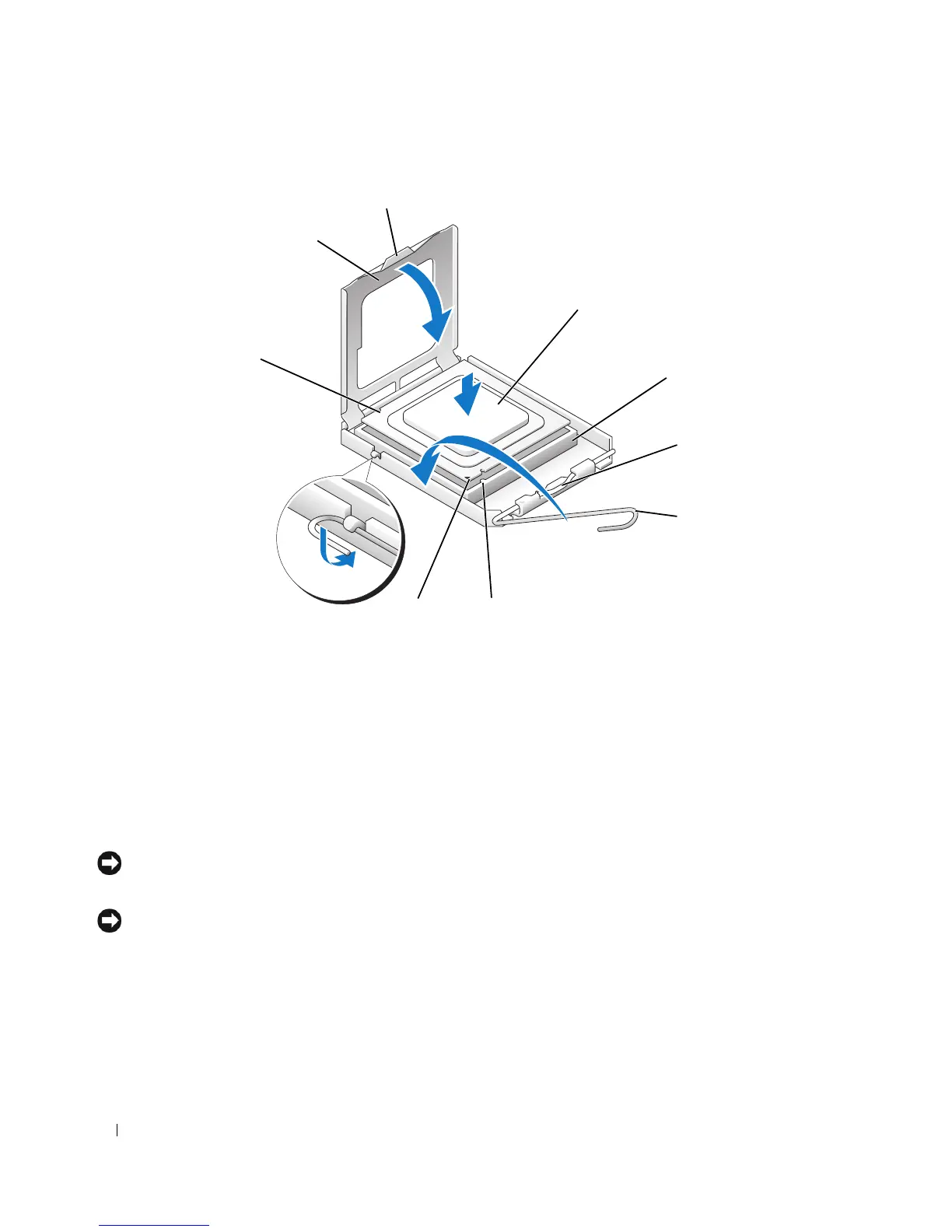
1 processor cover 6 release lever
2 tab 7 front alignment-notch
3 processor 8 socket and processor pin-1 indicator
4 processor socket 9 rear alignment-notch
5 center cover latch
1
3
4
6
8
7
9
2
5












 To Next Page