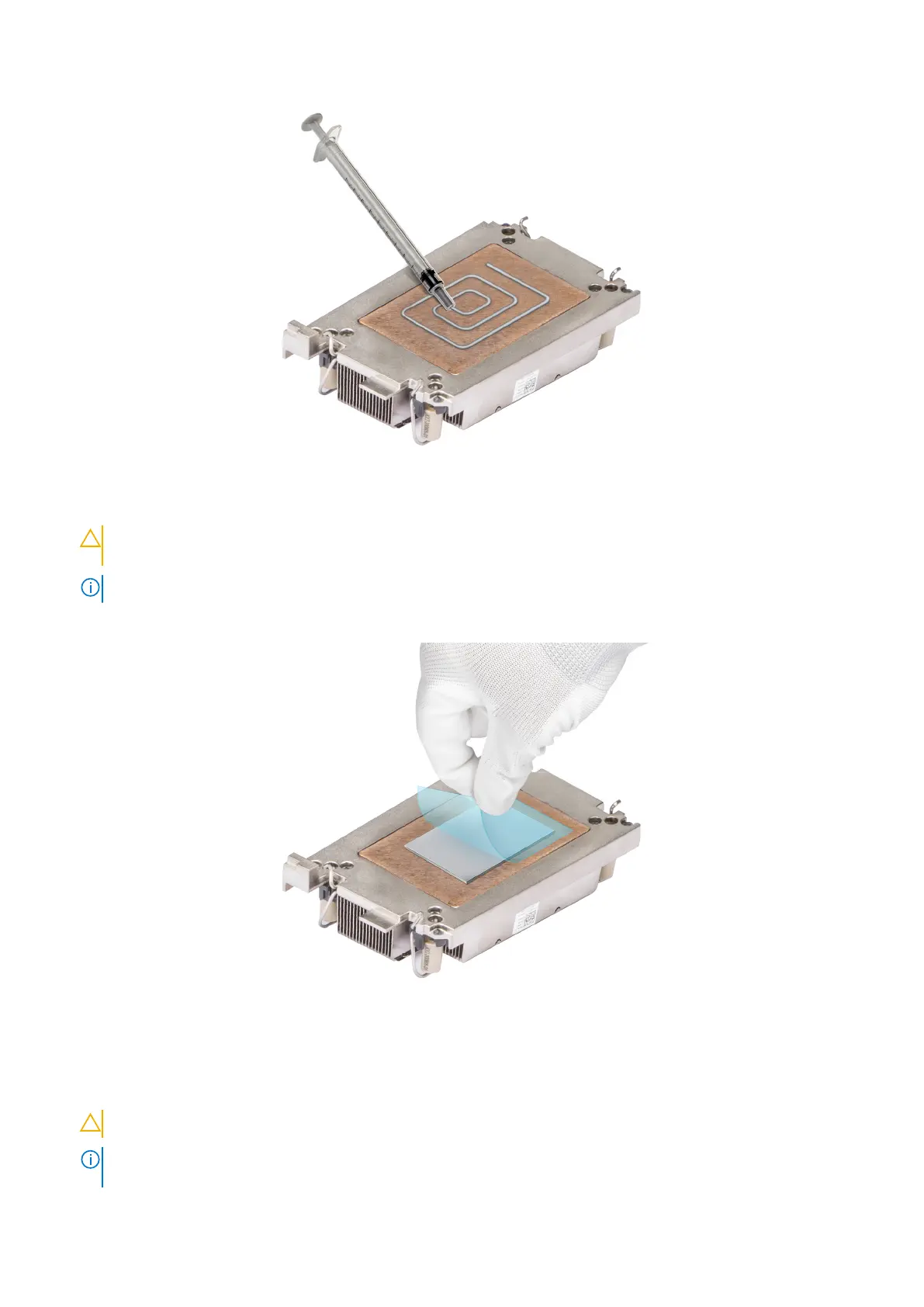
Figure 77. Applying thermal grease
CAUTION: Applying too much thermal grease can result in excess grease coming in contact with and
contaminating the processor socket.
NOTE: The thermal grease syringe is intended for single use only. Dispose of the syringe after you use it.
6. Remove the Thermal Interface Material (TIM) protective film from the base of heat sink.
Figure 78. Remove the Thermal Interface Material (TIM) protective film
7. Place the heat sink on the processor and press the heat sink until the retaining clip locks onto the heat sink at all the four
corners.
CAUTION: To avoid damaging the fins on the heat sink, do not press down on the heat sink fins.
NOTE: Ensure that the pin 1 indicator on the heat sink is aligned with the pin 1 indicator on the retaining clip before
placing the heat sink onto the processor retaining clip.
Installing and removing system components 103











 To Next Page