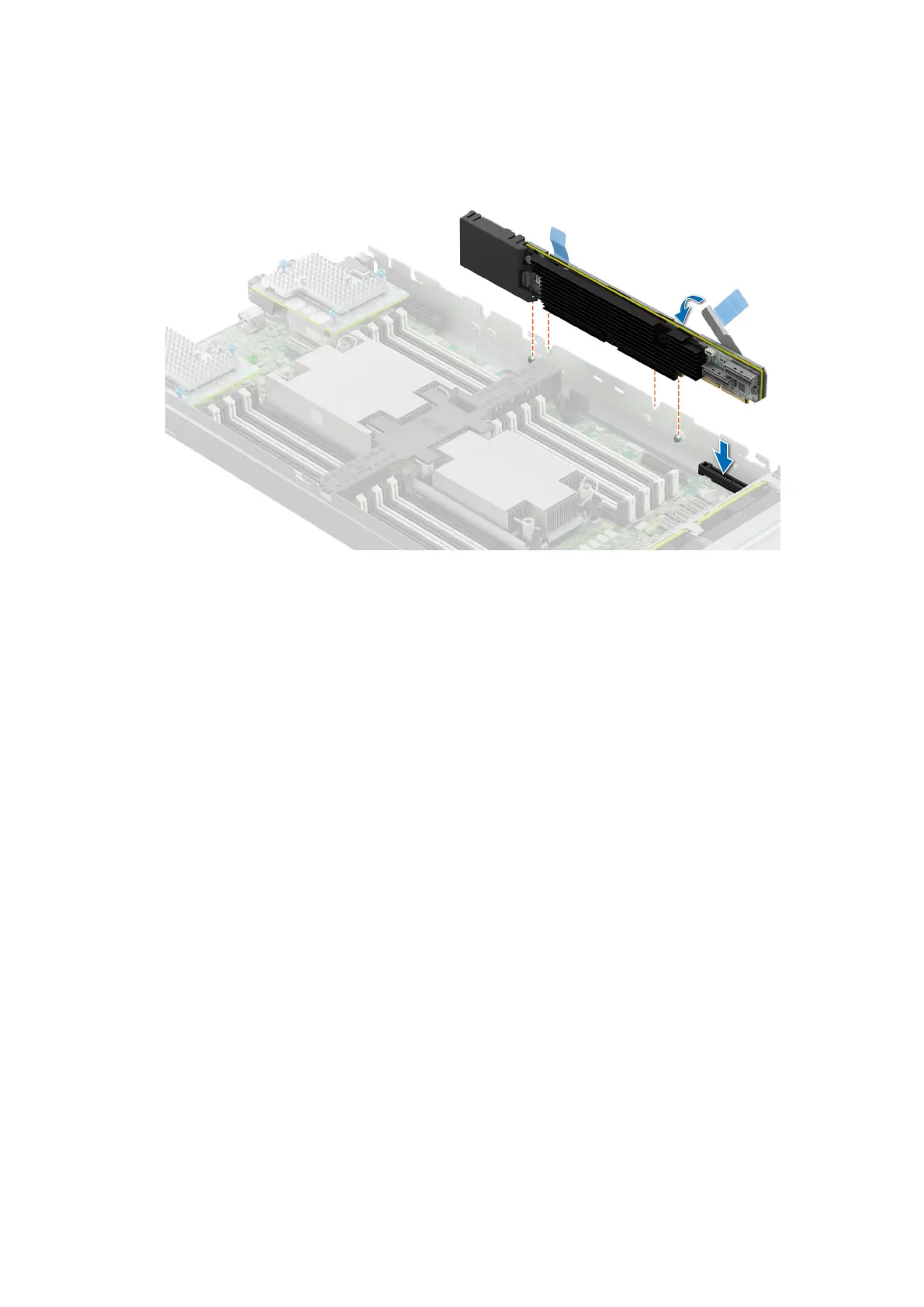
Figure 100. Installing the PERC card (H755 MX)
Next steps
1. Connect the cable to the PERC card.
2. Follow the procedure listed in After working inside your system.
M.2 SSD module
Removing the M.2 BOSS card
Prerequisites
1. Follow the safety guidelines listed in the Safety instructions.
2. Follow the procedure listed in Before working inside your system
Steps
Holding the blue tag, lift the M.2 BOSS card out of the system.
Installing and removing system components
121







 To Next Page