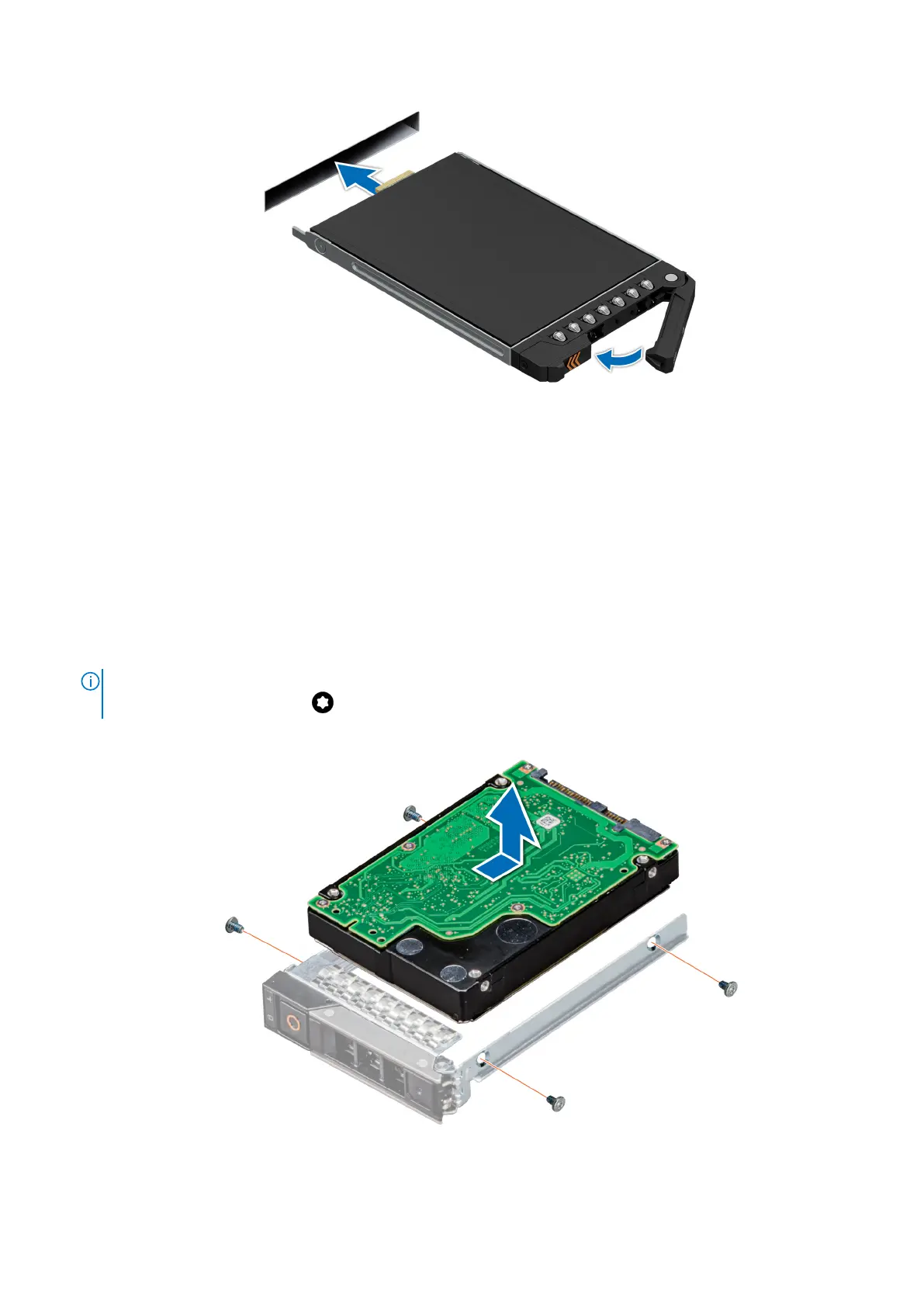
Figure 35. Installing the E3.s drive carrier
Removing the drive from the drive carrier
Prerequisites
1. Follow the safety guidelines listed in the Safety instructions
2. remove a drive carrier
Steps
1. Using the Phillips #1 screwdriver, remove the screws from the slide rails on the drive carrier.
NOTE:
If the hard drive or SSD carrier has Torx screw, use Torx 6 (for 2.5-inch drive) or Torx 8 (for 3.5-inch drive)
screwdriver to remove the drive.
2. Lift the drive out of the drive carrier.
Figure 36. Removing a drive from drive carrier
72
Installing and removing system components












 To Next Page