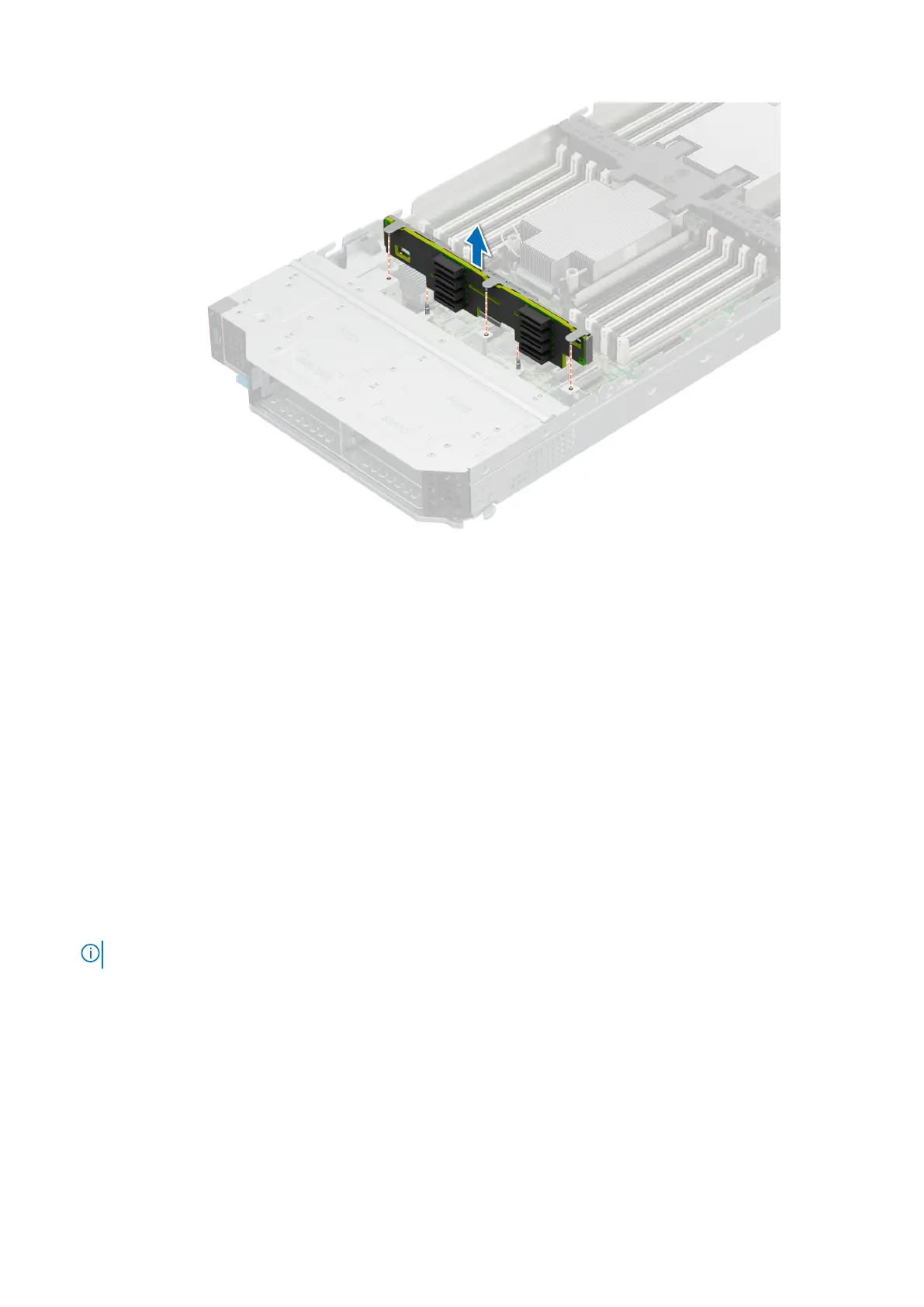
Figure 46. Removing the drive backplane
Next steps
1. Replace the drive backplane
Installing drive backplane
Prerequisites
1. Follow the safety guidelines listed in the Safety instructions.
2. Follow the procedure listed in Before working inside your system.
3. Remove all the drives.
Steps
1. Verify backplane connector pins are not bent and then connect the signal cable to the backplane.
2. Align the guide pins on the backplane with the guides on the sled.
3. Insert the backplane into the guides and lower the backplane firmly until it is fully seated.
NOTE: To install the backplane, ensure the two pins on the backplane tab seat into the two slots on the system chassis.
Installing and removing system components 79












 To Next Page