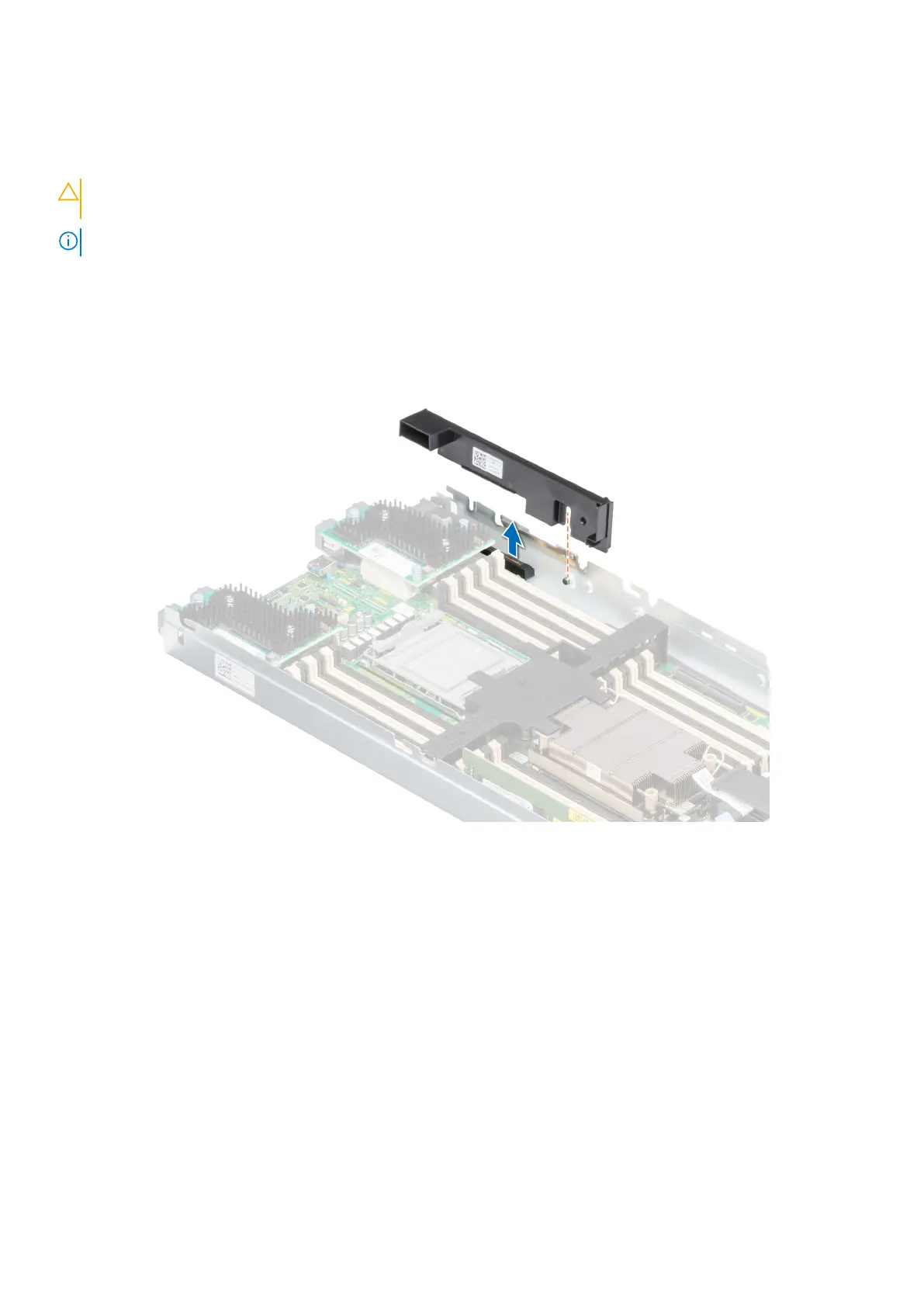
Removing the mini Mezzanine card blank
Prerequisites
CAUTION: To ensure proper system cooling, the mini Mezzanine blank must be installed in the mini Mezzanine
socket.
NOTE: The removal of the blank is recommended only if you intend to install a mini Mezzanine card in the socket.
1. Follow the safety guidelines listed in the Safety instructions.
2. Follow the procedure listed in Before working inside your system
Steps
Lift the mini Mezzanine card blank from the slot to remove it from the system.
Figure 109. Removing the mini Mezzanine card blank
Next steps
Follow the procedure listed in After working inside your system.
Installing the mini Mezzanine card blank
Prerequisites
1. Follow the safety guidelines listed in the Safety instructions.
2. Follow the procedure listed in Before working inside your system
Steps
1. Align the slot on the blank with the guiding pin on the system.
2. Insert and press the blank firmly until it is fully seated.
Installing and removing system components
129












 To Next Page