7. Mezzanine card A 8. Mezzanine card B
9. Mini Mezzanine connector C 10. System board
11. BOSS-N1 (M.2) 12. PERC connector (H755 MX, H965i MX, HBA350i MX)
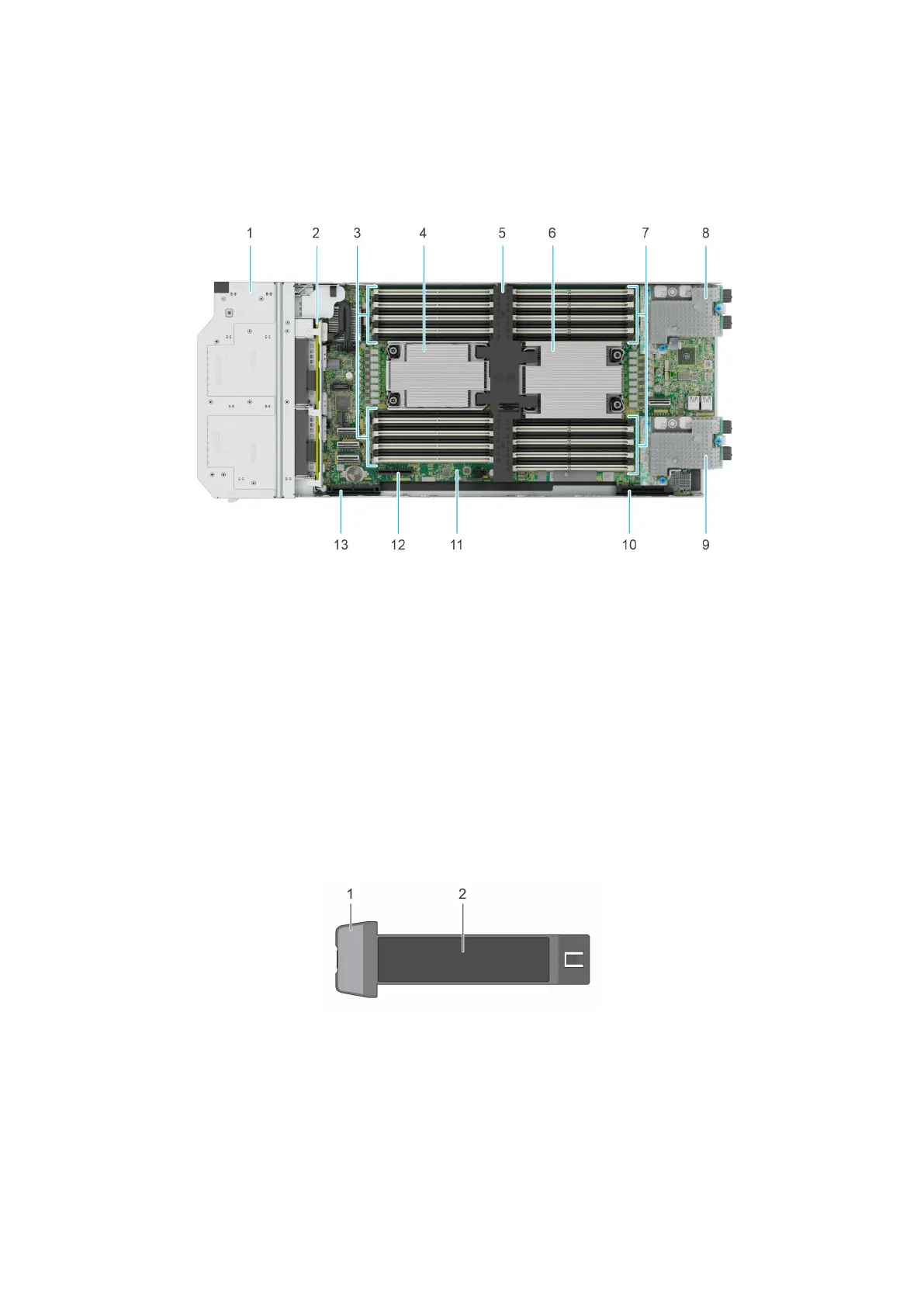
Figure 10. Inside the system (8 x E3.s drive sled)
1.
Drive cage 2. Backplane
3. Memory modules for Processor 1 4. Processor and heat sink module 1
5. Air shroud 6. Processor and heat sink module 2
7. Memory modules for Processor 2 8. Mezzanine card A
9. Mezzanine card B 10. Mini Mezzanine connector C
11. System board 12. BOSS-N1 (M.2)
13. PERC connector (H755 MX, H965i MX, HBA350i MX)
Locating the Express Service Code and Service Tag
The Express Service tag is located on the front of the sled that includes system information such as the Service Tag, Express
Service Code, Manufacture date, QRL label, and so on.
Figure 11. Locating Service Tag of your system
1. Service Tag, Express Service Code, Manufacture date, QRL label
2. Express Service tag
The Mini Enterprise Service Tag (MEST) label is located on the rear of the system that includes the Service Tag (ST), Express
Service Code (Exp Svc Code), and Manufacture Date (Mfg. Date). The Exp Svc Code is used by Dell to route support calls to
the appropriate personnel.
Alternatively, the Service Tag information is located on a label on the left wall of the chassis.
14
Dell PowerEdge MX760c system configurations and features












 To Next Page