Processor and memory module blank
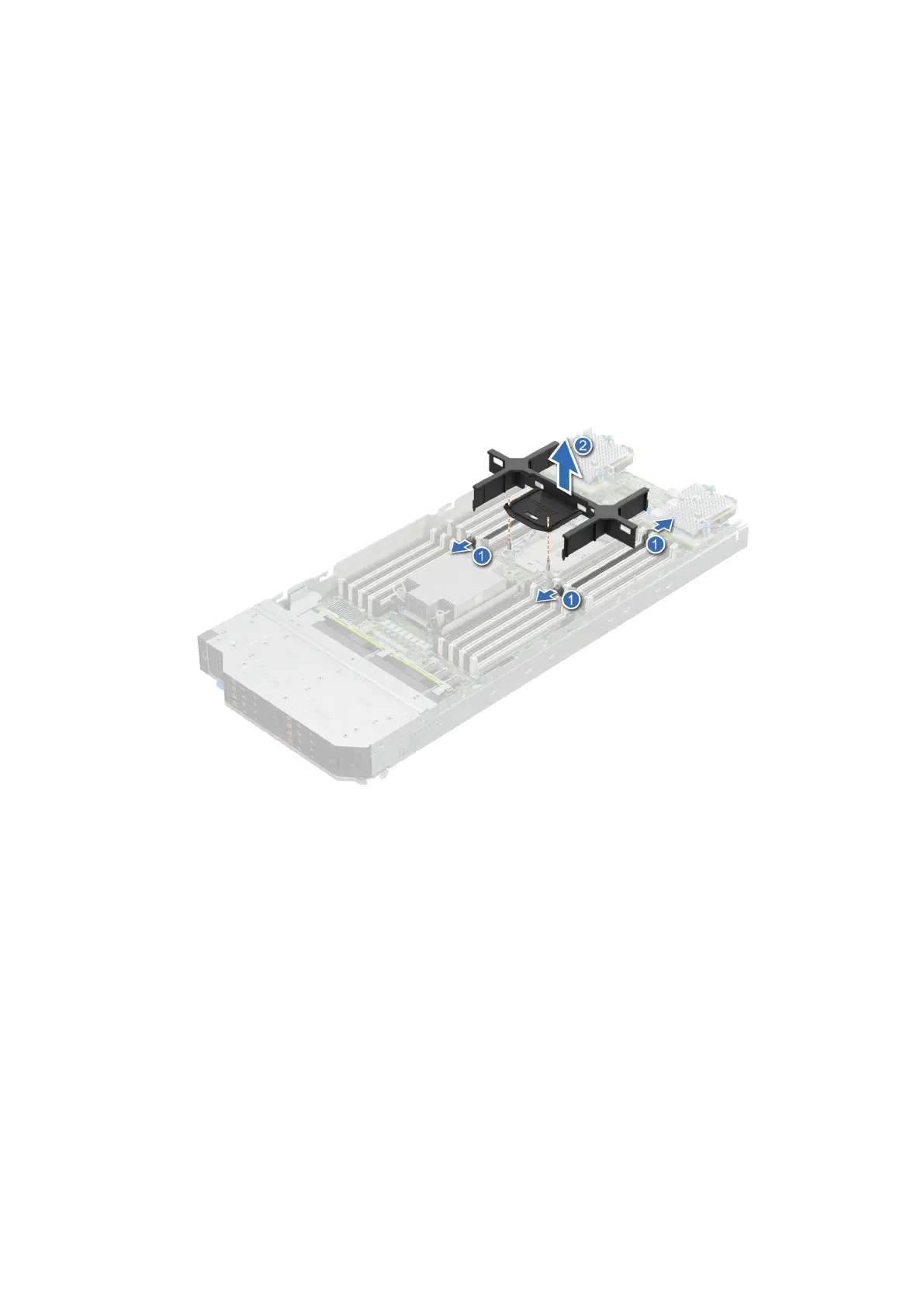
Removing the processor and memory module blank
Prerequisites
1. Follow the safety guidelines listed in the Safety instructions.
2. Follow the procedure listed in Before working inside your system.
Steps
1. To release the processor and memory module blank from the socket, simultaneously press the ejectors on both ends of the
memory module socket to fully open.
2. Lift the processor and memory module blank away from the system.
Figure 26. Removing the processor and memory module blank
Next steps
Replace the processor and memory module blank.
Installing the processor and memory module blank
Prerequisites
1. Follow the safety guidelines listed in the Safety instructions.
2. Follow the procedure listed in Before working inside your system.
Steps
1. To install the processor and memory module blank, first align the two guide pin in bolster with the hole of the blank.
Installing and removing system components
65












 To Next Page