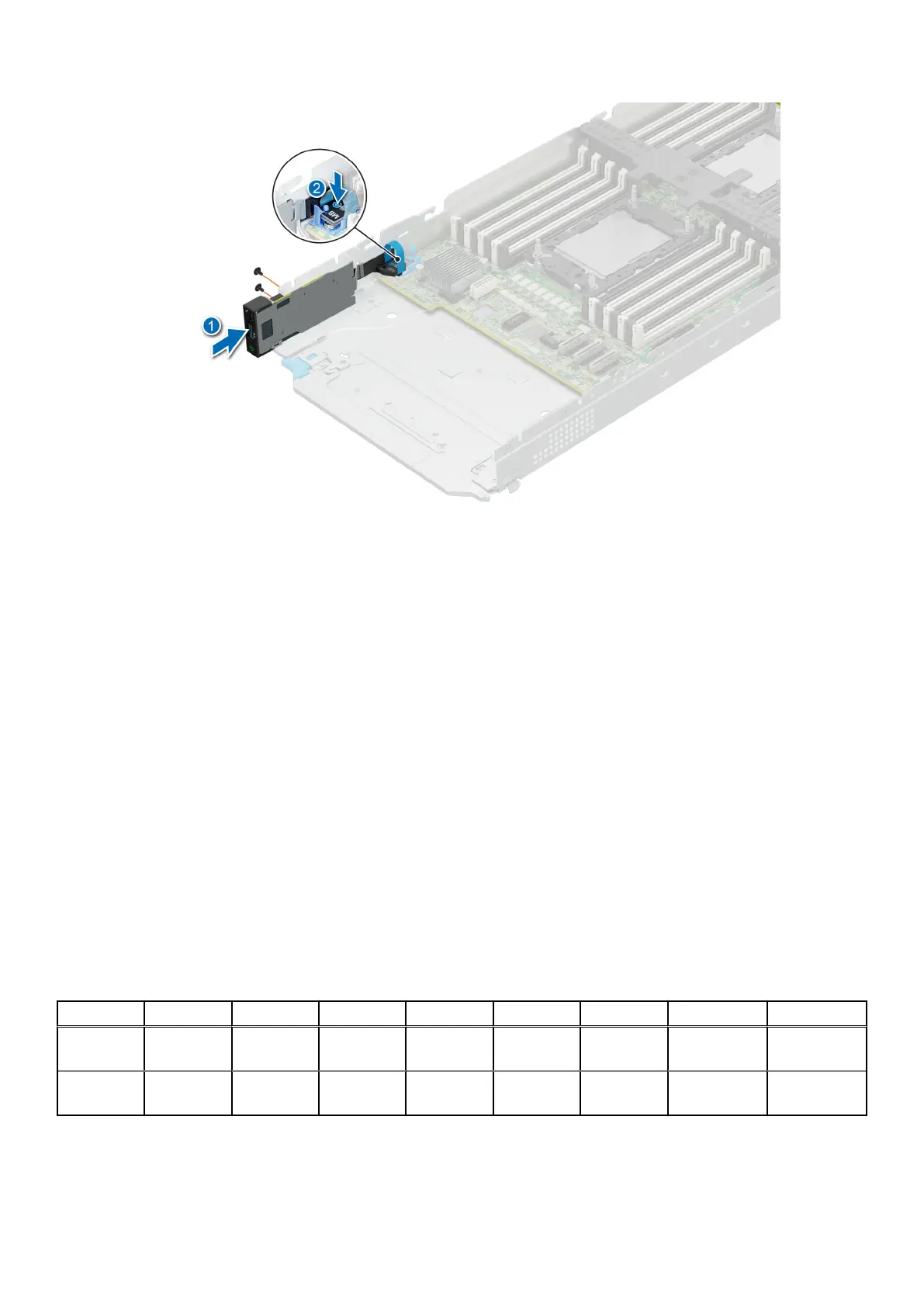
Figure 66. Installing the front I/O module
Next steps
1. Install the drive cage.
2. Install all drives.
3. Follow the procedure listed in After working inside your system.
System memory
System memory guidelines
The PowerEdge MX760c system supports DDR5 registered DIMMs (RDIMMs).System memory holds the instructions that are
executed by the processor.
Your system contains 32 memory sockets that are split into two sets of 16 sockets, one set per processor. Each 16-socket set is
organized into eight channels. Eight memory channels are allocated to each processor. In each channel, the release tabs of the
first socket are marked white, and the second socket black.
Memory channels are organized as follows:
Table 61. Memory channels
Processor Channel A Channel B Channel C Channel D Channel E Channel F Channel G Channel H
Processor 1 Slots A1 and
A9
Slots A7
and A15
Slots A3
and A11
Slots A5
and A13
Slots A12
and A4
Slots A14
and A6
Slots A10 and
A2
Slots 16 and
A8
Processor 2 Slots B1
and B9
Slots B15
and B7
Slots B3
and B11
Slots B13
and B5
Slots B12
and B4
Slots B6
and B14
Slots B10 and
B2
Slots B8 and
B16
Installing and removing system components 93












 To Next Page