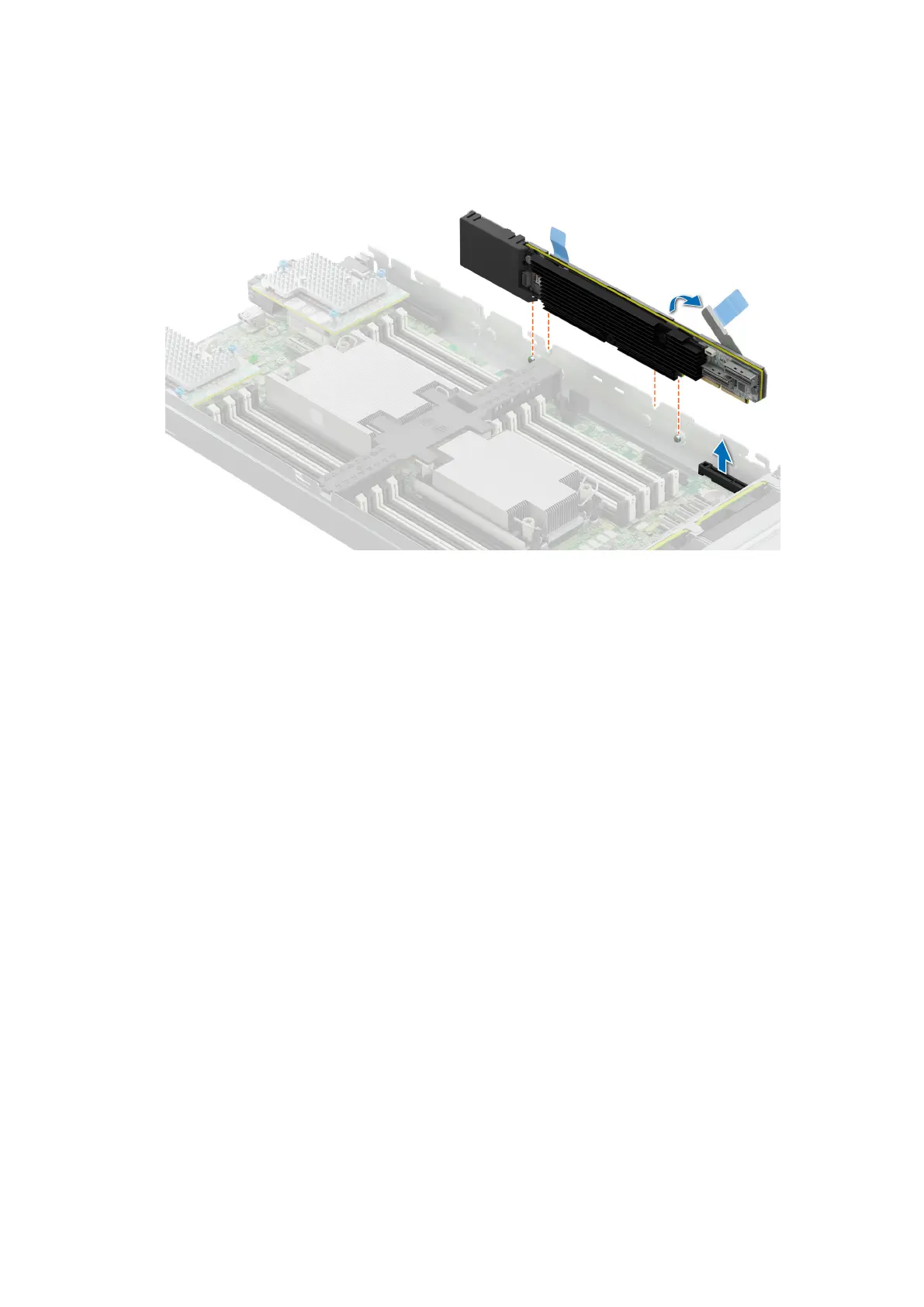
Figure 97. Removing the PERC card (H755 MX)
Next steps
1. Follow the procedure listed in After working inside your system.
Installing the PERC card
Prerequisites
1. Follow the safety guidelines listed in the Safety instructions.
2. Follow the procedure listed in Before working inside your system
Steps
1. Pull the blue pull tag to raise the lever up on the PERC card.
2. Align the connector on the PERC card with the connector on the system board.
3. Align the guides on the PERC card with the slots on the system.
4. Press the PERC card firmly until it is fully seated.
5. Close the lever on the PERC card.
Installing and removing system components
119







 To Next Page