Steps
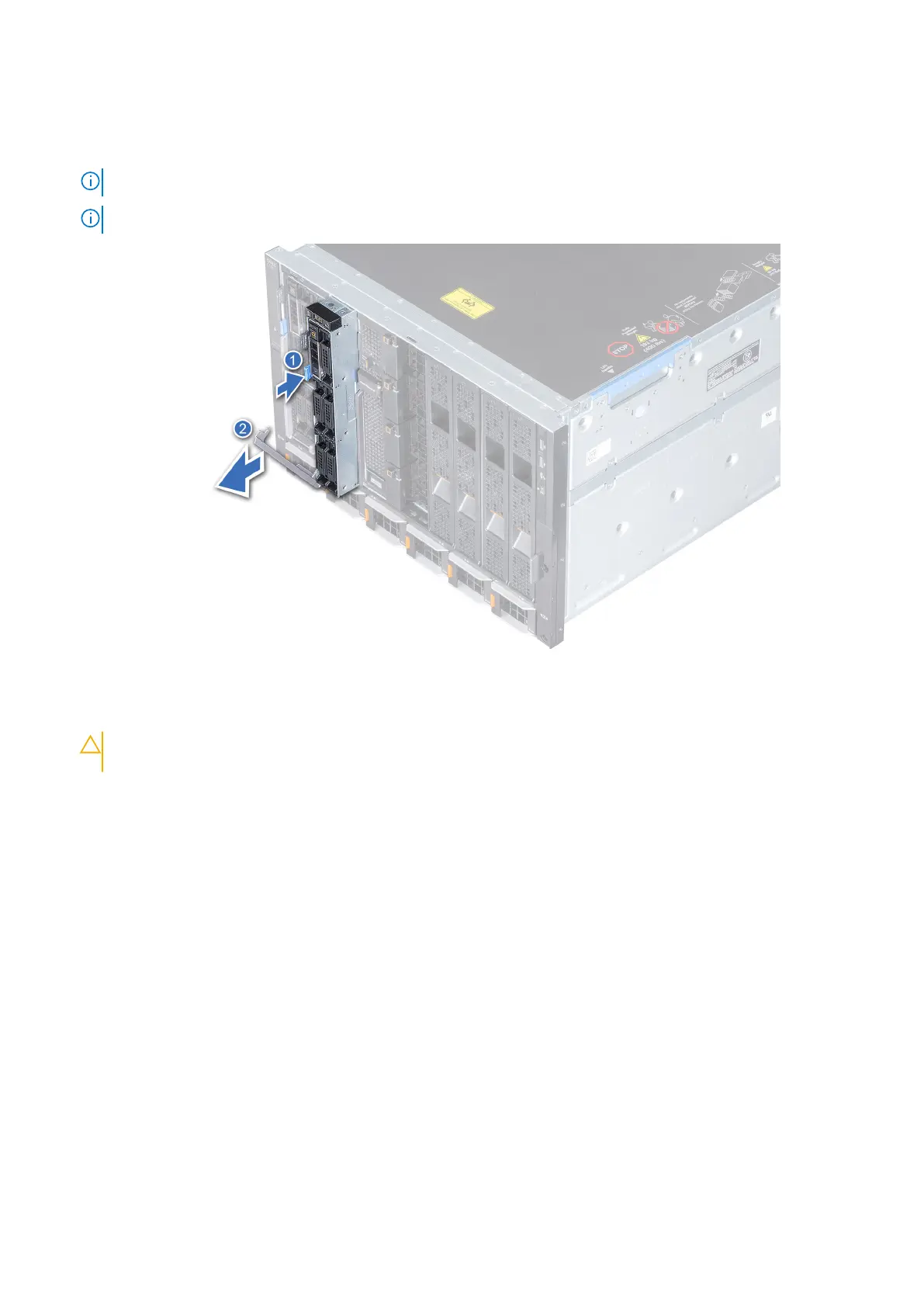
1. Press the blue release button on the sled to release the sled handle.
2. Holding the sled handle, slide the sled out of the enclosure.
NOTE: Support the system with both hands while sliding it out of the enclosure.
NOTE: Removing the sled with the enclosure powered on is supported if you shut down the sled before removal.
Figure 18. Removing the sled from enclosure
3. Install the I/O connector cover on the sled.
CAUTION:
To protect the I/O connector pins, install the I/O connector cover every time a sled is removed
from the enclosure.
Installing and removing system components 57












 To Next Page