Steps
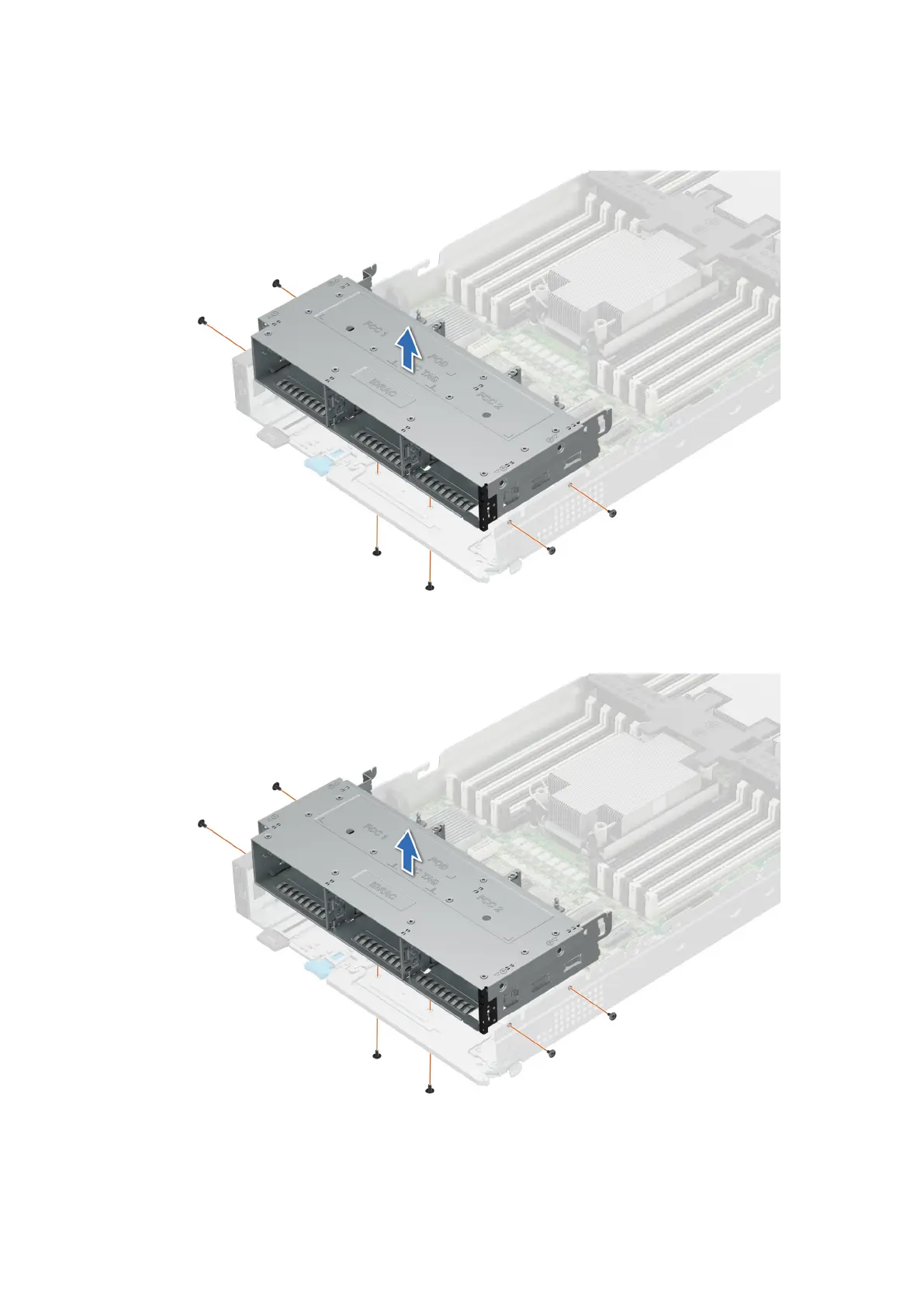
1. Using the Phillips #1 screwdriver, remove the screws that secure the drive cage to the sled.
2. Lift the drive cage away from the sled.
Figure 48. Removing the drive cage of 6 x 2.5-inch drive sled
Figure 49. Removing the drive cage of 8 x E.3s inch drive sled
Installing and removing system components
81












 To Next Page