Maintaining Your Printer | 369
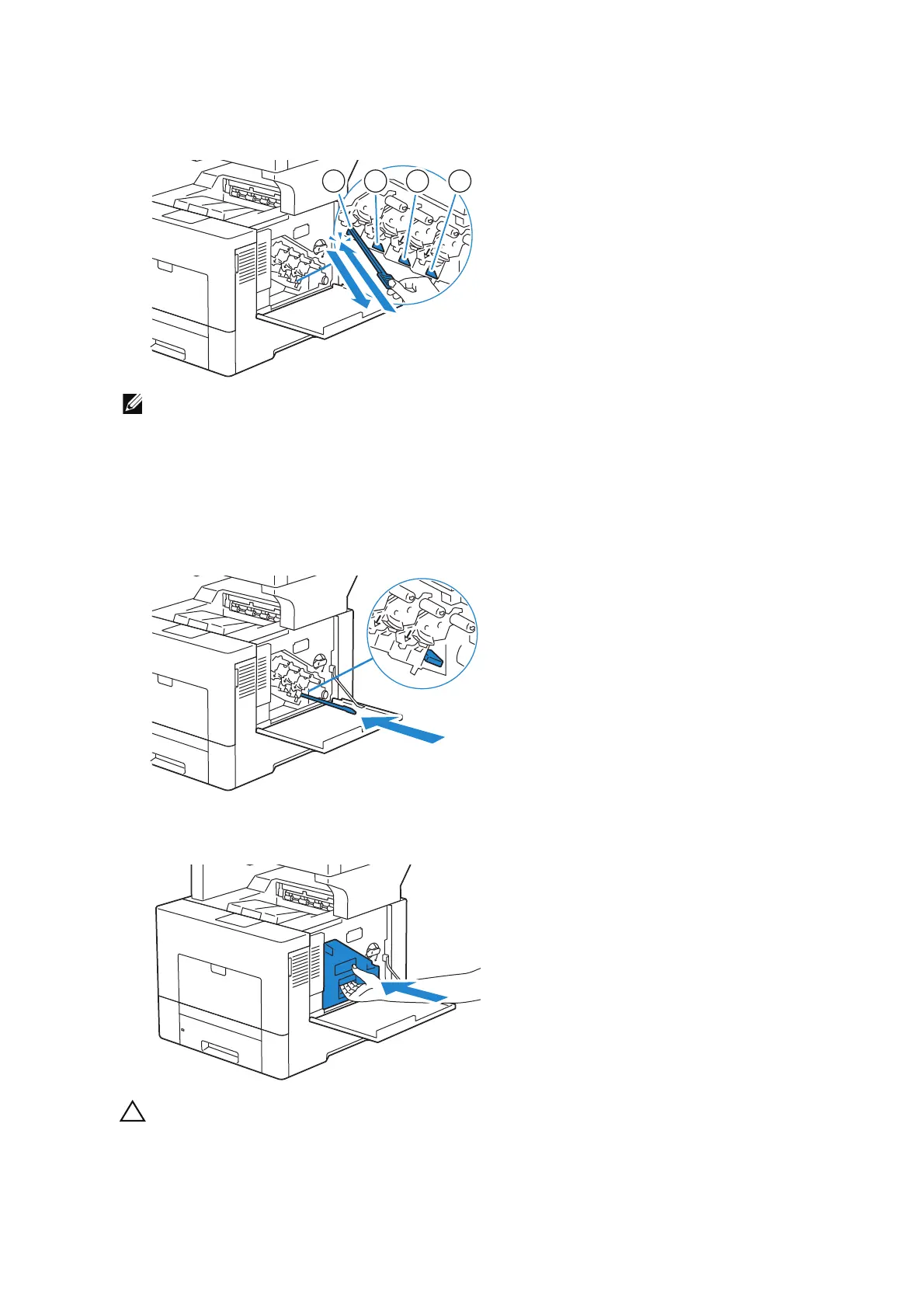
9 Insert the cleaning rod fully into one of the four holes until it clicks into the interior of
the printer as illustrated below, and then pull it out.
• This cleaning step prevents deterioration of printing quality. See "Cleaning the Raster Optical
Scanner (ROS) Window".
10 Repeat step 9 also on the other three holes. One time insertion is enough for each
hole.
11 Return the cleaning rod to its original location.
12 Reinsert the removed waste toner box.
• If the waste toner box does not fit into place properly, make sure that the drum cartridge is
fully inserted in the previous step.
12
3
4












 To Next Page