CUBE 30 TOUCH | USER MANUAL
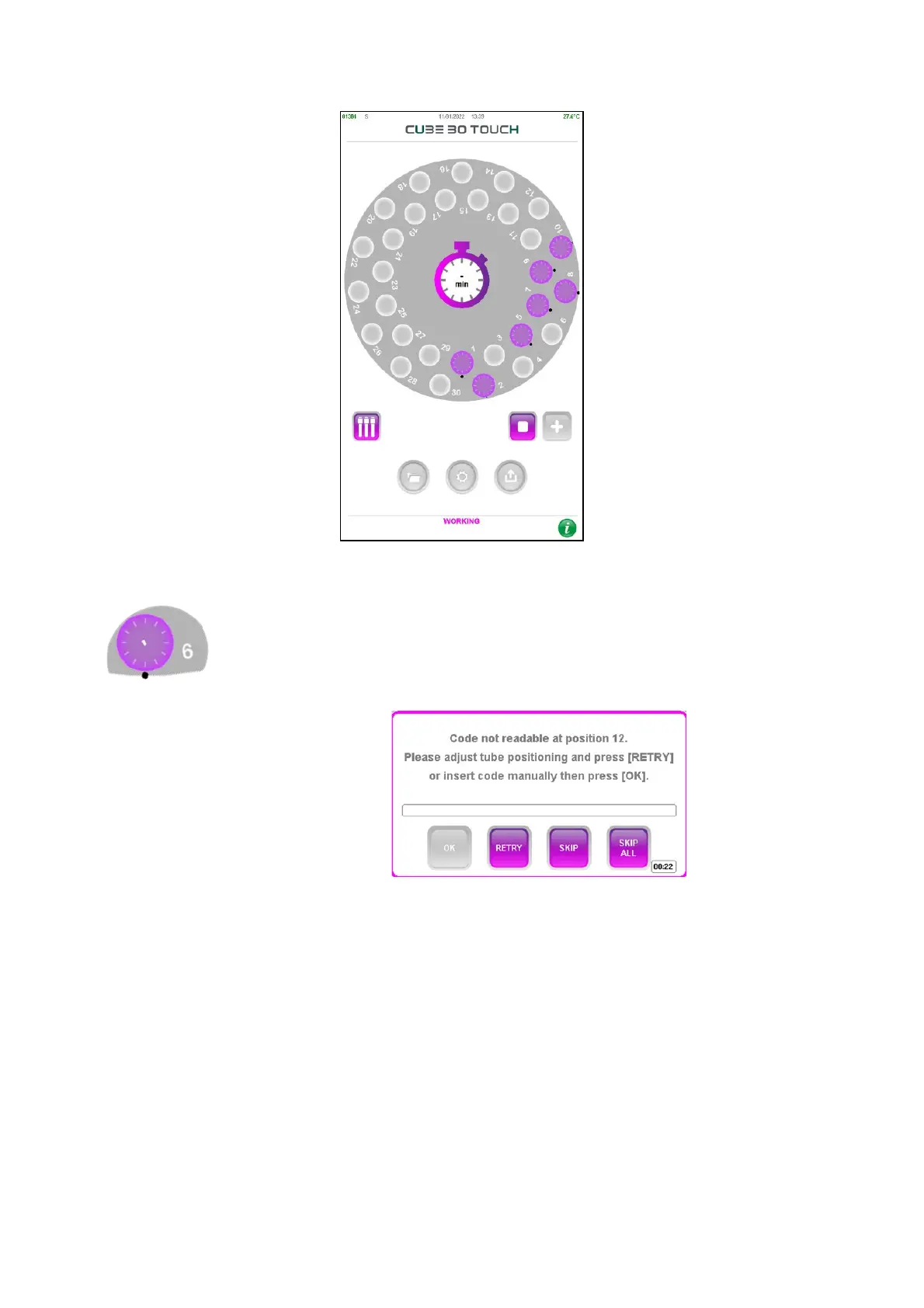
Figure 28 Tubes detected in the sample plate
If the barcode reading is not successful, a black dot is shown next to
the sample. (Figure 29) At the end of the barcode reading cycle, a
window will display the unread positions ( Figure 30).
Figure 30 – Barcode not read
The user has the following options to select from:
• Open the lid, reposition the tube correctly in the carousel, press “RETRY” to have
the barcode read again
• Press the text field and insert the code manually (keyboard will appear on the
screen Figure
31) and then press “OK” or enter the code using the external barcode
reader.



 To Next Page