CUBE 30 TOUCH | USER MANUAL
REFILL: allows the user to load a predetermined number of executable tests into
memory, using the "Test Device Next" device.
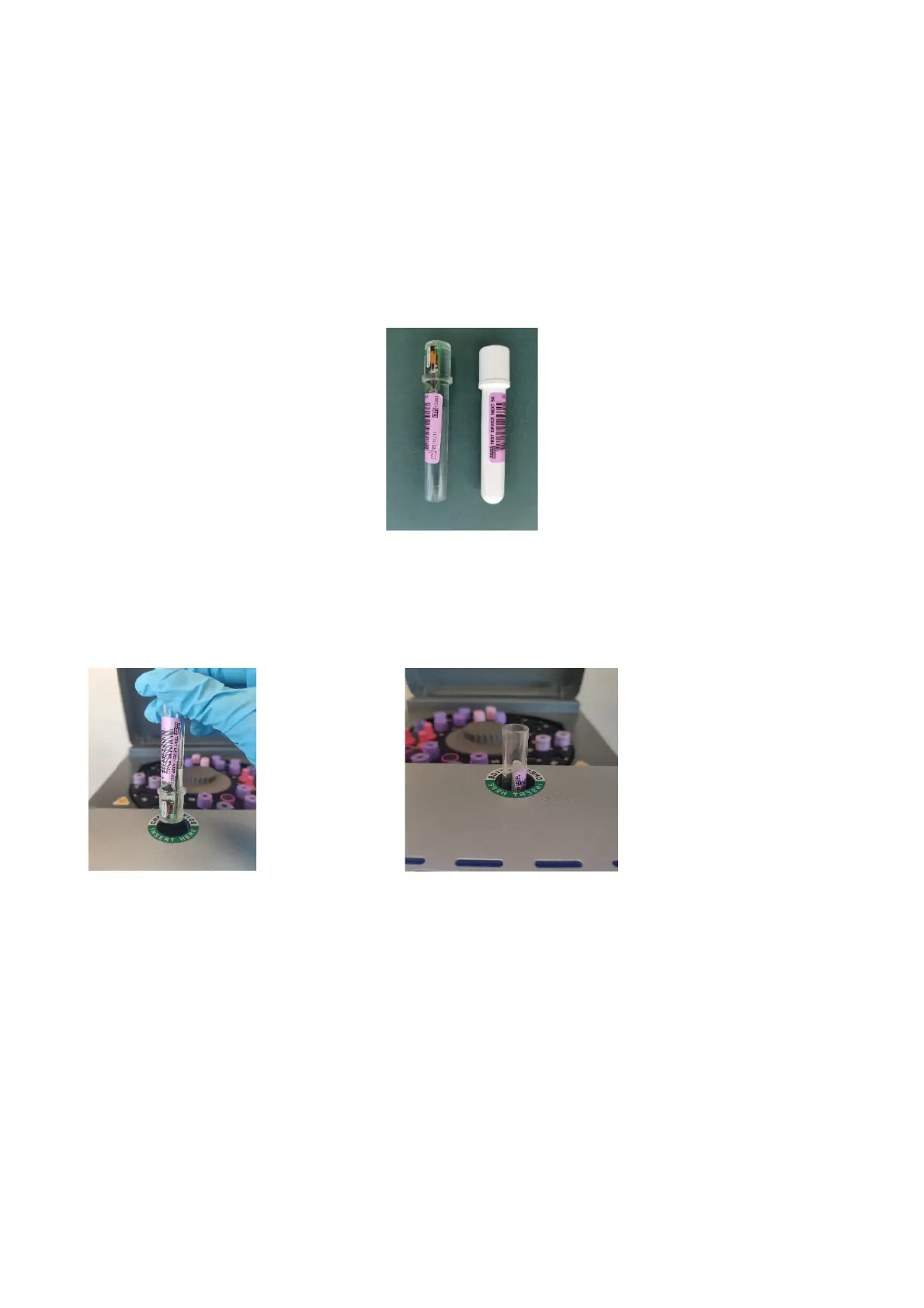
The "Test Device Next" is an electronic device; in fact, the small circuit assembled in
it is visible (device on the left in Figure 57) which allows the instrument to have a
defined number of executable tests. For each given result, the Test Device Next
automatically decreases the number of tests available; in case of sample in error, the
test device will not be decreased.
Figure 57 - Test Device Next
To refill the test number, insert the "Test Device Next" tube in the appropriate
compartment and follow the instructions that appear on the screen (Figure 58)
Figure 58 - Refill with Test Device Next
With reference to Figure 57 '5K' represents the number of tests with which the
instrument will be reloaded (5K = 5000).
The date on the bottom left represents the date of manufacture of the Test Device, in
accordance with the notation yy/mm/dd.
SERVICE: by selecting this item the user can access to the page that allows
authentication for the Service Menu. This page contains information on the firmware
installed on the instrument on the left: type of firmware, instrument name, firmware



 To Next Page