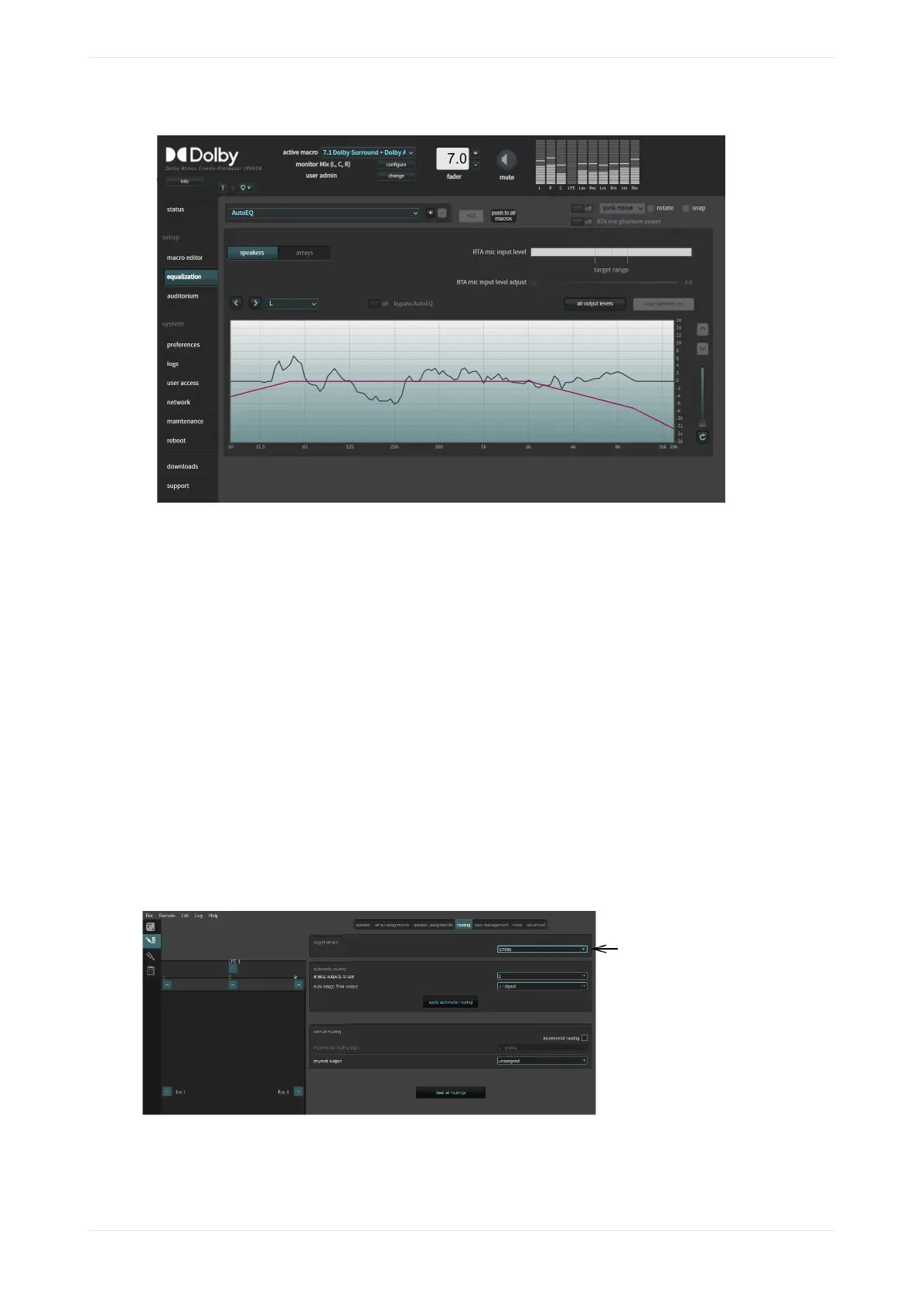
Figure 148: Equalization screen
4.2.6 Finalizing the equalization
You can finalize the equalization.
Procedure
1. Test the Dolby CP950/CP950A audio playback to ensure proper operation and sound.
2. Click maintenance in the navigation bar and back up your system settings.
3. Save the backup in a safe place for future use.
4.3 Configuring a room using Dolby Atmos Designer and AutoEQ
This section shows you how to use Dolby Atmos Designer (DAD) to configure a room and then use Dolby
AutoEQ.
You can connect to the Dolby CP950/CP950A in DAD version 3.3.7 or higher by entering its IP address. To
ensure the correct device configuration, you must change the target device field under the DAD define >
routing tab to CP950 or CP950A depending on your respective unit, as shown in the following figure for a
CP950.
Figure 149: Select Dolby CP950 or CP950A as target device in Dolby Atmos Designer
You can download the current version of DAD soware by clicking downloads in the Dolby CP950/CP950A
navigation bar. You can also download the current version of DAD soware, release notes, and manual at
Configuring the equalization parameters
Dolby Cinema Processor CP950 and Dolby Atmos Cinema Processor CP950A Manual 110
Issue 9 Part Number 8800298 19 January 2022









 To Next Page