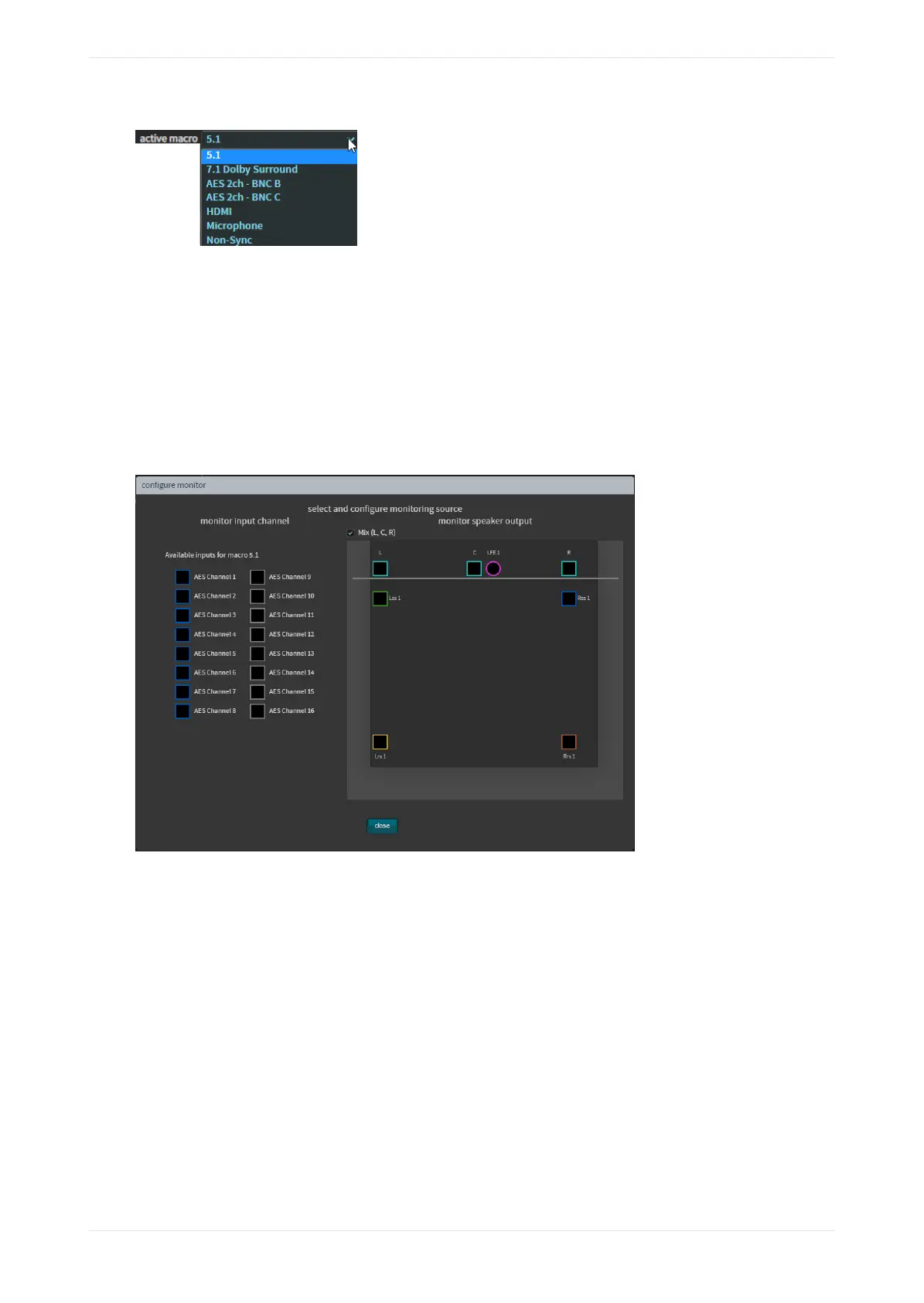
Figure 36: CP950 active macro menu
Related information
Configuring macros on page 47
3.1.3 Monitor mix field
This field allows you to change the operation of the booth monitor on the front panel of the CP950/CP950A.
Click the configure button next to this field to display the select and configure monitoring source screen, as
shown in the following figure. The default is Mix (L,C,R). Alternatively, if you select an individual speaker
feed, or active AES input, the current macro sets the input type to 16ch MediaBlock.
Figure 37: Select and configure monitoring source screen
If you change to a macro that does not use an AES 16-channel input, the system defaults to a mix of Le,
Center, Right (LCR), and you can select a speaker to monitor. In such a case, the monitor input options shown
in the previous figure are not available. Similarly, they are not available if the unit is inputting coded audio
(for example, Dolby Digital) rather than the DCI standard, which is PCM.
Connecting to the Dolby CP950 or CP950A
Dolby Cinema Processor CP950 and Dolby Atmos Cinema Processor CP950A Manual 43
Issue 9 Part Number 8800298 19 January 2022









 To Next Page