In DAD, it is not possible to mix dierent routing types (analog and digital) for multiway speakers. Aer you
create a room and run AutoEQ, save a copy of the DAD .dac file, and then follow these steps.
Procedure
1. Complete the room configuration and AutoEQ in Dolby Atmos Designer. For detailed information, see the
instructions in the
Dolby Atmos Designer User’s Manual
.
2. Push the room configuration to the Dolby CP950/CP950A using DAD.
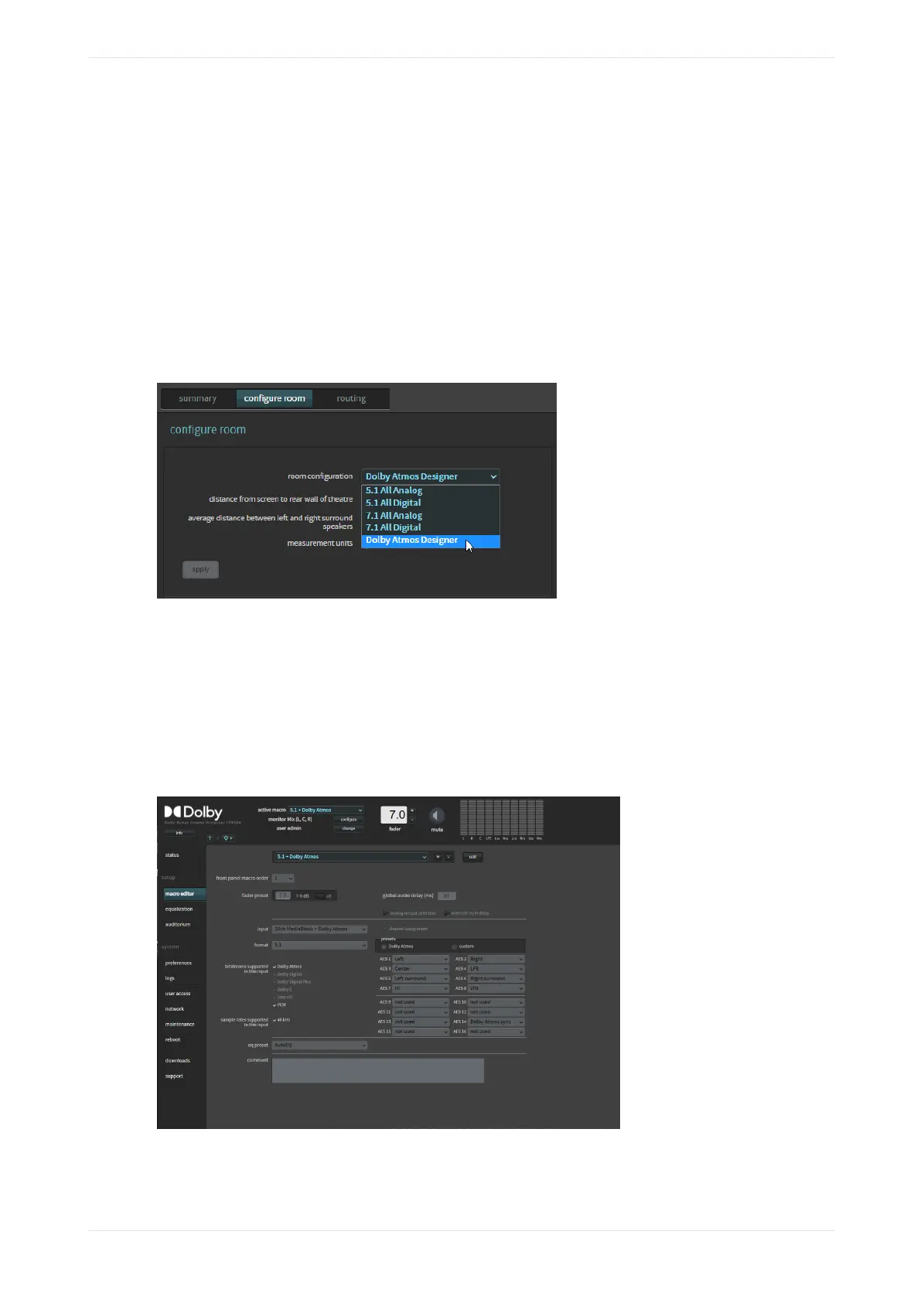
3. Click auditorium in the Dolby CP950/CP950A navigation bar, and then click the configure room tab.
Dolby Atmos Designer should be selected for the room configuration, as shown in the following figure.
This confirms that the system is using the room you created.
To confirm that your settings are correct, click the summary or routing tab.
Figure 151: Dolby Atmos Designer selected for room configuration
4.3.3 Configuring the macro editor
When your new EQ preset is finalized and completed, you can configure the macro editor.
Procedure
1. Aer equalizing the auditorium, click macro editor in the navigation bar to display the macro editor
screen.
Figure 152: Macro editor screen
2. At the bottom of the macro editor screen, you can change the eq preset setting for all of your current
macros to the new preset you created.
Configuring the equalization parameters
Dolby Cinema Processor CP950 and Dolby Atmos Cinema Processor CP950A Manual 112
Issue 9 Part Number 8800298 19 January 2022









 To Next Page