When using DAD to define your room configuration, aer uploading the DAD room configuration to the
CP950/CP950A, Dolby Atmos Designer is automatically selected for the room configuration and the
system uses the DAD room configuration. Dolby Atmos Designer appears in the drop-down list only aer a
room configuration is uploaded from DAD. When using DAD to configure an auditorium, you cannot make
entries in the distance fields.
Note: When using a 5.1 or Dolby Surround 7.1 default room configuration (described in detail in
Section 4.1), the placement of the speakers in the web client does not need to be accurate for
surround delay compensation settings to work properly. Only the entered values on the page must
be correct.
Related information
Configuring equalization with the CP950 real-time analyzer on page 85
3.4.2 Displaying the routing configuration
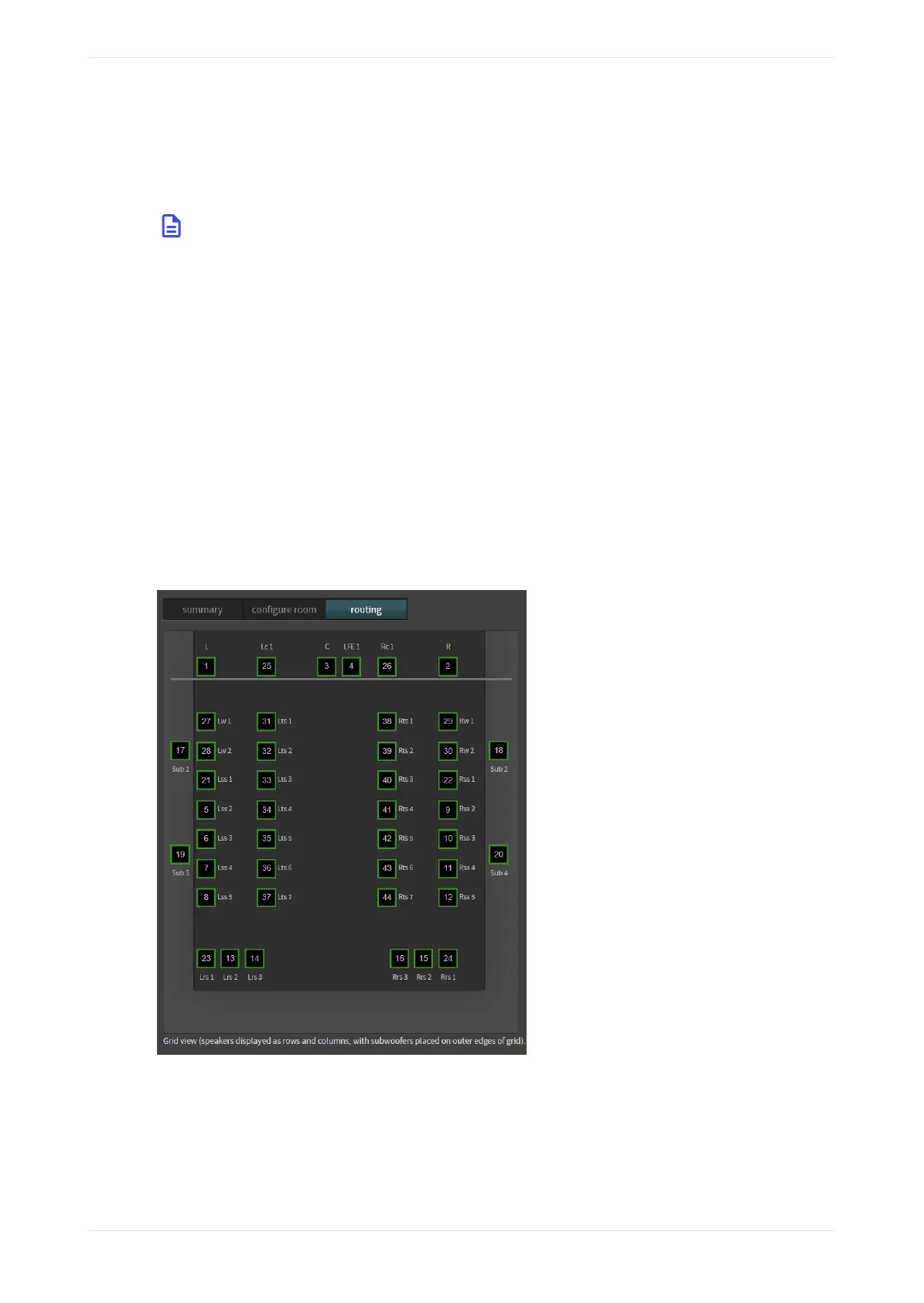
You can view the routing configuration using the routing tab.
Procedure
1. To view the routing configuration, click the routing tab.
In this screen, the output routing channel is identified within each icon, as shown in the following figure.
If it is a digital output, the routing icon is a square. If it is an analog output, the routing icon is a circle. The
number inside each icon indicates the output channel number assigned to that speaker position.
Figure 86: View routing configuration
2. When you hover your mouse on any of the icons, the following information appears (as shown in the
following figure):
• Channel name.
• Position in the room in x,y,z coordinates. The position shown is not critical for surround speakers in
5.1 or 7.1 rooms.
• Array (if assigned to an array).
Displaying the auditorium parameters
Dolby Cinema Processor CP950 and Dolby Atmos Cinema Processor CP950A Manual 67
Issue 9 Part Number 8800298 19 January 2022









 To Next Page