3.2.7 Analog output selection (for HI and VI)
You can configure the HI and VI analog outputs. This is useful if you want to use an external booth monitor or
output alternative audio for nonstandard installations.
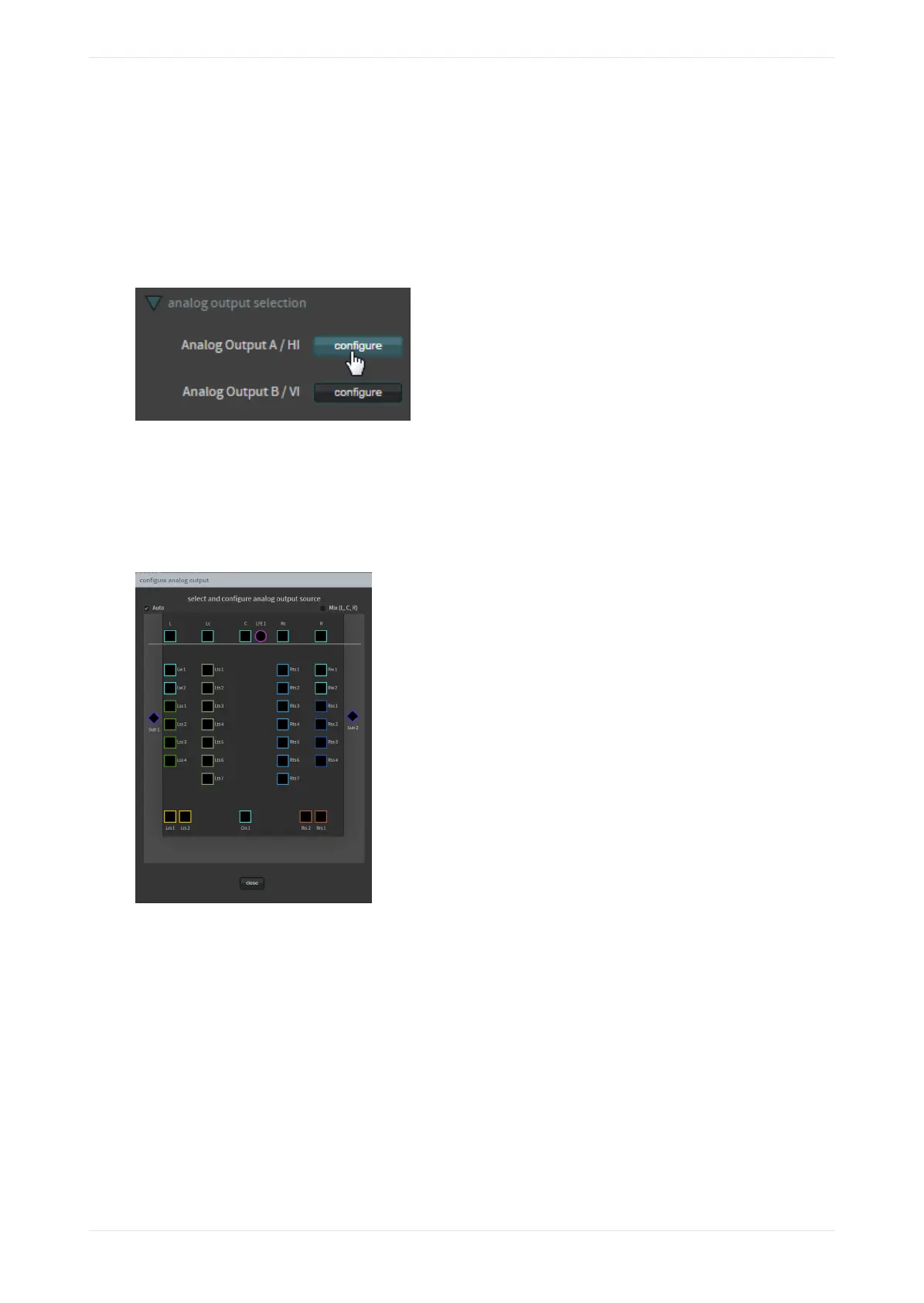
Click this tab to activate the configure buttons for the HI and VI analog outputs. If these analog outputs are
not used to provide audio to an accessibility system, you can repurpose them for other functions. These
settings override the setup described in Section 3.2.11.
Figure 57: Activate analog output configuration
When you click a configure button, the configure analog output screen appears, as shown in the following
figure, which uses a CP950A as an example. In this screen, you can configure the source that the system
routes to the hearing impaired (HI) or visually impaired (VI) analog output connectors on the Dolby CP950/
CP950A rear panel. You can configure the output for any speaker feed (or LCR mix) by clicking in the desired
box.
Figure 58: Configure analog output
3.2.8 Override HI/VI delay
You can control the timing of the hearing impaired and visually impaired narration.
When you select 16ch MediaBlock or 16ch MediaBlock + Dolby Atmos as the input for your macro, the
override HI/VI delay parameter appears as shown in the following figure. Click this tab to independently
control the timing of the hearing impaired and visually impaired narration. This is useful for the hearing-
impaired timing so that it matches the main audio in the auditorium, or more precisely controls the visually
impaired audio so that it does not interfere with dialogue from the main audio. The system applies the
resulting values to the HI and VI analog outputs. These parameters are independent delay controls and are
not related to the global audio delay, other than sharing the same minimum and maximum available values.
Configuring macros
Dolby Cinema Processor CP950 and Dolby Atmos Cinema Processor CP950A Manual 53
Issue 9 Part Number 8800298 19 January 2022









 To Next Page