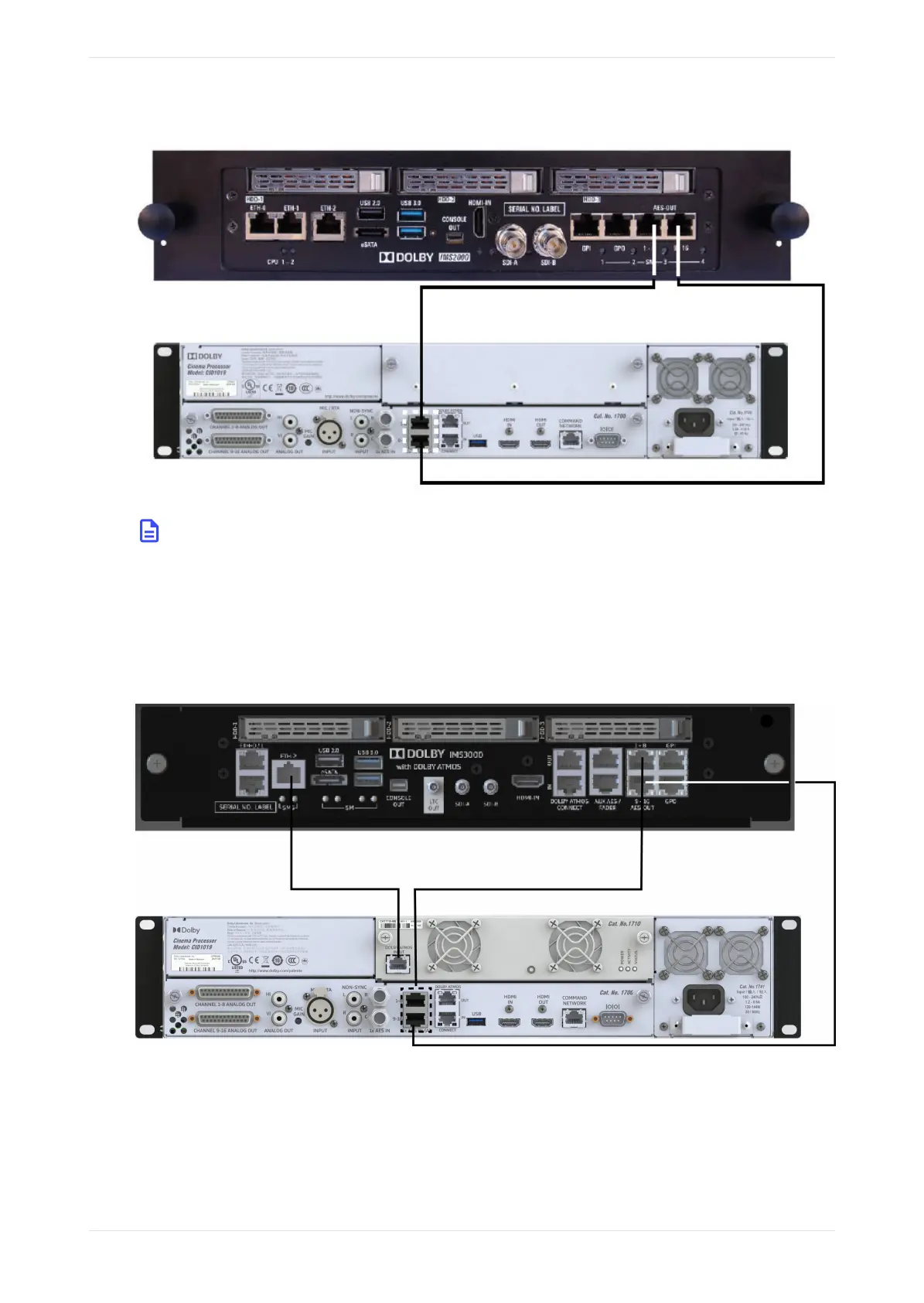
Figure 17: Connecting a Dolby IMS2000 to a Dolby CP950
Note: In a CP950A configuration, you can play Dolby Atmos content. A network path to the playback
system must be established using either the CP950A Command port or the Dolby Atmos Input port
on the CAT1710. There are no configuration changes needed on the CP950A for an IMS or IMB to
transmit Dolby Atmos audio on the Command port or Dolby Atmos Input port. The network
automatically adjusts when the CP950A is added as the cinema audio processor in the IMS or IMB
Device Manager. The following figure shows this configuration and also shows the AES output
connections from the IMS3000 to the CP950A).
Figure 18: Connecting a Dolby IMS3000 to CP950A
2.7.2 Connecting a Dolby DSS200 to a Dolby CP950 and CP950A
Connect the DSS200 8x AES OUTPUT port to the CP950 8x AES INPUT ports with CAT5e (or greater) Ethernet
cables using the provided DB25-to-RJ45 adapter. In addition, you need to use a female-to-female gender
changer between the DB25-to-RJ45 adapter and the DSS200 AES audio output port. We recommend
connecting the adapter to the DSS200 and then connecting the Ethernet cables to the CP950/CP950A.
Installing the Dolby CP950 or CP950A in a Dolby Digital Cinema network
Dolby Cinema Processor CP950 and Dolby Atmos Cinema Processor CP950A Manual 30
Issue 9 Part Number 8800298 19 January 2022









 To Next Page