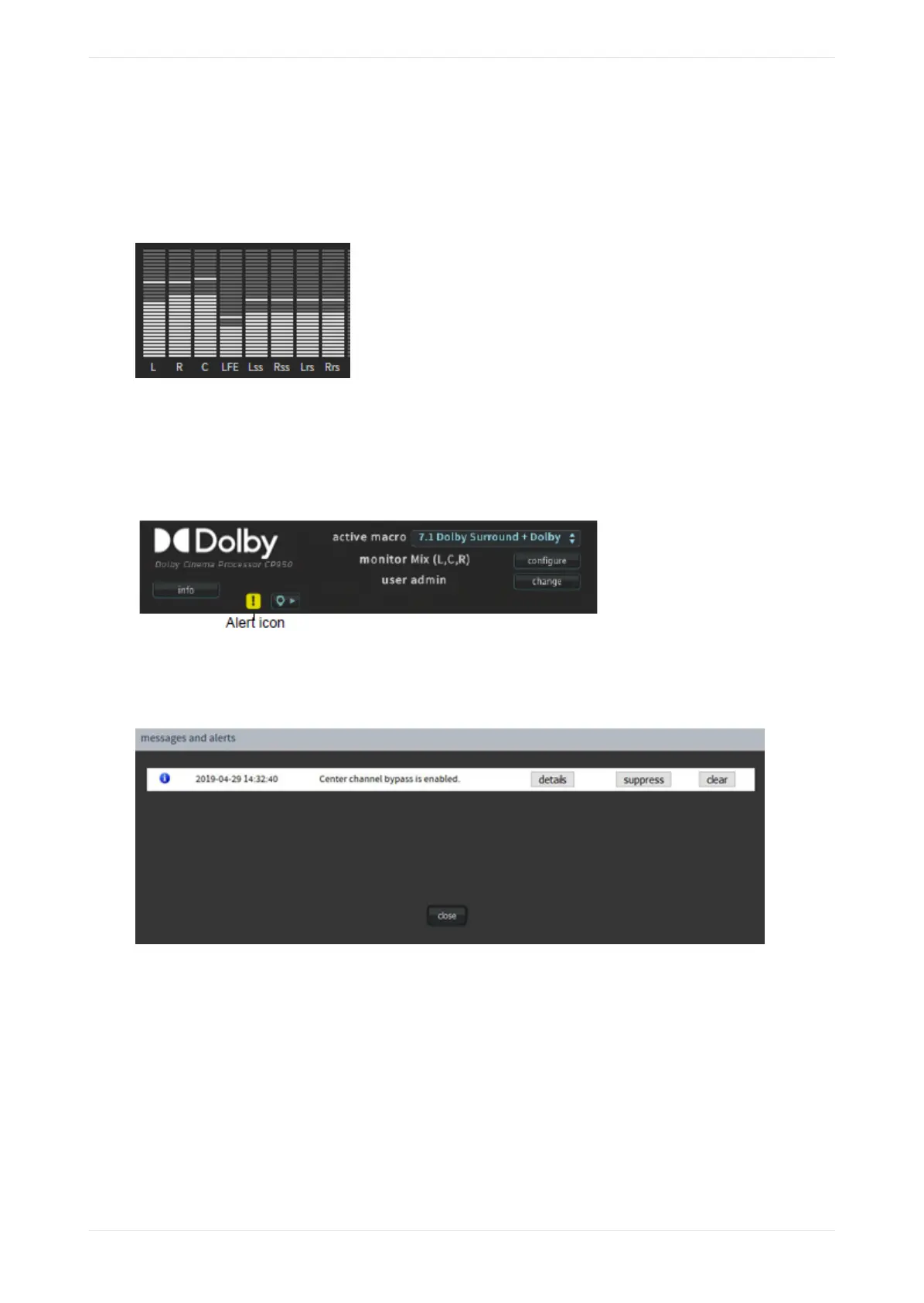
3.1.7 Audio meter
This meter displays the audio levels for channel‐based audio. It shows the signal intensity of PCM input
channels, decoded bitstreams, and upmixed content. The following figure shows a CP950 audio meter as an
example. The CP950A audio meter also displays LTS (Le Top Surround) and RTS (Right Top Surround)..
Figure 41: CP950 Audio output meter
3.1.8 Alerts
If the system activates an alert, the alert icon changes to a blinking yellow icon, as shown in the following
figure.
Figure 42: Alert Icon indicating an alert
To view an alert, click the alert icon. The alert message appears in the messages and alerts screen, as shown
in the example in the following figure.
Figure 43: Alert message
You can stop this type of alert from blinking by selecting it and then clicking the suppress button. You can
still view the alert in the messages and alerts pop-up screen.
You can remove the displayed alert by selecting it and then clicking the clear button. The alert disappears
from the messages and alerts screen and cannot be recalled until the system is rebooted (if the alert
condition continues aer rebooting).
You cannot remove or suppress a temperature alert. A temperature alert disappears when the temperature
returns to normal. There are some additional reports that represent critical errors that are not suppressible
or removable. If the CP950 or CP950A is not playing audio correctly, always check the alert status first before
you attempt any other troubleshooting.
Connecting to the Dolby CP950 or CP950A
Dolby Cinema Processor CP950 and Dolby Atmos Cinema Processor CP950A Manual 45
Issue 9 Part Number 8800298 19 January 2022









 To Next Page