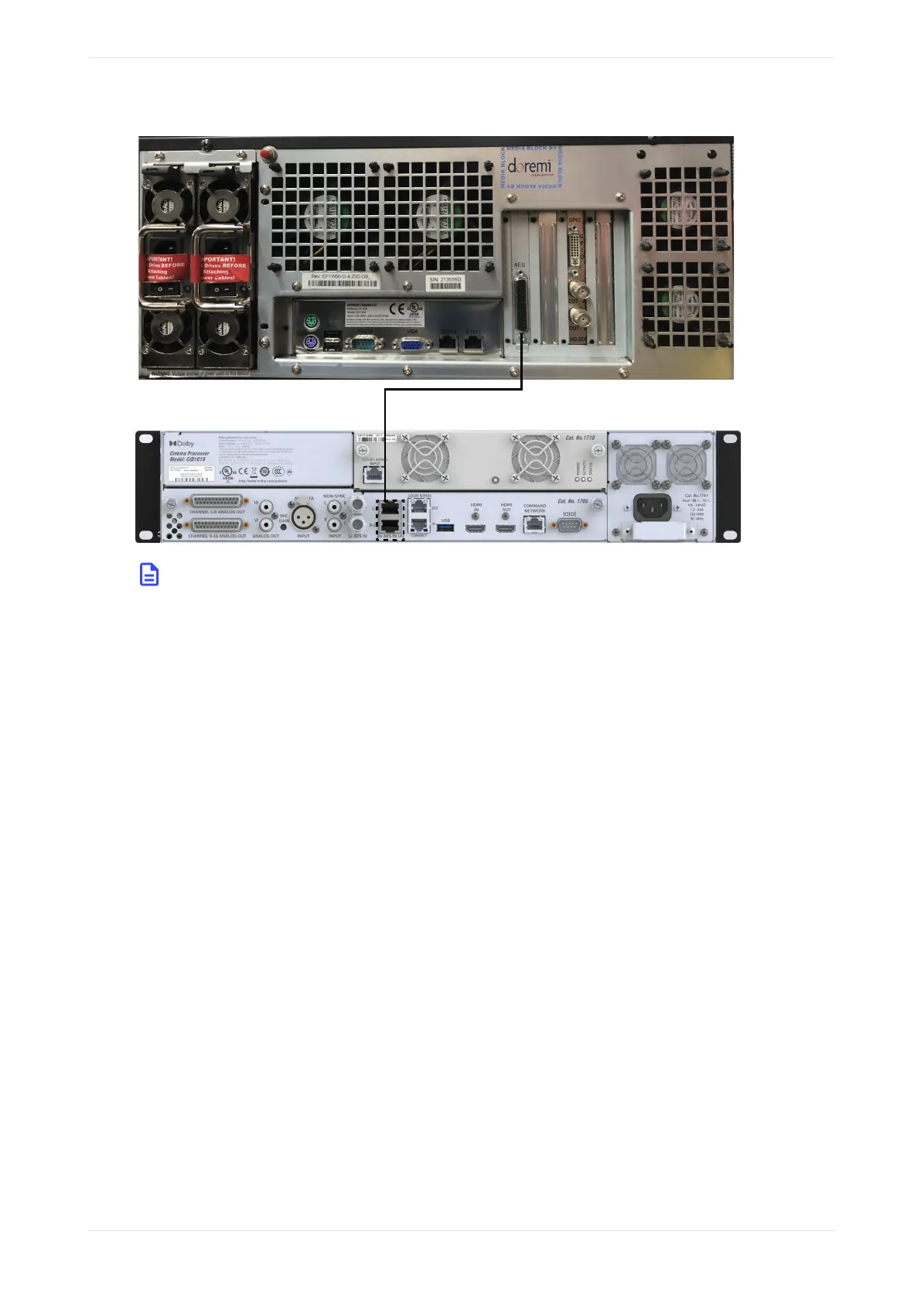
Figure 25: Connecting a Dolby DCP‑2K4 to the Dolby CP950A
Note: : In this CP950A configuration, you can transport Dolby Atmos content from the playback
system via the CP950A Command port. If there is a valid network route between the devices, there are
no configuration changes needed on the CP950A to receive Dolby Atmos audio on the Command
port. The network automatically adjusts when the CP950A is added as the Cinema Audio Processor
in the DCP-2000 Device Manager.
Related information
Pinouts for Dolby CP950and CP950A connectors on page 138
2.8 Connecting amplifiers
You can connect analog amplifiers and Dolby Multichannel Amplifiers to the Dolby CP950/CP050A.
Procedure
1. For analog amplifier installations, connect the required number of channels from the Dolby CP950/
CP950A CHANNEL 1–8 ANALOG OUT and CHANNEL 9–16 ANALOG OUT ports.
2. For Dolby Multichannel Amplifier (or other Dolby Atmos Connect qualified device) installations, use a
CAT5e (or greater) Ethernet cable to connect the Dolby CP950/CP950A DOLBY ATMOS CONNECT OUT port
to the DOLBY ATMOS CONNECT IN port on the downstream device. The following figure uses the CP950
as an example. The connections for the CP950A are the same. The system uses AES67 protocol when
connecting Dolby Multichannel Amplifiers or Dolby DAC3202s.
Installing the Dolby CP950 or CP950A in a Dolby Digital Cinema network
Dolby Cinema Processor CP950 and Dolby Atmos Cinema Processor CP950A Manual 34
Issue 9 Part Number 8800298 19 January 2022









 To Next Page