Related information
Pinouts for Dolby CP950and CP950A connectors on page 138
2.7.3 Connecting a Dolby DSS220 to the Dolby CP950A
You can play back Dolby Atmos content on a C950A by connecting a CAT5e (or greater) Ethernet cable from
the CPDATA port on the DSS220 to the Dolby Atmos Input port on the CAT1710 expansion card.
Figure 21: Connecting a Dolby DSS220 to a Dolby CP950A
Thi s d evice compli es w ith Part 15 of the F CC Rul es.
Operation is subject to the fo llowi ng two conditi ons: (1) this
device may no t cause h armful interference, and (2) this
device must accept any in terference received, in cluding
interference that may cause undesired operation.
Thi s Class A d igital app aratus compli es w ith Canadian I CES003.
7
PC
Dolby and the dou ble-D symbol are registered trademarks of Dolb y Laboratories.
+
DSS220
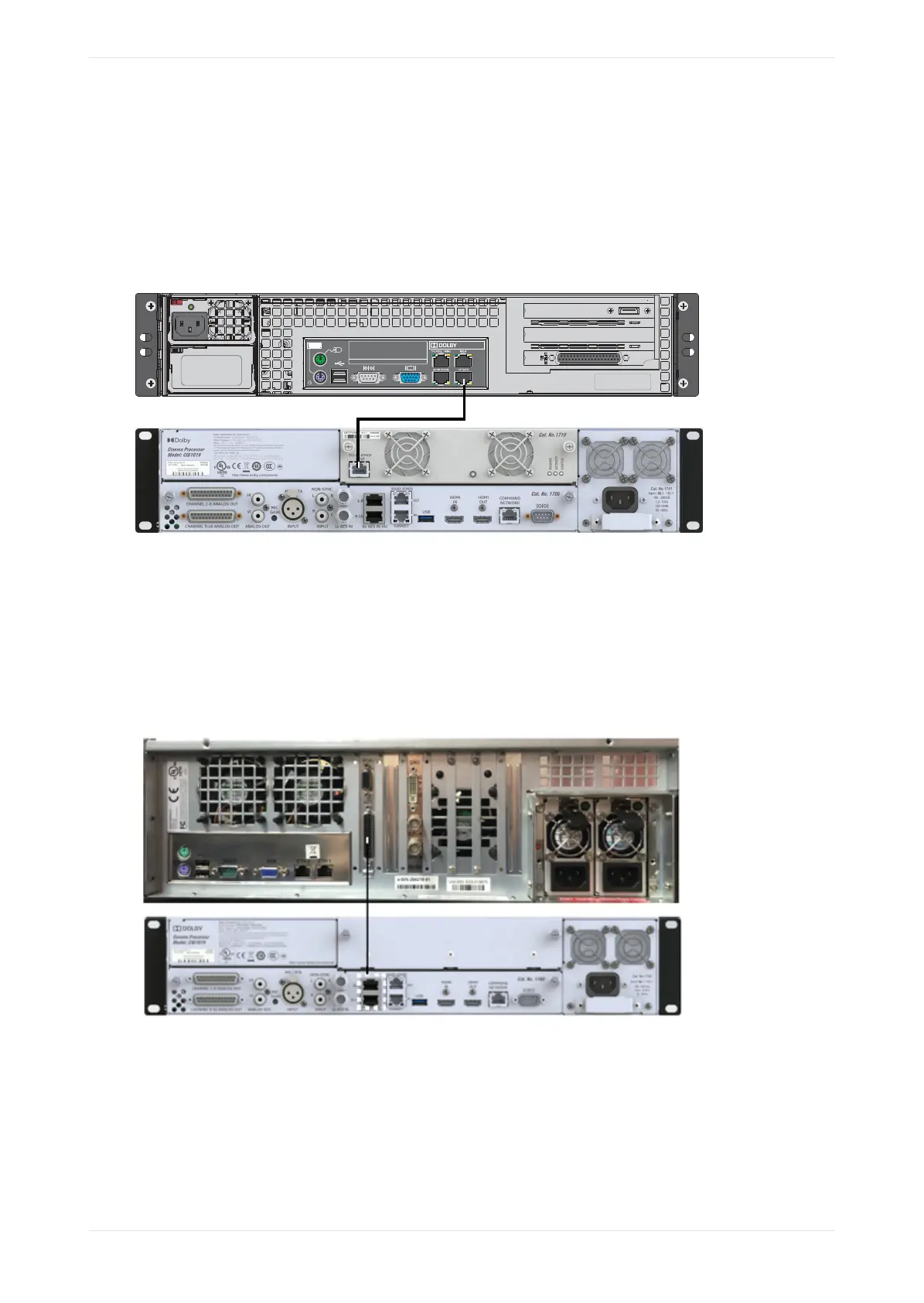
2.7.4 Connecting a Dolby DCP‑2000 to a Dolby CP950 or CP950A
To connect the Dolby DCP‑2000 to the Dolby CP950/CP950A, connect the Dolby DCP‑2000 AES output port to
the Dolby CP950/CP950A 8x AES INPUT ports with CAT5e (or greater) Ethernet cables using the provided
DB25-to-RJ45 adapter. We recommend connecting the adapter to the DCP-2000, and then connecting the
Ethernet cables to the CP950/CP950A. Reducing the number of connections is useful in preventing electro-
magnetic interference (EMI).
Figure 22: Connecting a Dolby DCP‑2000 to a Dolby CP950
Installing the Dolby CP950 or CP950A in a Dolby Digital Cinema network
Dolby Cinema Processor CP950 and Dolby Atmos Cinema Processor CP950A Manual 32
Issue 9 Part Number 8800298 19 January 2022









 To Next Page