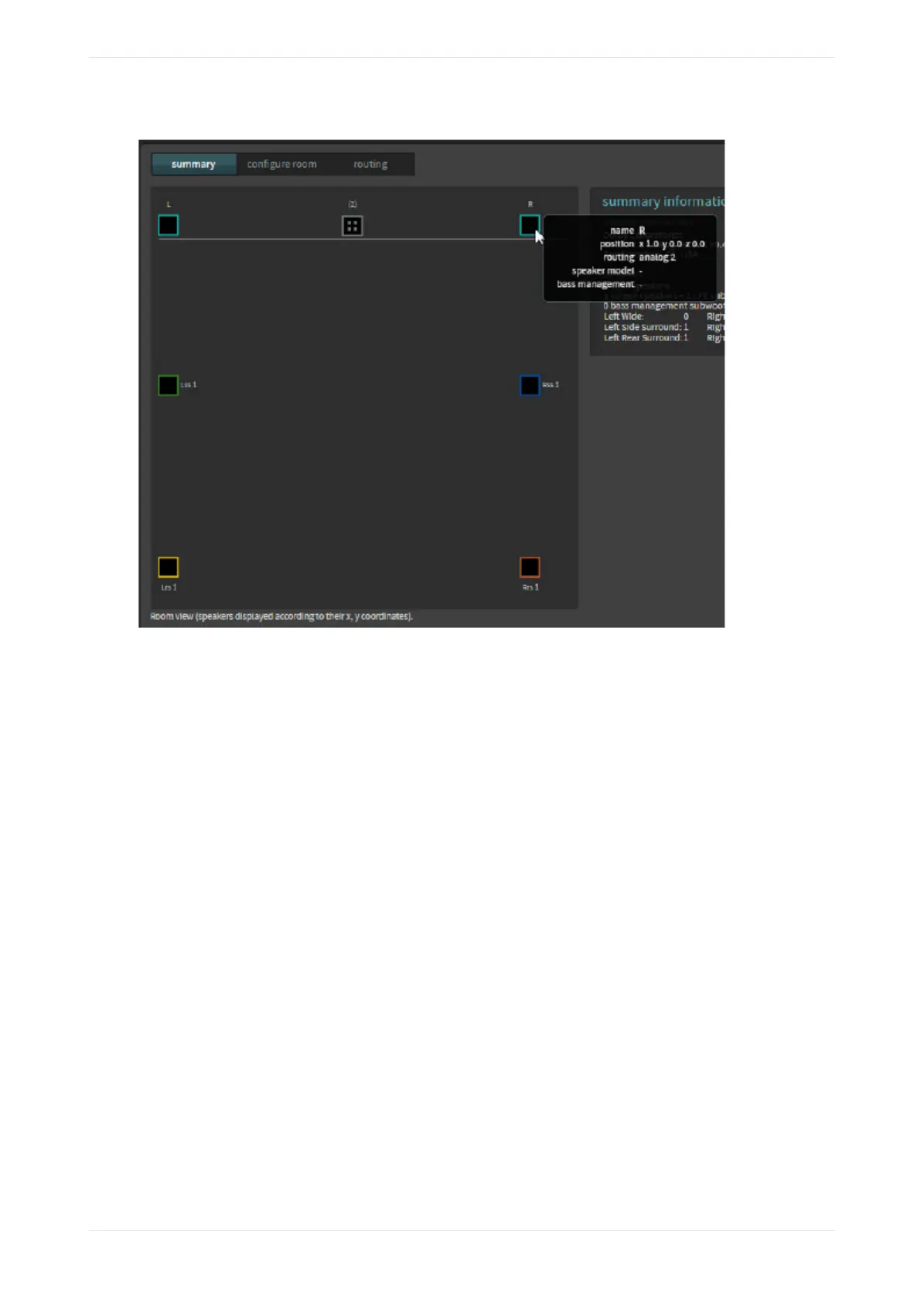
Figure 83: Hover mouse over icon to display additional information
If you have multiple speaker feeds with the same positional data, an icon with four small squares appears.
When you click on this icon, it expands to show the speakers that share this positional data.
3.4.1 Configuring a room
You can configure a room using predefined room configurations (CP950 in standard 5.1 or Dolby Surround 7.1
rooms) or Dolby Atmos Designer (DAD). You should always configure CP950A Dolby Atmos rooms with DAD.
You select the desired room configuration using the configure room tab.
Procedure
1. Click the configure room tab to select how the CP950/CP950A defines the room size and surround
speaker delay arrays. The configure room screen appears, as shown in the following figure using the
CP950A as an example with Dolby Atmos Designer selected for the room configuration. When you select
Dolby Atmos Designer, the system does not use the other values in this screen.
Displaying the auditorium parameters
Dolby Cinema Processor CP950 and Dolby Atmos Cinema Processor CP950A Manual 65
Issue 9 Part Number 8800298 19 January 2022









 To Next Page