3.2.4 Macro order
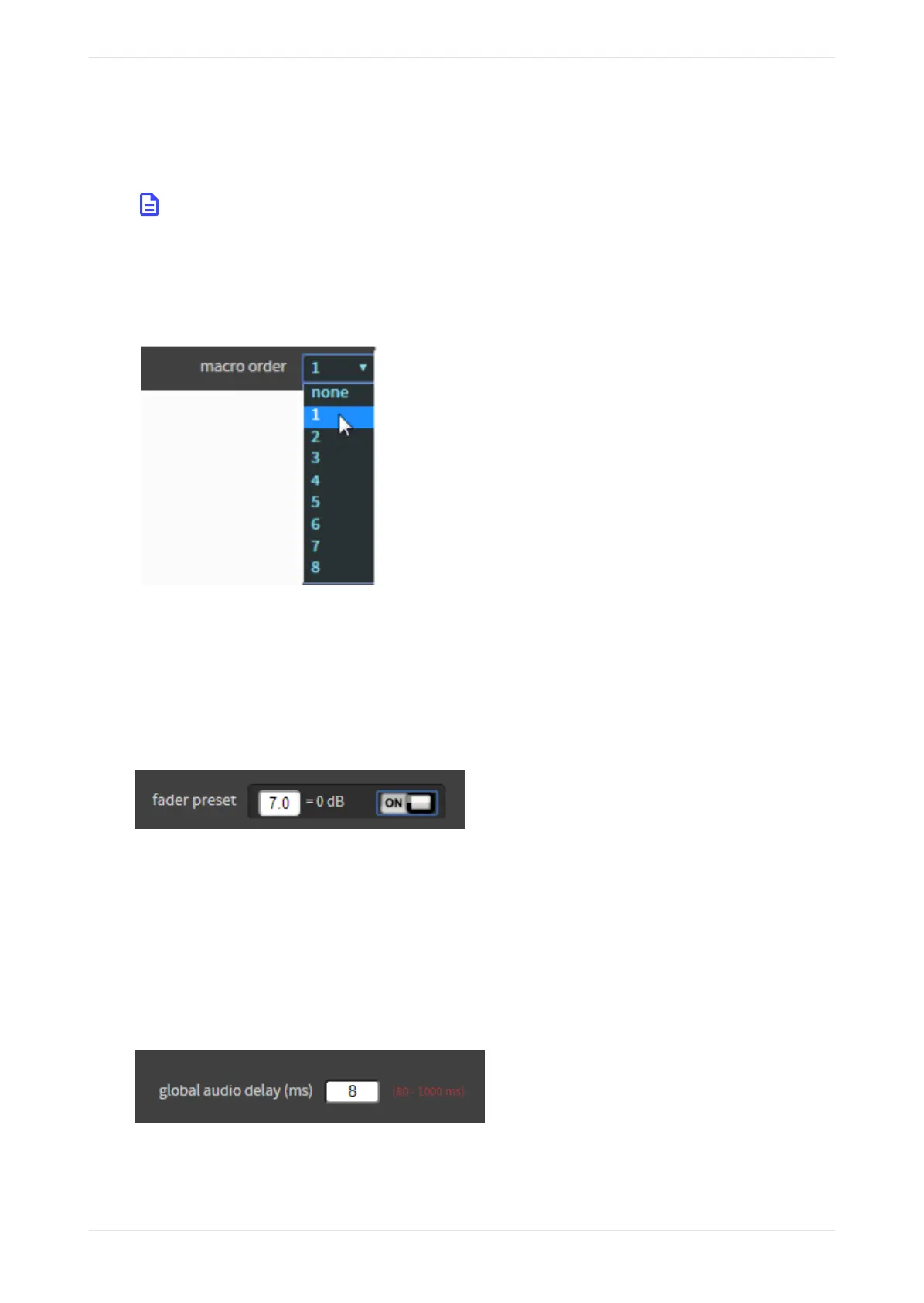
Click in this field to assign a macro number for your macro, as shown in the following figure. Your selection
appears in numerical order for the macros displayed on the FPUI.
Note: Many automation systems assume that 5.1 (also known as 5.1 + Dolby Atmos) is at macro
number 1, and Dolby Surround 7.1 (also known as Dolby Surround 7.1 + Dolby Atmos) is at macro
number 2. In these automation systems, the macro order may be referred to as button # instead of
position/macro order. For this reason, we recommend leaving macro # 1 as 5.1 (or 5.1 Dolby Atmos for
the CP950A) and macro #2 as Dolby Surround 7.1 (or Dolby Surround 7.1 + Dolby Atmos for CP950A).
Figure 54: Assign macro number
3.2.5 Fader preset
You can enter a default fader value that is enabled when the macro is activated.
Click in this field to enter a default fader value for your macro, as shown in the following figure. When
enabled, the system uses this value when you (or automation) select the macro. Click the on/o button to
enable or disable this function.
Figure 55: Enter fader preset
3.2.6 Global audio delay
You can enter a global audio delay for a macro.
Click in this field to enter a global audio delay (in milliseconds) for your macro. In some cases, you may need
to change the audio delay in the media block (MB) when using a 16-channel input. The minimum global
audio delay for Dolby Atmos content is 80 milliseconds. If you enter a delay that is not in the range for your
selected input, red text appears next to this field indicating the required range for the delay, as shown in the
following example for a CP950A.
Figure 56: Enter global audio delay
In some situations, you may need to adjust the global audio delay on your Image Media Block. For details,
refer to the media-block setup instructions in your
Dolby Cinema System Manual
.
Working with the web client user interface
Dolby Cinema Processor CP950 and Dolby Atmos Cinema Processor CP950A Manual 52
Issue 9 Part Number 8800298 19 January 2022









 To Next Page