** With hotfix ims3_sw_hotfix_accumulated_updates_3.4.11-1.0.1.
Playback systems from other manufacturers may work with the CP950A while using a CP850 configuration, or
new versions of playback soware may be available to work directly with the CP950A.
Aer upgrading your playback system to the recommended version in the previous tables, you can configure
the system.
• For the ShowVault/IMB, go to Menu > Doremi Labs > Device Manager. Add an audio processor device,
and then select CP950 or CP950A from the drop-down menu.
• For the IMS2000, go Administration > Device Manager, and then select CP950 or CP950A from the drop-
down menu.
• For the IMS3000, go to the Setup & Maintenance menu and select the Device Manager tab. Add an audio
processor device, and then select CP950 or CP950A from the drop-down menu.
• For the DSS200 or DSS220 and CP950, run the Config script and select CP950 as the cinema processor.
• For the DSS200 or DSS220 and CP950A, run the Config script and select CP950A as the cinema processor.
2.10 Starting up the Dolby CP950/CP950A
The Dolby CP950/CP950A automatically powers up when you connect the power cable. While the unit is
booting, the front-panel status LEDs illuminate in amber. Aer approximately one minute, the unit completes
the start-up process.
When the boot process is complete, the LEDs remain green when playing normal audio. On a CP950A, the
LEDs change to solid blue when playing Dolby Atmos content. If there is a warning or error displayed on the
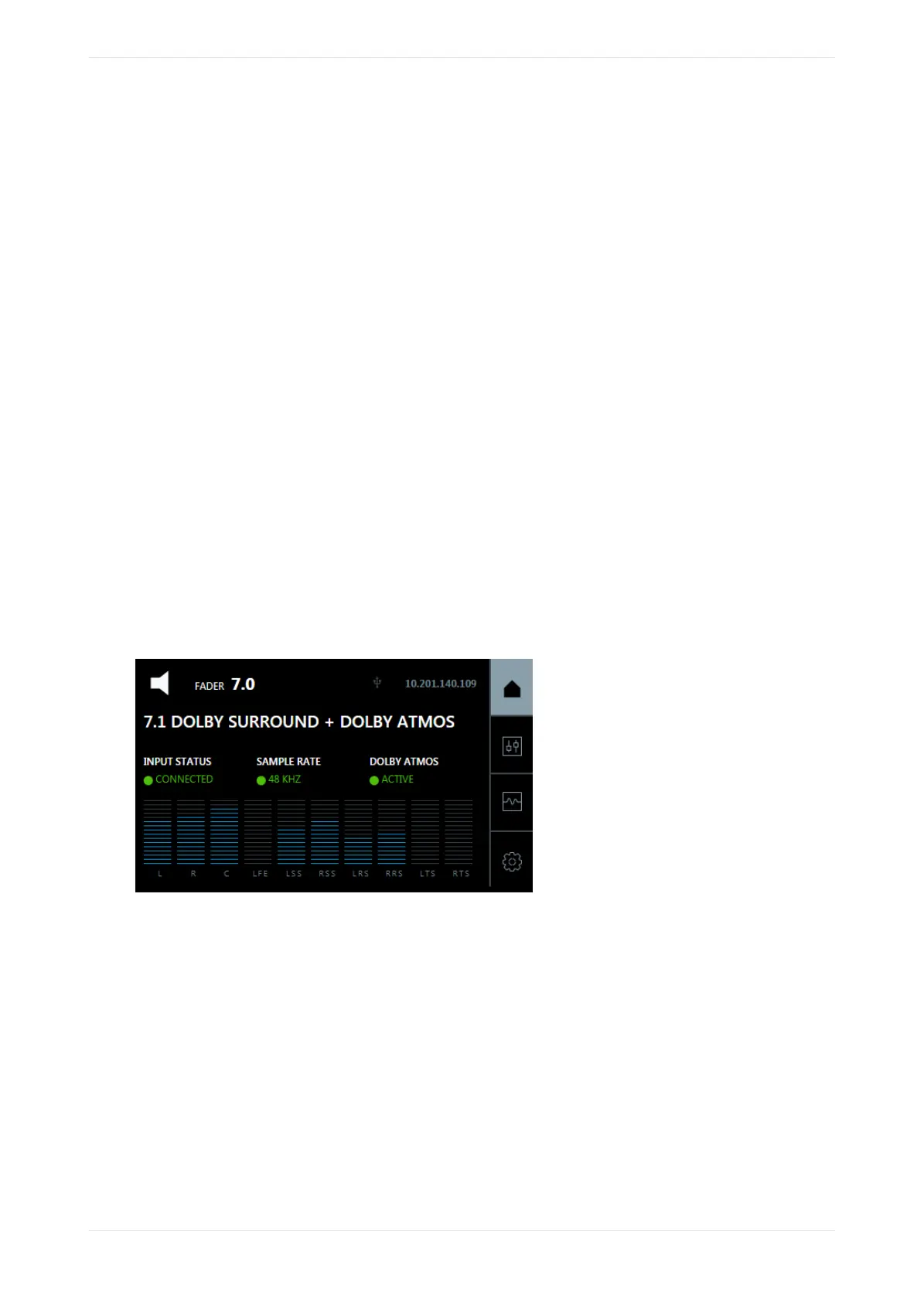
CP950/CP950A, the LEDs change to yellow or red. The front-panel user interface (FPUI) displays the home
screen with the current fader setting, IP address, input status, sample rate, and audio meter, and for the
CP950A, Dolby Atmos status, as shown in the following figure.
Figure 27: CP950A front-panel UI touch screen
2.11 Configuring the network settings
You must configure your network settings aer you perform the hardware installation.
Procedure
1. Press the system settings button, and then press COMMAND NETWORK, as shown in the following
figures.
Installing the Dolby CP950 or CP950A in a Dolby Digital Cinema network
Dolby Cinema Processor CP950 and Dolby Atmos Cinema Processor CP950A Manual 36
Issue 9 Part Number 8800298 19 January 2022









 To Next Page