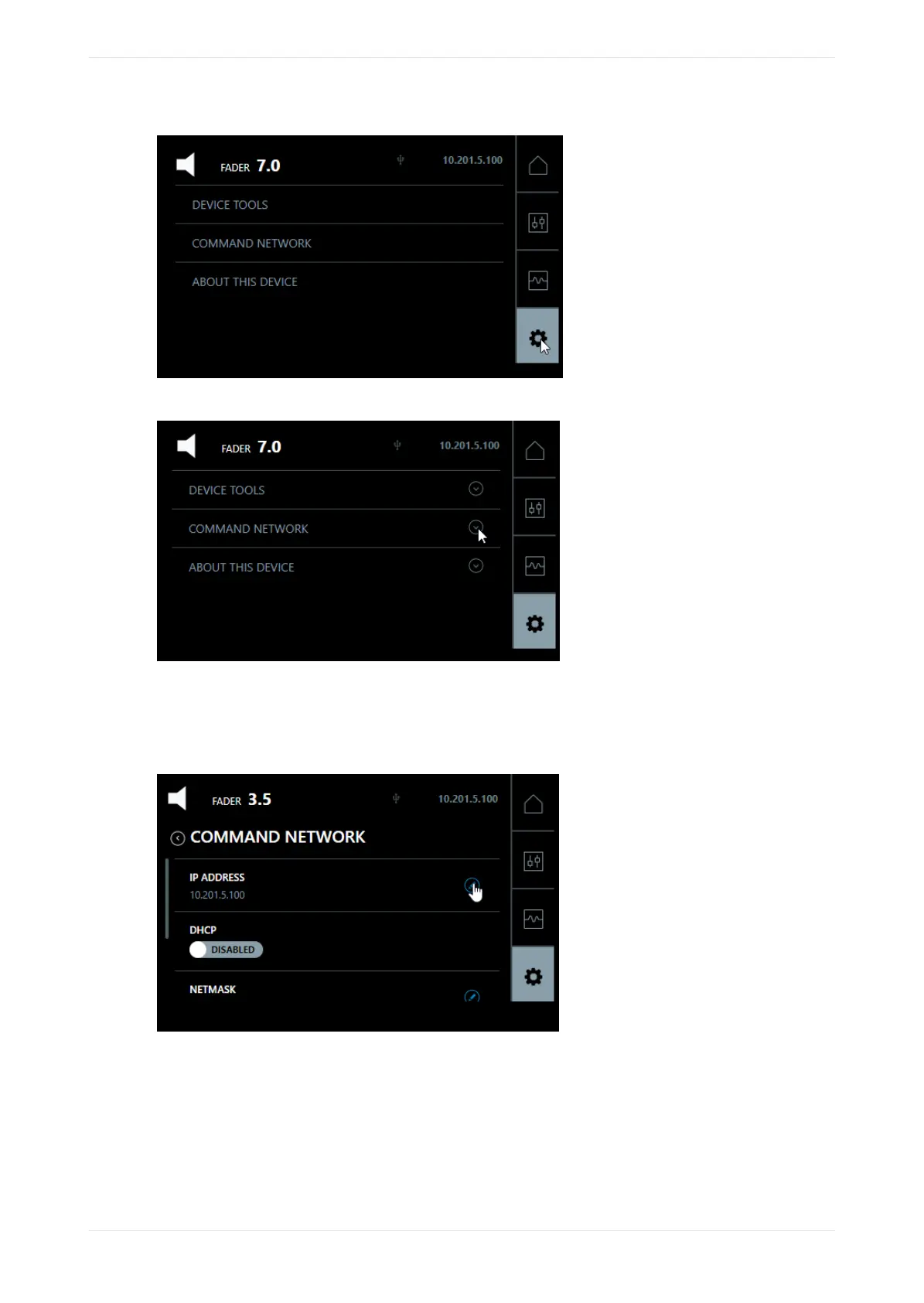
Figure 28: Press system settings button
Figure 29: Press command network
The COMMAND port default IP address is 192.168.1.151. You will need to change the third octet to match
your auditorium number, or change the entire IP address (if required).
2. To configure the COMMAND NETWORK port, press the small pencil icon next to the IP address.
Figure 30: Configure command network
A so keyboard appears where you can change the IP address, as shown in the following figure.
Configuring the network settings
Dolby Cinema Processor CP950 and Dolby Atmos Cinema Processor CP950A Manual 37
Issue 9 Part Number 8800298 19 January 2022









 To Next Page