does not aect the Dolby Atmos data, but only aects the PCM data sent by the MediaBlock. This parameter
also sets the default channel assignment presets in the Channel assignment pane on the right side of this
screen.
Figure 62: Select audio format
Related information
Channel assignment on page 55
3.2.11 Channel assignment
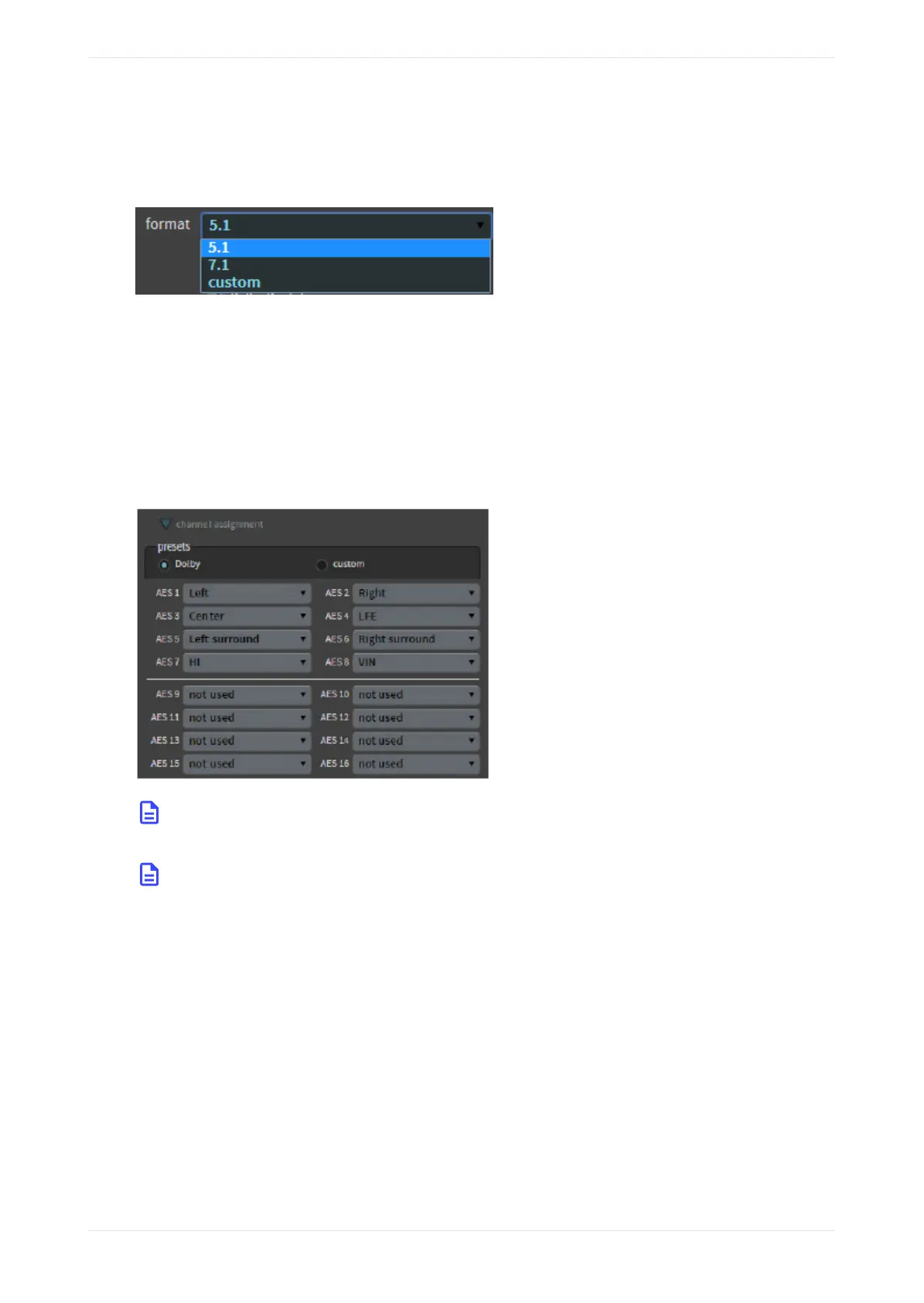
For 16-channel inputs, you can view the Dolby channel assignment presets by clicking the channel
assignment tab. For 16ch MediaBlock + Dolby Atmos AES Digital, the system automatically sets the presets
when the input format is set to 7.1 or 5.1.
Figure 63: Dolby Preset Channel Assignments
Note: To play back Dolby Atmos content in a CP950A, the macro must have Dolby Atmos sync
assigned to channel 14.
Note: The Dolby CP950/CP950A actively monitors any AES3 channels that are in use for the current
macro and sends alerts if the system detects that one or more channels is intermittent or
disconnected. If you are using Dolby Fidelio or another accessibility system that removes channels 7
and 8, you must edit your 5.1 and 7.1 Dolby Surround macros to prevent false alerting. To edit these
macros, change from the Dolby preset to the custom preset, and then change channels 7 and 8 to not
used.
To change the Dolby presets, click on the custom button, and then click in the respective fields to select the
desired channel assignments, as shown in the following figure, which uses a CP950A as an example.
Configuring macros
Dolby Cinema Processor CP950 and Dolby Atmos Cinema Processor CP950A Manual 55
Issue 9 Part Number 8800298 19 January 2022









 To Next Page