Note: Using one CP950/CP950A output channel in digital or analog disables that channel for the other
output type. For example, if you output from digital channel 1, analog channel 1 is disabled as an
output channel. If you output from analog channel 9, digital channel 9 is disabled.
You can download the current version of DAD soware by clicking downloads in the Dolby CP950/Dolby
CP950A navigation bar. Authorized users can also download the current version of DAD soware and manual
at https://customer.dolby.com.
Note: We provide a Dolby Atmos Designer video tutorial at: https://vimeo.com/280122204.
Follow the instructions in the
Dolby Atmos Designer User's Manual
to set up a room configuration.
This includes room dimensions, speakers, amplifiers, and so on. When you complete this setup,
upload the room configuration to the Dolby CP950/CP950A. The system is then ready for you to start
the equalization process.
Related information
Configuring a digital output on page 100
4.2.1 Creating a room in Dolby Atmos Designer
You can create a room in Dolby Atmos Designer.
About this task
To create a room and perform DAD operations, see the instructions in the
Dolby Atmos Designer User’s
Manual
. You can mix analog and digital outputs, but you cannot exceed 16 channels for a Dolby CP950 or 64
channels for a CP950A. In DAD, it is not possible to mix dierent routing types (analog and digital) for
multiway speakers.
Note: To correctly set the surround speaker delays, your room configuration must use accurate
measurements and speaker placements. If you are using one CP950/CP950A processor output to drive
all speakers on a wall, use a point that is the average distance between the speakers.
Aer you create a room, save a copy of the DAD.dac file to your computer, and then follow these steps.
Procedure
1. Push the room configuration to the Dolby CP950/CP950A using DAD.
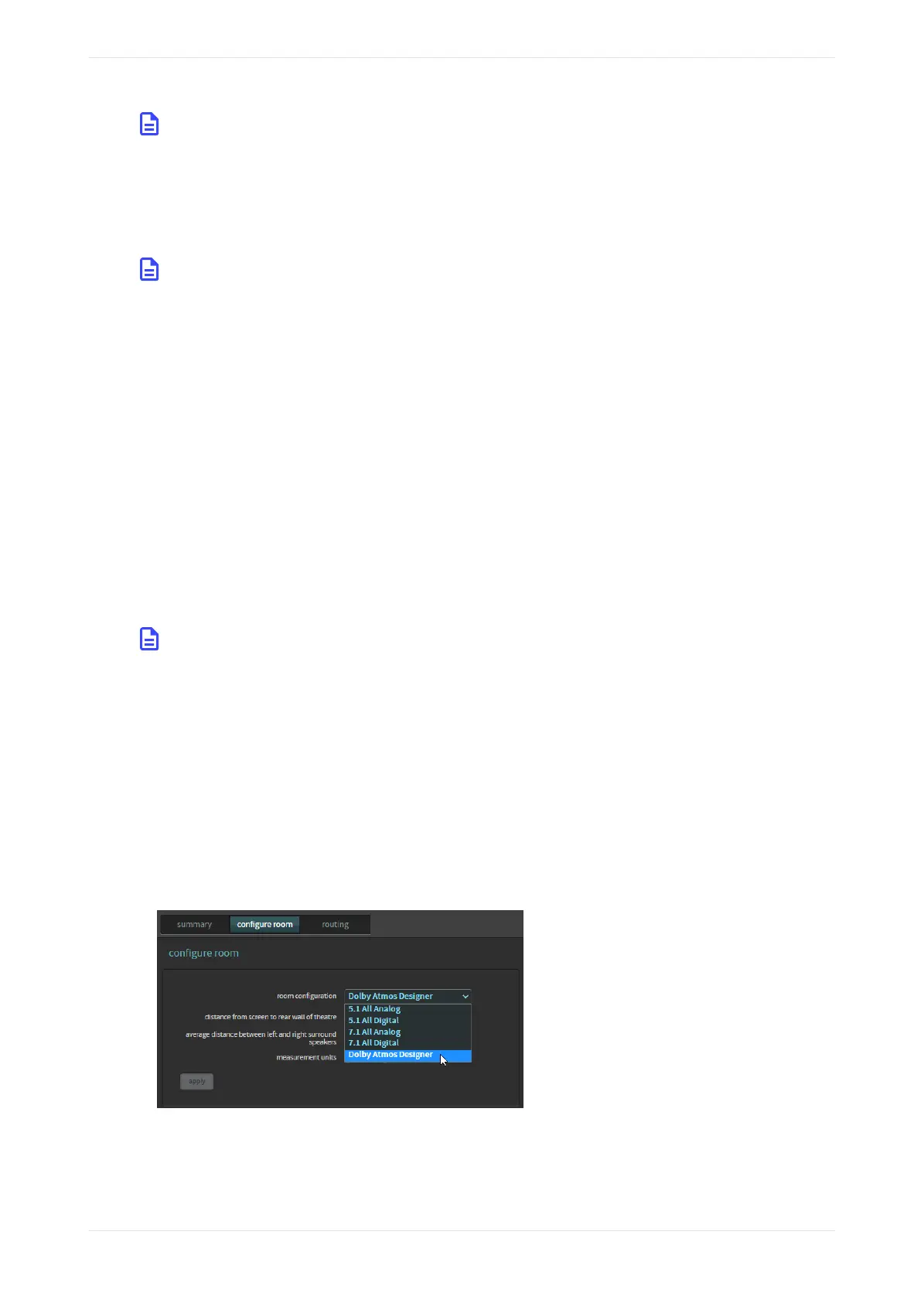
2. Click auditorium in the Dolby CP950/CP950A navigation bar, and then click the configure room tab.
Dolby Atmos Designer should be the selected for the room configuration. This confirms that the system
is using the room you created.
3. To confirm that your settings are correct, click the summary or routing tab.
Figure 131: Dolby Atmos Designer selected for room configuration
Digital users proceed to the next section (Section 4.2.2). Analog users can skip the next section and
proceed to Section 4.2.3.
Using Dolby Atmos Designer and one-third octave EQ
Dolby Cinema Processor CP950 and Dolby Atmos Cinema Processor CP950A Manual 99
Issue 9 Part Number 8800298 19 January 2022









 To Next Page