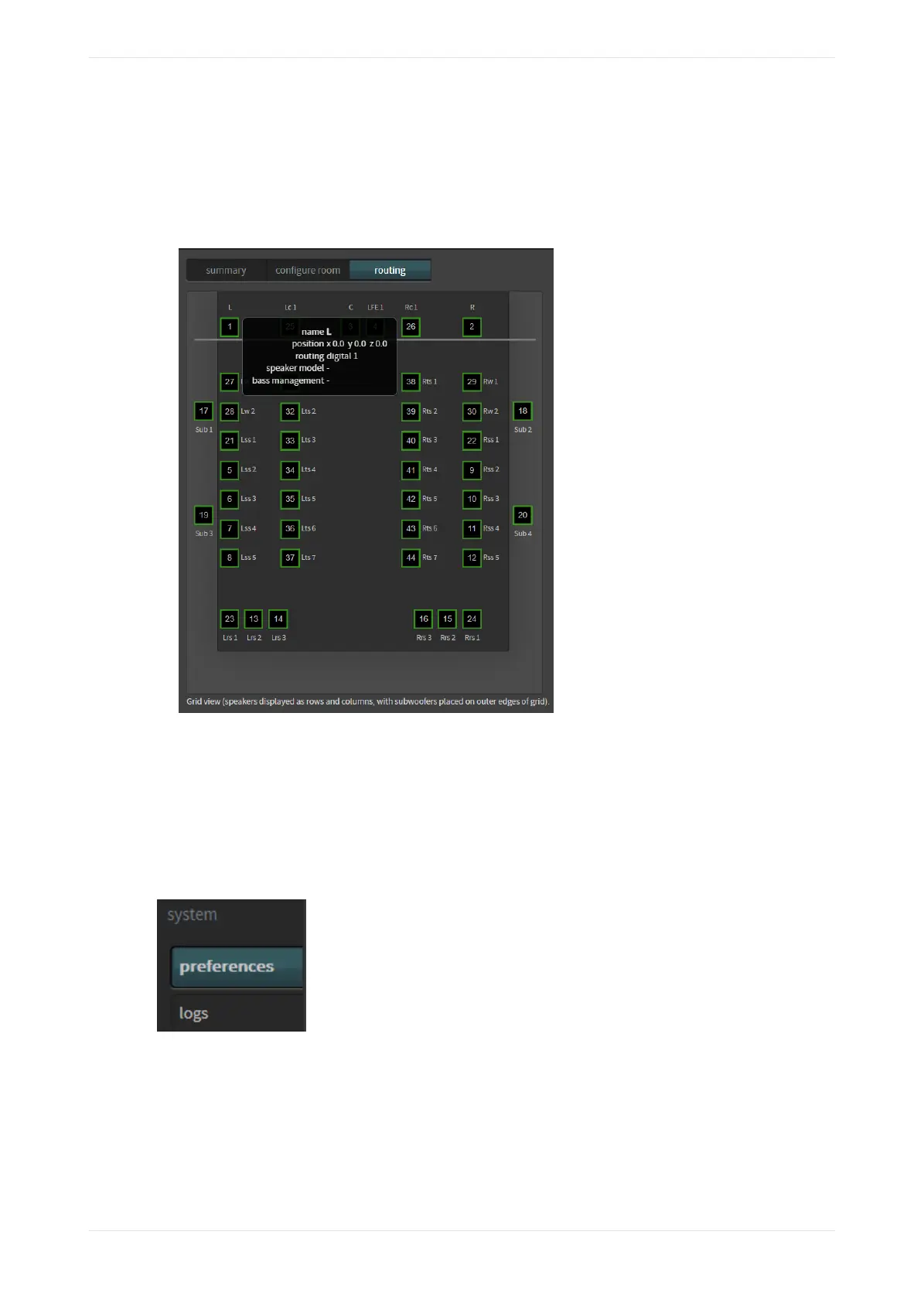
• Routing.
• Speaker data (if populated using Dolby Atmos Designer).
• Bass management assignment (indicates which subwoofer receives low frequency audio for the
highlighted speaker). This information appears only if bass management is applied in Dolby Atmos
Designer.
Figure 87: Hover mouse to display channel information
3.5 Configuring preferences
You can configure preferences using the system menu.
Procedure
1. Select preferences in the system menu, as shown in the following figure.
Figure 88: Select preferences in system menu
The preferences screen appears, as shown in the following figure.
Working with the web client user interface
Dolby Cinema Processor CP950 and Dolby Atmos Cinema Processor CP950A Manual 68
Issue 9 Part Number 8800298 19 January 2022









 To Next Page