4.1 Configuring equalization with the CP950 real-time analyzer
This section explains how to use the CP950 web client to configure a room and equalize the auditorium.
Following the steps in this section will help you configure a room that does not use any internal crossovers
and is very similar to a CP750 configuration and equalization.
Note: Selecting and using a predefined 5.1 or 7.1 room is designed for use with the CP950.
Installations with a CP950A are expected to use Dolby Atmos Designer to define the room and load it
to the CP950A as defined in section 4.2.
4.1.1 Configuring a room
You can configure a room with the Dolby CP950 real-time analyzer.
Procedure
1. Click auditorium in the navigation bar at the le side of the screen, and then click the configure room
tab to display the configure room screen.
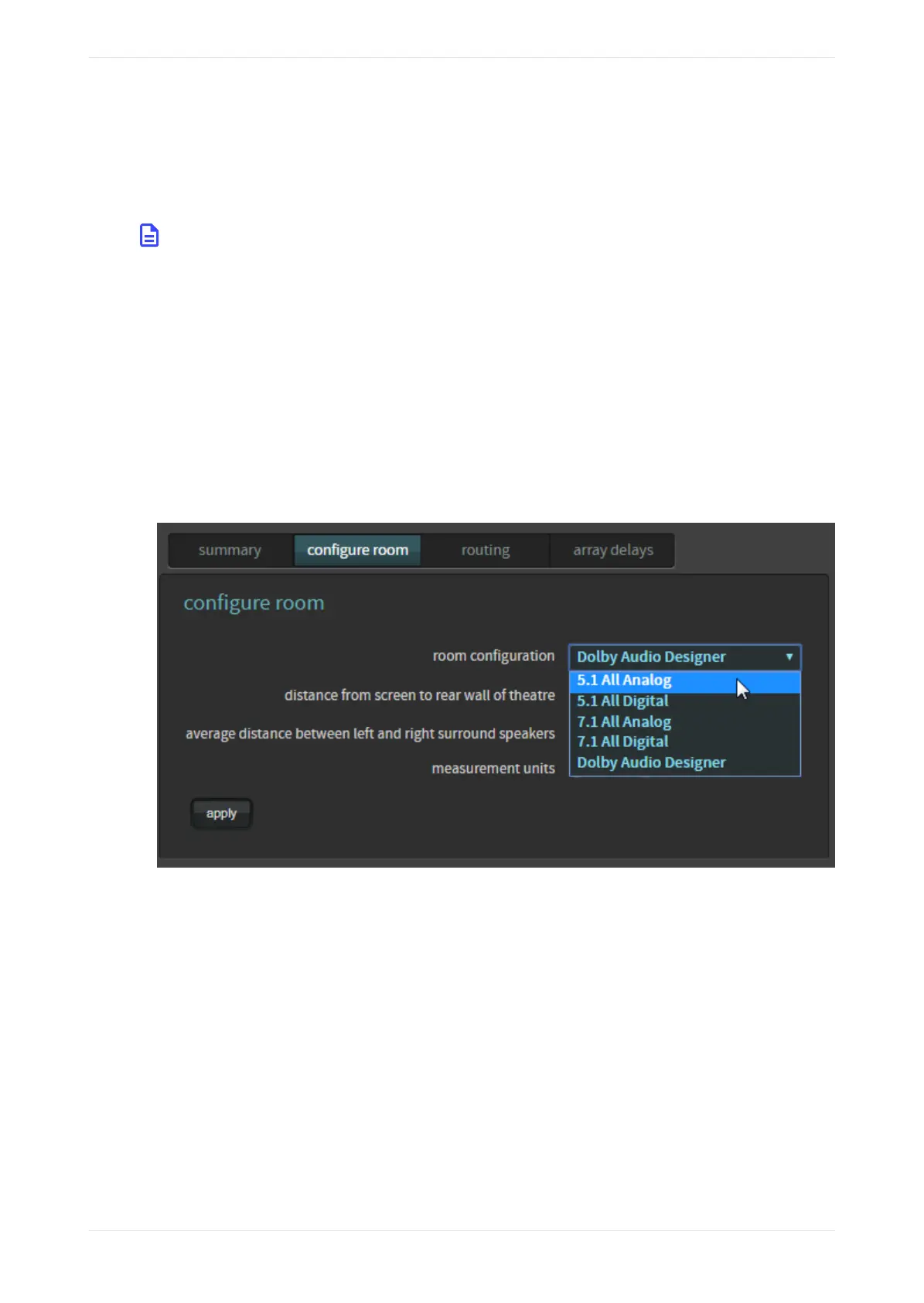
2. Click in the room configuration field to display the drop-down menu, and then select the room
configuration you want to use.
Figure 110: CP950 configure room screen drop-down menu
When you use the Dolby CP950 real-time analyzer, you can select a room configuration for:
• 5.1 All Analog: Three screen channels (L, C, R), one subwoofer (Low-Frequency Eects [LFE]), and two
surround zones (LSS, RSS). The system uses the top DB25 connector (CHANNEL 1-8 ANALOG OUT) to
output all channels as analog audio.
• 5.1 All Digital: Three screen channels (L, C, R), one subwoofer (Low-Frequency Eects (LFE)), and two
surround zones (LSS, RSS). The system uses the DOLBY ATMOS CONNECT OUT port to output all
channels as digital audio.
• 7.1 All Analog: Three screen channels (L, C, R), one subwoofer (LFE), and four surround zones (LSS,
RSS, LRS, RRS). The system uses the top DB25 connector (CHANNEL 1-8 ANALOG OUT) to output all
channels as analog audio.
• 7.1 All Digital: Three screen channels (L, C, R), one subwoofer (LFE), and four surround zones (LSS,
RSS, LRS, RRS). The system uses the DOLBY ATMOS CONNECT OUT port to output all channels as
digital audio.
For analog and digital 5.1 configurations, the system outputs are listed in the following table.
Configuring equalization with the CP950 real-time analyzer
Dolby Cinema Processor CP950 and Dolby Atmos Cinema Processor CP950A Manual 85
Issue 9 Part Number 8800298 19 January 2022









 To Next Page