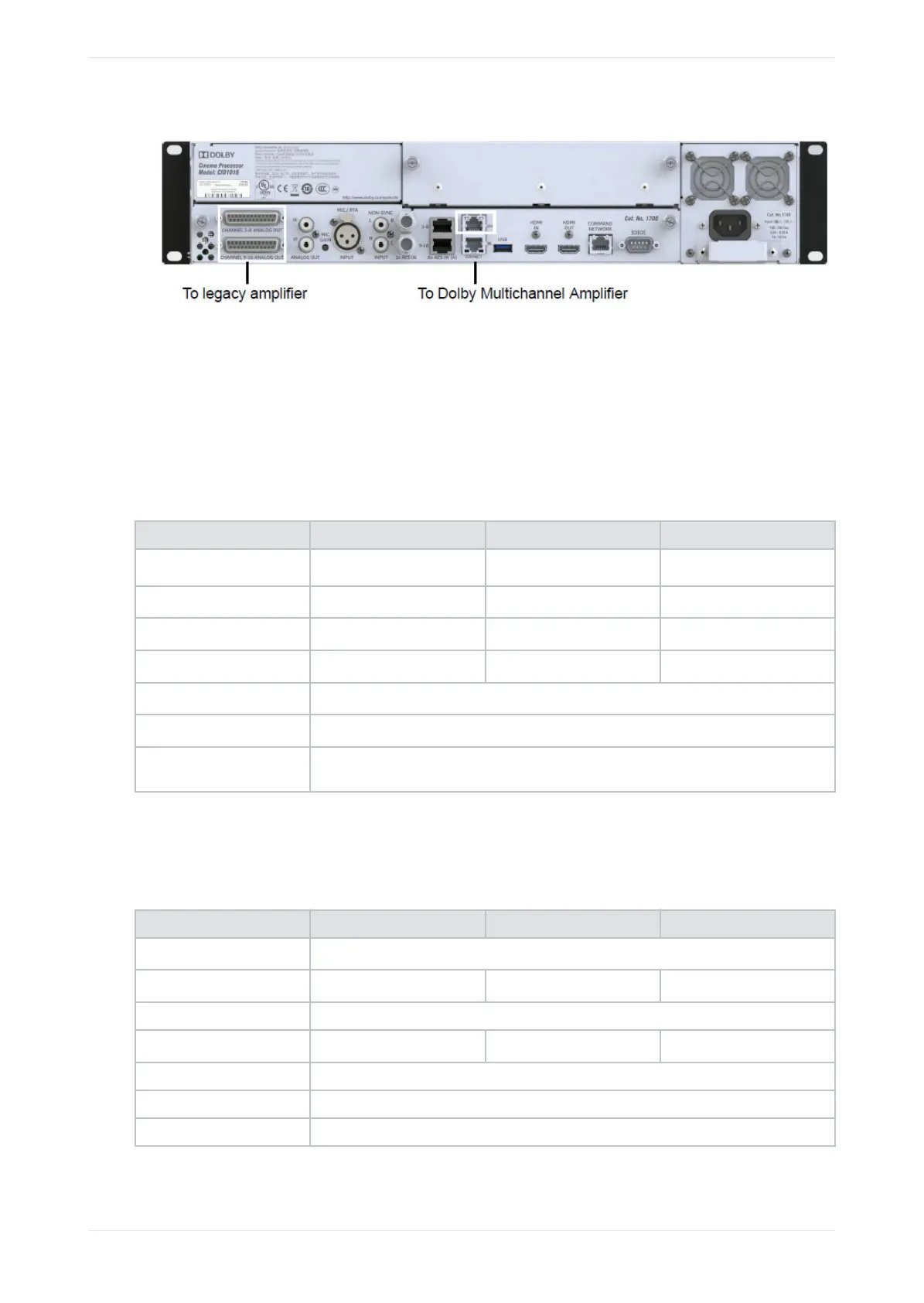
Figure 26: Connecting amplifiers
2.9 Updating and configuring the playback system
The recommended minimum soware versions for Dolby Digital Cinema playback systems that are
connected to a CP950 or CP950A are listed in the following tables. If you need to update your playback
system soware, refer to the respective Dolby Digital Cinema playback system documentation for
instructions on how to perform this task. You can download update soware at https://customer.dolby.com.
For Dolby Digital Cinema playback systems, we recommend the minimum soware versions listed in the
following table for use with the CP950:
Playback system Soware version Firmware version Security manager version
DCP-2000 with Dolphin
2.8.30 21.05b 2.1.107
ShowVault with IMB
2.8.30 30.11g, 30.08q (HFR) 5.1.116
IMS1000
2.6.7 4.6.11 6.1.135
IMS2000
2.8.30 4.6.11 6.1.135
IMS3000
Bundle 3.4.11
DSS200/DSS220
4.9.5.2
DSS100/DSP100 The CP950 is not supported by the DSS100/DSP100 by default. You can load commands
and control the system via the serial connection.
For Dolby Digital Cinema playback systems, we recommend the minimum soware versions listed in the
following table for use with the CP950A. In some cases, you must apply a hotfix. Some older playback
systems do not provide automation support for the CP950A. For those systems, we recommend that you use
CP850 settings.
Playback system Soware version Firmware version Security manager version
DCP with Dolphin board
Use CP850 settings.
ShowVault with IMB
2.8.30* 30.11g, 30.08q (HFR) 5.1.117
IMS1000 Use CP850 settings.
IMS2000
2.8.30* 4.6.11 6.1.136
IMS3000 Bundle 3.4.11**
DSS200/DSS220 4.9.6.4
DSS100/DSP100 The CP950A is not supported by the DSS100/DSP100.
* With hotfix dcp2000_ims2_sw_hotfix_accumulated_updates_2.8.30-1.0.5.
Updating and configuring the playback system
Dolby Cinema Processor CP950 and Dolby Atmos Cinema Processor CP950A Manual 35
Issue 9 Part Number 8800298 19 January 2022









 To Next Page