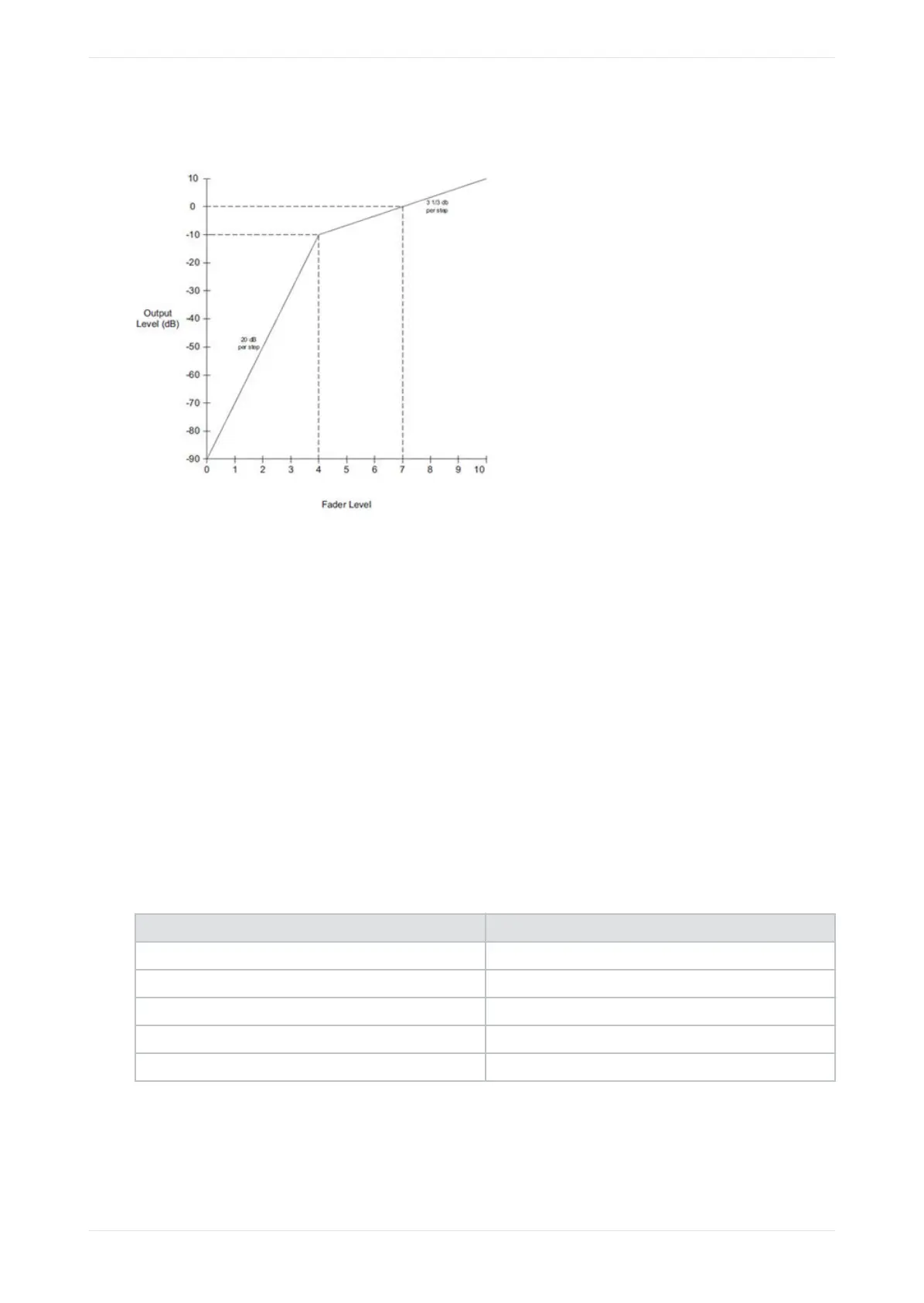
The following figure shows the characteristic graph.
Figure 9: Fader characteristic
1.2.3 Booth monitor speaker
With this front-panel speaker, you can monitor the audio on any active input or speaker channel. The speaker
channels are sampled prior to speaker crossovers or the LCR downmix (which mixes Le, Center, and Right
channels). The speaker channel is attenuated by 10 dB. Input sampling is not supported with macros that
support encoded audio.
The LCR downmix is the default option, which you can change in the FPUI or web UI .
1.2.4 Booth monitor speaker volume
With this smaller right-side volume knob, you can adjust the booth monitor speaker volume. The booth
monitor speaker volume defaults to the lowest setting (silent) each time you start up the system. The system
does not support automation or remote control of the booth monitor speaker fader.
1.2.5 Status indicator LEDs
There are four LEDs on the right side of the FPUI. All of these LEDs illuminate at the same time in a specific
color, depending upon the power state.
Table 1: Power indicator LEDs
Color State
Flashes yellow once or twice, and then solid yellow Unit is powering up but not operating (booting).
Solid red Unit is powered but not operating (fatal error).
Solid green Unit is powered and operational.
Solid blue CP950A unit is powered and playing Dolby Atmos content.
Solid yellow Unit is powered but there is an error or alert.
Introduction to the Dolby Cinema Processor CP950 and Dolby Atmos Cinema Processor CP950A
Dolby Cinema Processor CP950 and Dolby Atmos Cinema Processor CP950A Manual 18
Issue 9 Part Number 8800298 19 January 2022









 To Next Page