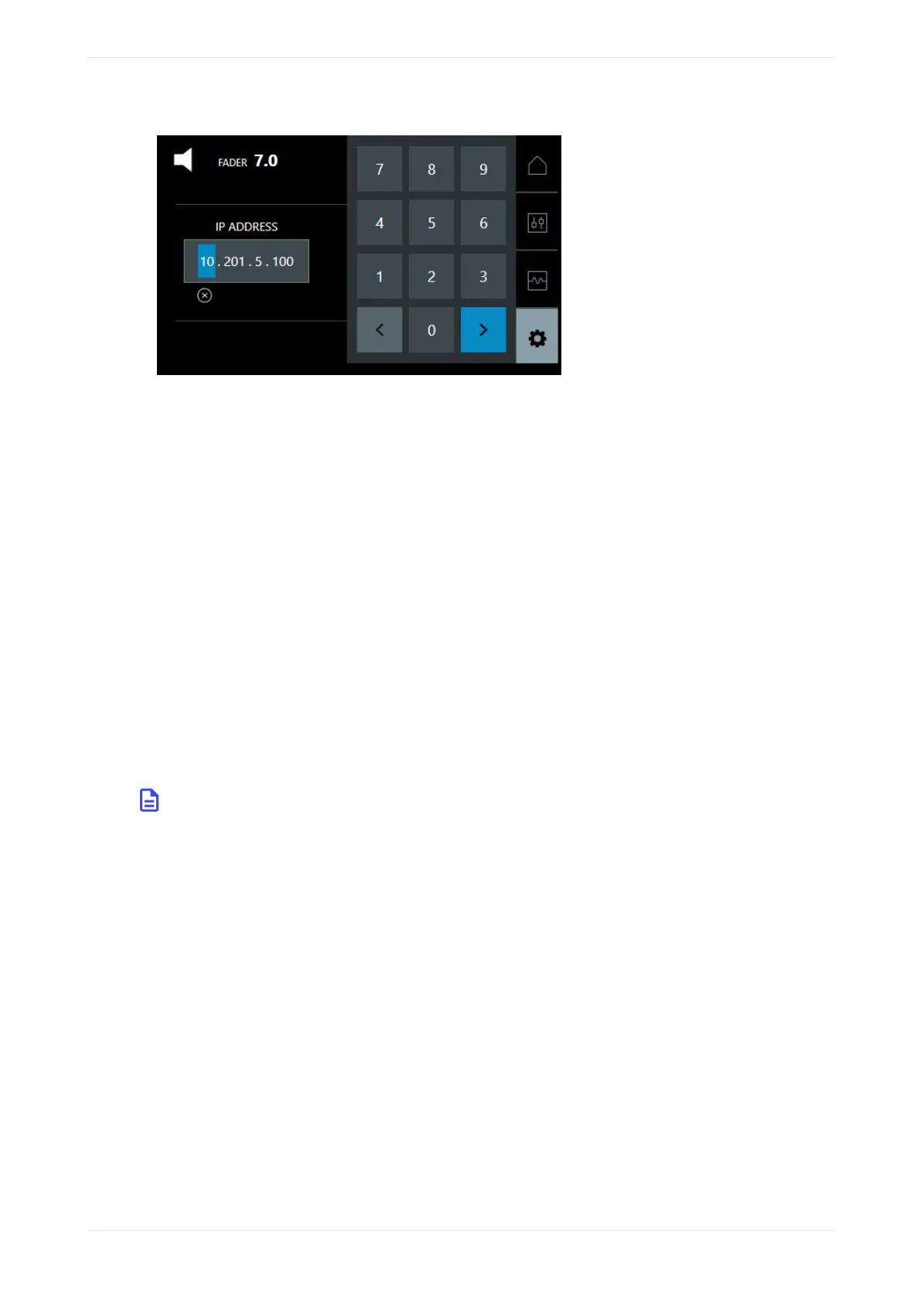
Figure 31: Configure ip address
3. Use the so keyboard to change the third octet to your auditorium number.
The right arrow changes from blue to green. Press it to confirm.
4. Repeat steps 3 and 4 for the Netmask.
5. Repeat steps 3 and 4 for the Gateway.
The system automatically updates these settings aer each step. In some cases, you may need to reboot.
What to do next
Aer starting up the system and configuring the network settings, you can use your web browser to connect
to the Dolby CP950/CP950A.
Related information
Connecting to the Dolby CP950 or CP950A on page 41
2.12 Performing USB functions
You can use the Dolby CP950/CP950A Universal Serial Bus (USB) port to perform specific functions by
inserting a USB storage device (flash drive) that contains a specifically named file or folder in the root of the
USB device. Supported file systems are file allocation table (FAT) and FAT32. USB version 3.0 devices are
supported, but older USB devices may also function correctly. Mechanical hard drives are not supported, as
these devices draw more power than the Dolby CP950/CP950A USB port can provide.
Note: Do not use the USB port during normal operations. By doing so, audio playback can be
interrupted for a short time.
You can perform the following functions:
Viewing and downloading system logs
Create a file or folder at the root of a USB device, and name it extract-logs. If creating a file, there should
be no file extension. Plug the storage device into the USB port on the back of the CP950/CP950A and wait one
minute. The system generates the logs and saves them to your USB device in a file named
cp950_logs.tgz.
Generating a backup via a USB storage device
Create a file or folder at the root of a USB device, and name it backup. If creating a file, there should be no
file extension. Plug the storage device into the USB port on the back of the CP950/CP950A and wait one
minute. The system generates a log report cp950_logs.tgz file and a
dolbyAtmosConfiguration.dac backup file and saves these files to your USB device.
Installing the Dolby CP950 or CP950A in a Dolby Digital Cinema network
Dolby Cinema Processor CP950 and Dolby Atmos Cinema Processor CP950A Manual 38
Issue 9 Part Number 8800298 19 January 2022









 To Next Page