3.9 Performing maintenance tasks
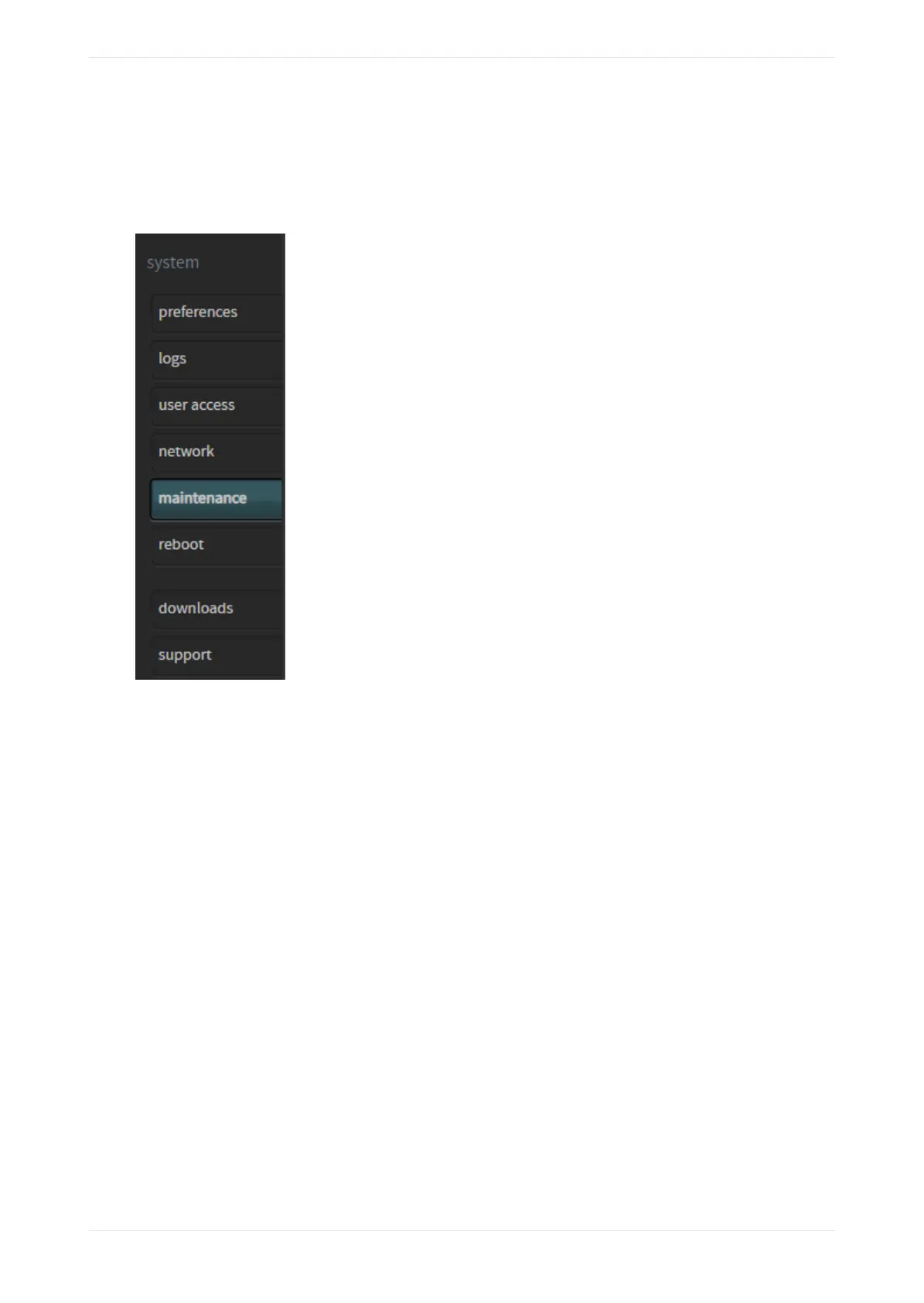
If you are a technician or a system administrator, select maintenance in the system menu to perform
maintenance tasks, as shown in the following figure.
Figure 104: Select maintenance
The maintenance screen appears with the status tab activated in the system management pane, as shown
in the following figures for a CP950 and CP950A. When the status tab is selected, you can check the system
status for current component temperatures, and the state of CP950/CP950A power supply fans 1 and 2 and
CP950A CAT1710 fans 3 and 4. Green illumination is good, while red indicates an error. In addition, you can
upgrade the system by clicking the upgrade tab in the system management pane, and back up, restore, and
reset system settings in the settings management pane.
The CP950A has three additional functions in this screen. You can install a Dolby Atmos enablement using the
enablements tab, set the secure time, and download security logs, as described in the following sections.
Working with the web client user interface
Dolby Cinema Processor CP950 and Dolby Atmos Cinema Processor CP950A Manual 78
Issue 9 Part Number 8800298 19 January 2022



 To Next Page