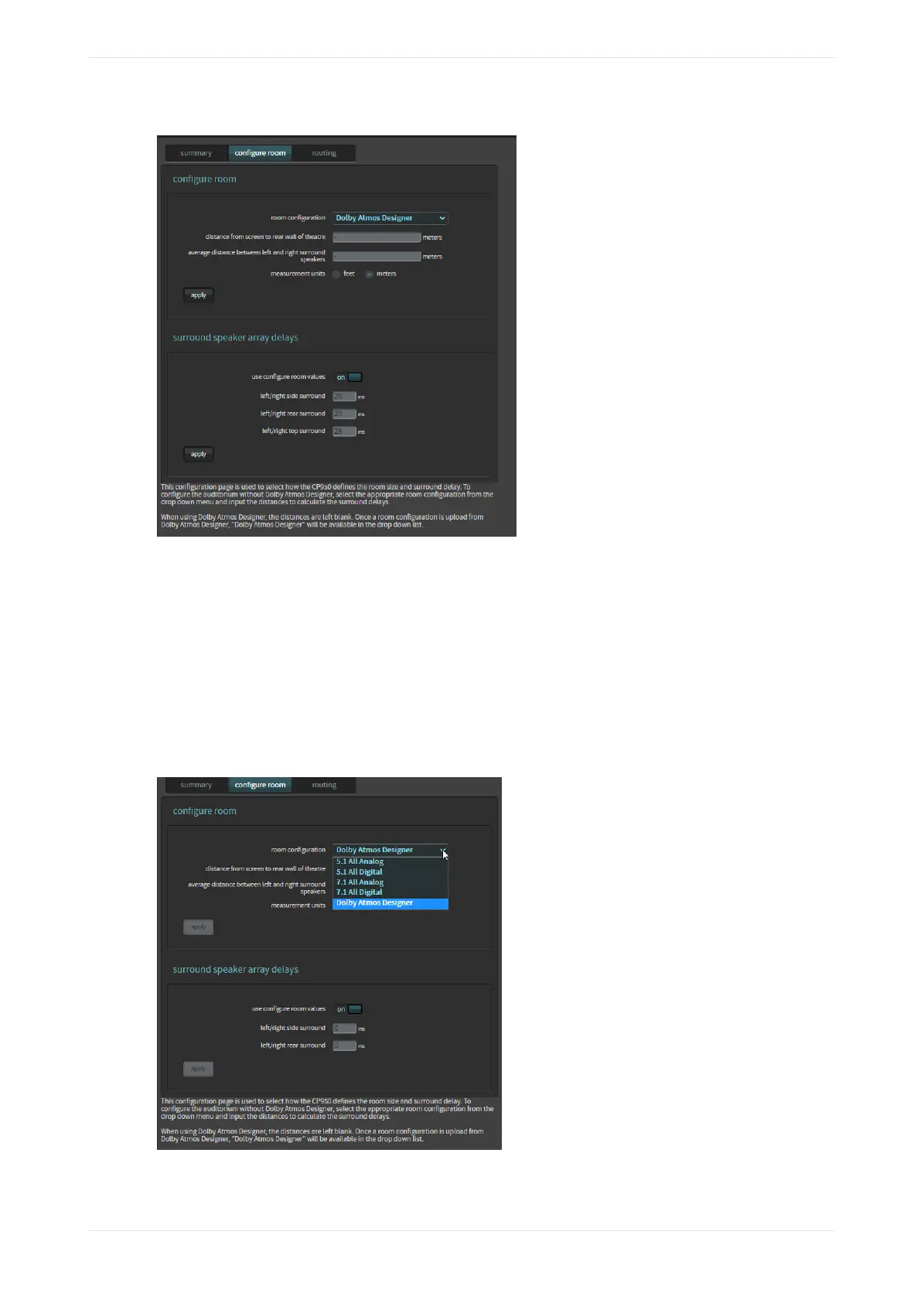
Figure 84: Configure room screen
2. To configure an auditorium without DAD, click in the room configuration field to display a drop-down
menu, as shown in the following figure, which uses the CP950 as an example.
3. Select the desired room configuration, and then use the distance fields to enter the appropriate distances
so the system can calculate the surround delays, and then click apply. Note that the surround delays are
stored and calculated in meters, so if measurement units are set to feet there may be slight changes aer
the configuration is saved and reloaded.
4. To manually override the system-calculated delays, toggle the use configure room values field to the o
position, and then enter the required array delays, and click apply. This provides you with a fine control
that is not normally required. In most cases, you should use the information entered in DAD or the
system-calculated values.
Figure 85: CP950 room configuration with drop-down menu
Working with the web client user interface
Dolby Cinema Processor CP950 and Dolby Atmos Cinema Processor CP950A Manual 66
Issue 9 Part Number 8800298 19 January 2022


 To Next Page
 Loading...





